14
Locating a disc by name
— List-up (For a CD unit with the custom
file function or an MD unit)
You can use this function for discs that have
been assigned a custom name. For more
information on disc memo names, refer to
“Labelling a CD” (page 13).
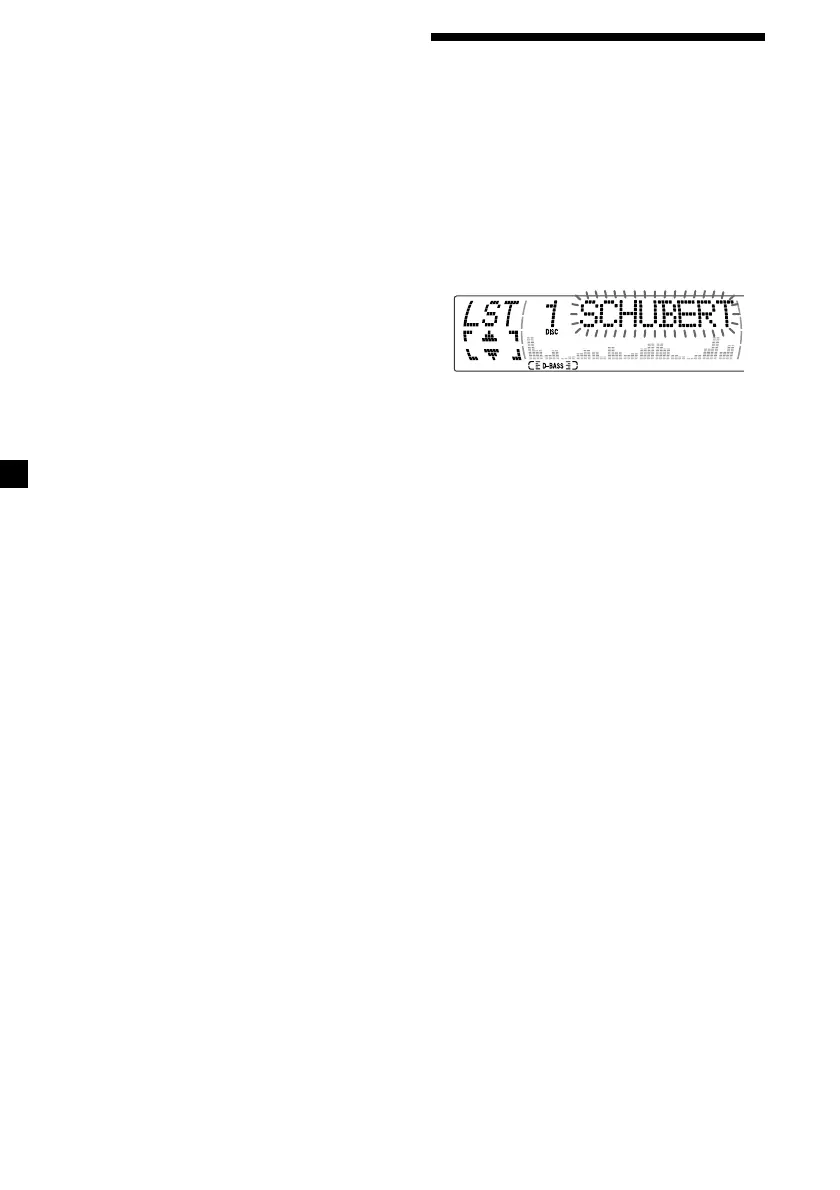
1 Press (LIST).
The name assigned to the current disc
appears in the display.
When you assign a disc memo name to a
CD TEXT disc, it takes priority over the
original CD TEXT information.
2 Press M (DISC +) or m (DISC –) repeatedly
until you find the desired disc.
3 Press (ENTER) to play the disc.
Notes
• The track names are not displayed during CD
TEXT disc or MD playback.
• If there are no discs in the magazine, “NO Disc”
appears in the display.
• If a disc has not been assigned a custom file,
“********” appears in the display.
• Some letters cannot be displayed during CD TEXT
disc or MD playback.
Erasing the disc memo
1 Press (SOURCE) repeatedly to select
“CD.”
2 Press (MODE) repeatedly to select the CD
unit with the custom file function.
3 Press (MENU), then press M or m
repeatedly until “Name Del” appears.
4 Press (ENTER).
5 Press M or m repeatedly to select the disc
name you want to erase.
6 Press (ENTER) for two seconds.
The name is erased.
Repeat steps 5 and 6 if you want to erase
other names.
7 Press (MENU) twice.
The unit returns to normal CD play mode.
Note
When a personalised label is erased, the original
CD TEXT information will appear in the display.


 To Next Page