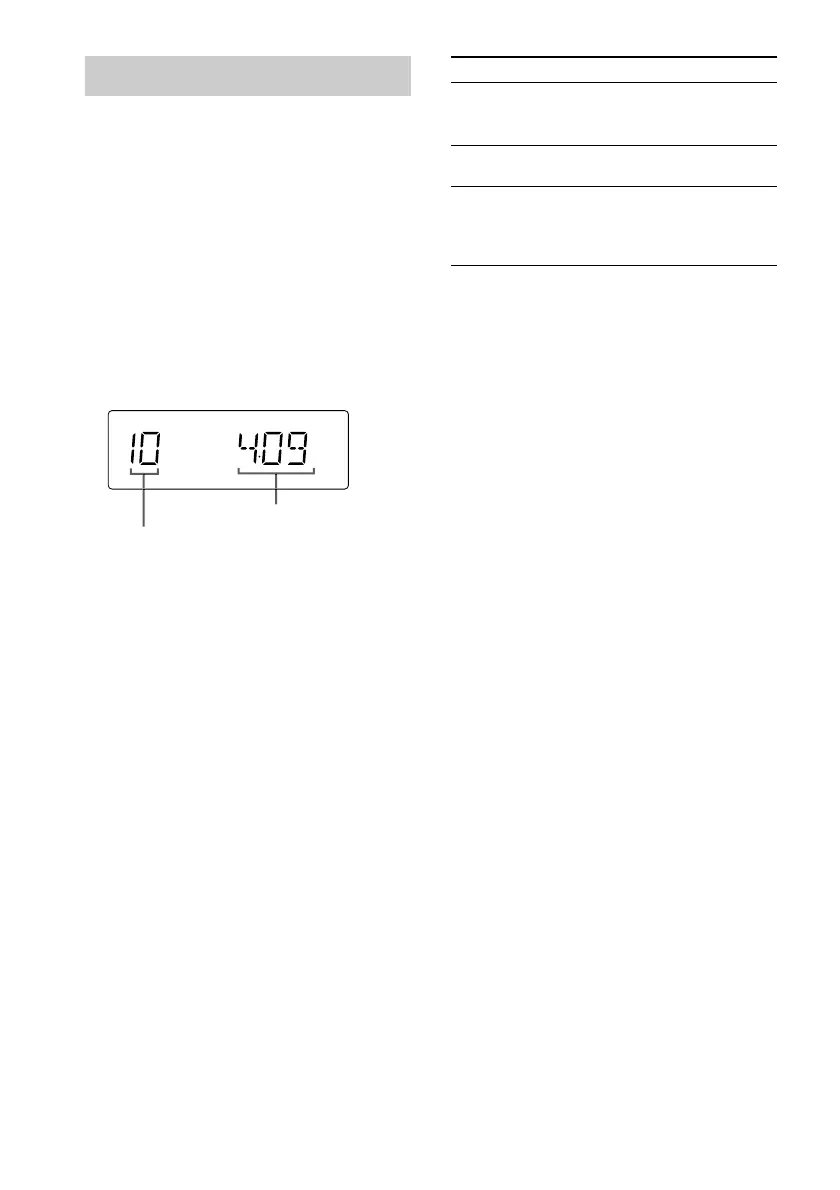
10
GB
Programing CD tracks
— Program Play
You can make a program of up to 25 tracks.
1 Press FUNCTION repeatedly (or press
CD on the remote) to switch the
function to CD.
2 Press PLAY MODE/TUNING MODE
repeatedly until “PGM” appears.
3 Slide the knob to l or to L (or
press . or > on the remote) until
the desired track number appears.
To Do this
Playing time of the selected track
Selected track number
4 Press ENTER.
The track is programed.
5 To program additional tracks, repeat
steps 3 and 4.
6 Press CD NX (or N on the remote).
Cancel Program
Play
Press PLAY MODE/TUNING
MODE repeatedly until “PGM”
and “SHUFFLE” disappear.
Clear a track
from the end
Press CLEAR on the remote in
stop mode.
Add a track to
the end of the
program in
stop mode
Perform steps 3 and 4.
Tips
• The program you made remains after Program Play
finishes. To play the same program again, press CD
NX.
• “- -.- -” appears when the total CD program time
exceeds 100 minutes, or when you select a CD track
whose number is 21 or over.


 To Next Page