Basic Operations
17
Recording from the
radio
Do the procedure below to tune in a preset station
(see page 16) and record from the radio to a tape.
Both Type I (normal) and Type II (CrO2) tapes
can be used.
To turn on the system, press ?/1.
nx
?/1
N
.m X M>
Z
+
–
4
5
1
7
6
DOLBY NR
s
3
2
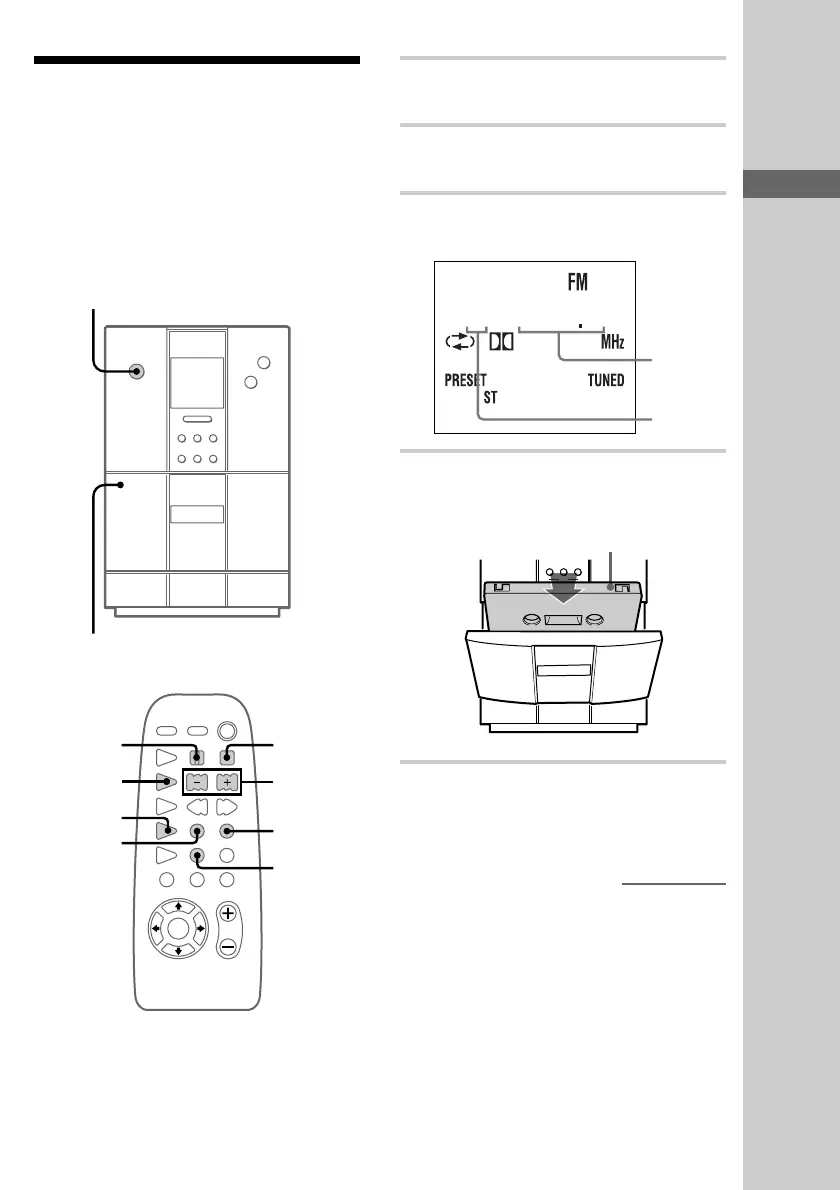
1 Press TUNER/BAND repeatedly until
“FM” or “AM” appears.
2 Press TUNING MODE repeatedly until
“PRESET” appears.
3 Press +/– repeatedly to display the
preset number of the desired station.
3 1005
4 Press Z PUSH on the unit and insert a
recordable tape into the cassette holder.
With the side you want to
record on facing towards you
Z
–+
nxN
.m X M>
BAND
TUNE
AM FM
5 Press z REC.
The tape stands by for recording.
“REC” appears.
continued
Frequency
Preset
number
?/1
(Power)











 To Next Page