Basic Operations
13
Basic Operations
Playing a CD
— Normal Play
Do the procedure below to play a CD starting
from the first track.
To turn on the system, press ?/1.
nx
A
?/1
N
.m X M>
Z
+
–
1
VOLUME
+
/
–
2
xX
.m/M>
CD H
l/L
OPEN/
CLOSE
j/J
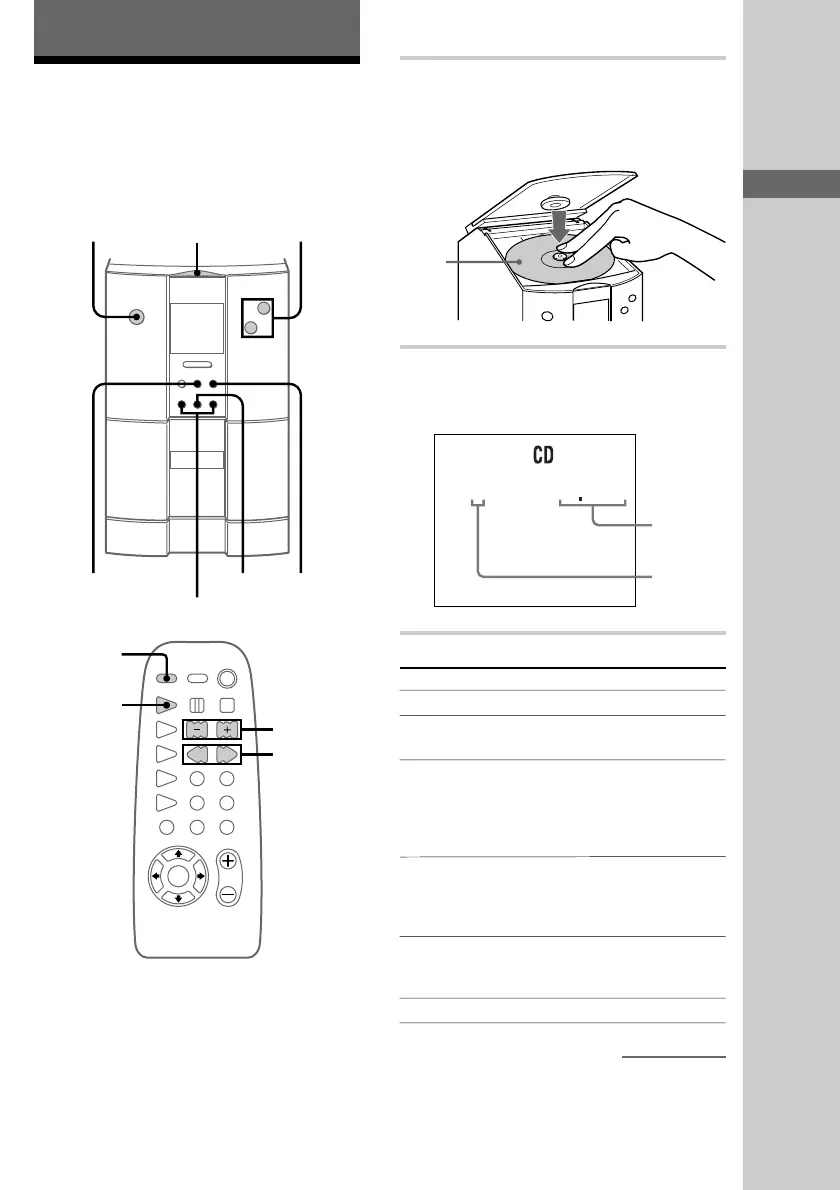
1 Press A (or OPEN/CLOSE on the
remote) to open the glass door and place
a CD on the disc tray.
Fit the CD onto the spindle.
2 Press N.
The glass door closes automatically and
playback starts.
1 005
To Do this
Place
with the
label side
up.
continued
Getting Started/Basic Operations
Stop playback Press x.
Pause Press X. Press again to
resume playback.
Select a track During playback or pause,
press .m/M> (or
l/L on the remote)
repeatedly until you find the
desired track.
Locate a desired
point in a track
During playback, press down
.m/M> (or
j/J on the remote) until
you find the desired point.
Remove or replace
the CD
Press A (or OPEN/CLOSE on
the remote) to open the glass
door.
Adjust the volume
Press VOLUME +/–.
?/1
(Power)
Playing
time
Track
number











 To Next Page