24
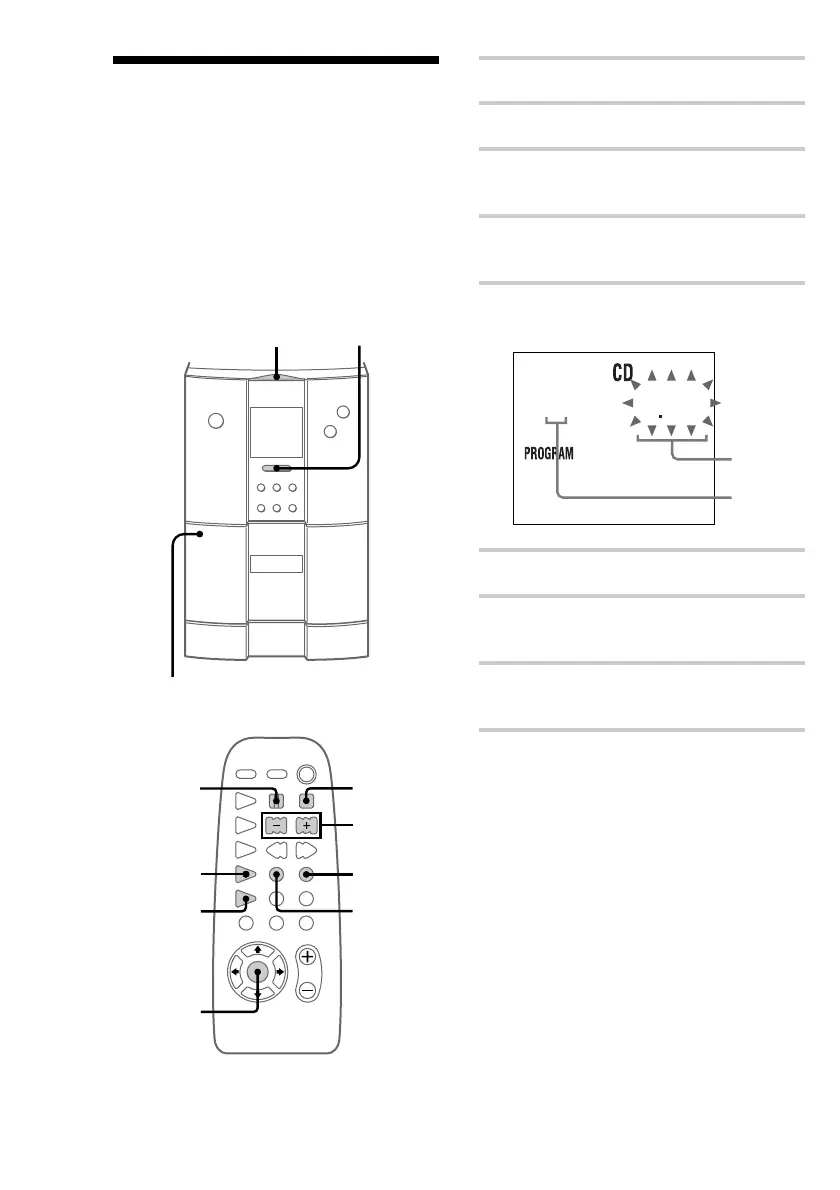
1 Place a CD.
2 Insert a recordable tape.
3 Press FUNCTION on the unit
repeatedly until “CD” appears.
4 Press PLAY MODE repeatedly until
“PROGRAM” appears.
5 Press l or L repeatedly until the
desired track number appears.
3 243
6 Press ENTER.
7 Repeat steps 5 and 6 to add more tracks
to be recorded on side A.
8 Press S where you want the system to
begin recording on side B.
9 Repeat steps 5 and 6 to select tracks to
be recorded on side B.
Recording your favorite
CD tracks to a tape
— Program Edit
With Program Edit function, you can select only
the CD tracks that you want using the Program
Play function, then record the programmed tracks
to a tape using the CD Synchro Recording
function.
nx
A
?/1
N
.m X M>
Z
+
–
1
2
3
10
6
11
8,12
s
5
4
DOLBY NR
Total
playing
time
Selected
track
number











 To Next Page