5
Getting Started
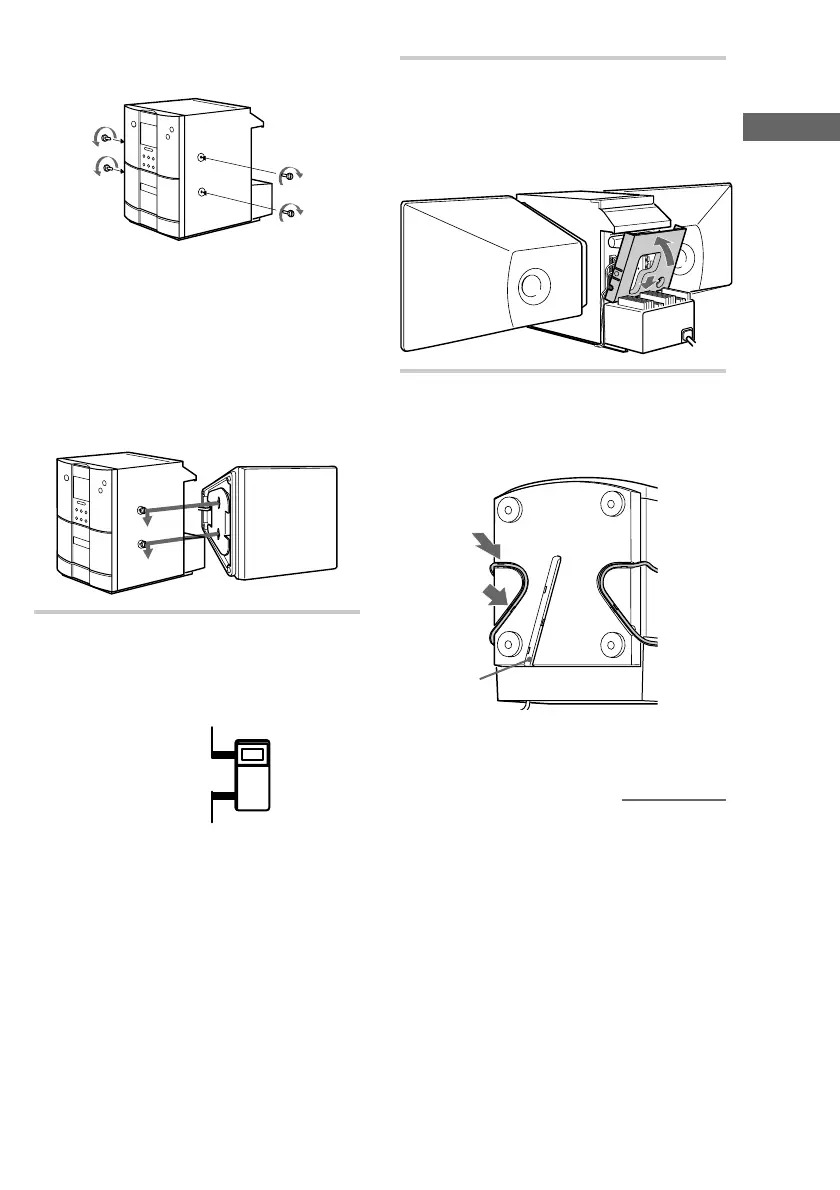
2 Fasten the four screws to both sides of the
unit.
+
–
3 Attach the speakers.
Facing the front of the unit, attach the
speaker connected to the SPEAKER R
terminals onto the right side of the unit
and the speaker connected to the
SPEAKER L terminals onto the left side
of the unit.
Afterwards, push down on the speakers to
make sure they are securely fastened to the
unit.
+
–
3 For models with a voltage selector, set
VOLTAGE SELECTOR to the local
power line voltage.
VOLTAGE SELECTOR
110-120V
220-240V
4 After making sure that the cords are
correctly and securely connected,
reinstall the rear cover.
Pass the speaker cords through the holes on
both sides of the rear cover.
U
5 Turn the unit upside down while
holding the glass door firmly with your
hand, then set the speaker cord into the
groove at the bottom of the unit.
*
* This groove is used to hold the power cord
when the optional stand is attached.
continued











 To Next Page