COM-2.US.3-213-855-11(1)
88
88
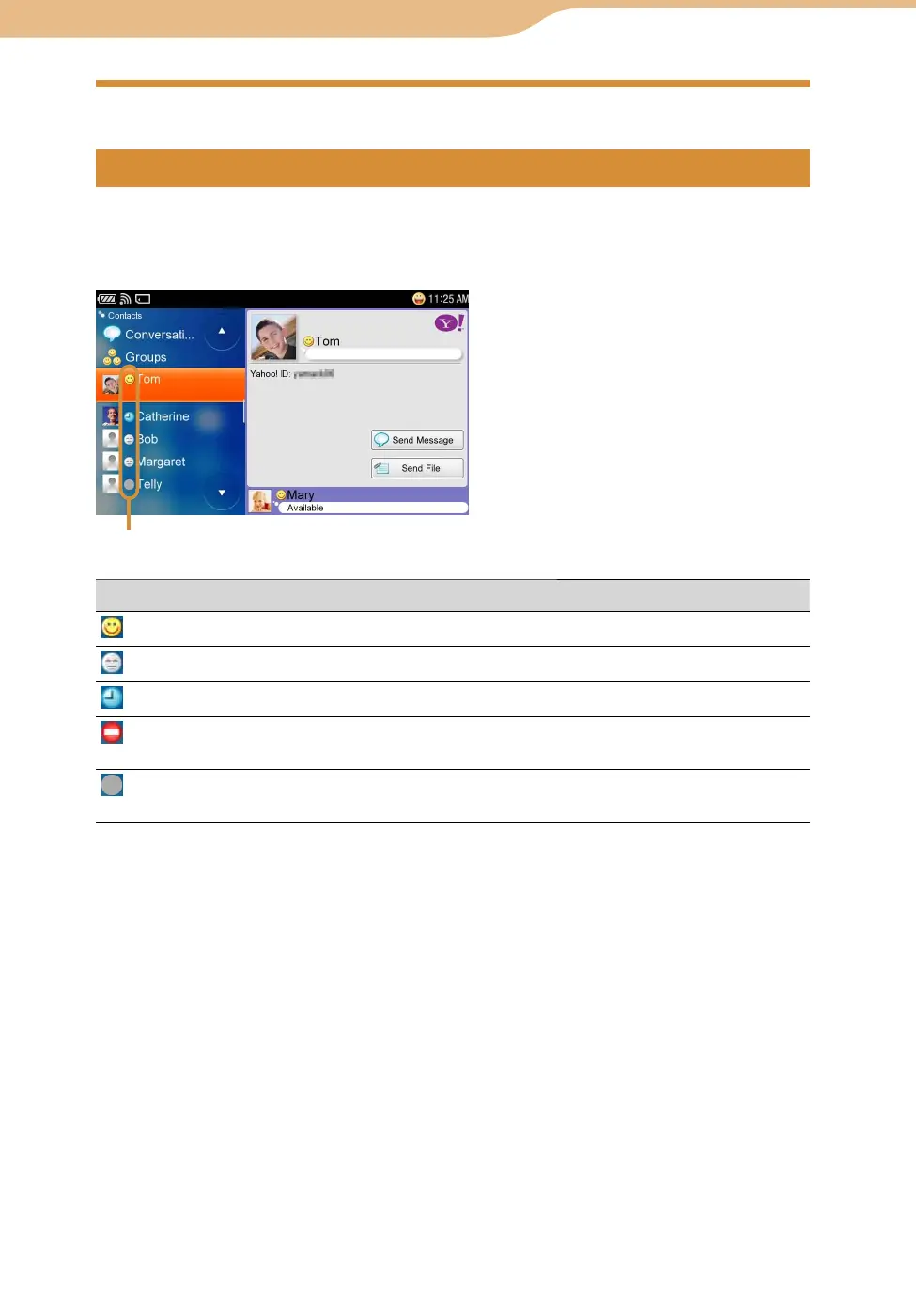
After signing in to Yahoo! Messenger, the Contacts screen appears.
Your Contacts (
page 93) are displayed.
You can see the details for an item by highlighting it.
Status icon
Status icon Contact’s status
(Online)
Your contact is online.
(Offline)
The contact appears to be offline.
(Idle)
Your contact is idle.
(Busy)
Your contact is online, but has chosen to have his or her status
show as busy and might not be available.
(Pending)
The Contact will appear on your contact list as pending until
that person responds to your request.
Continued
Yahoo! Messenger









 To Next Page