COM-2.US.3-213-855-11(1)
96
96
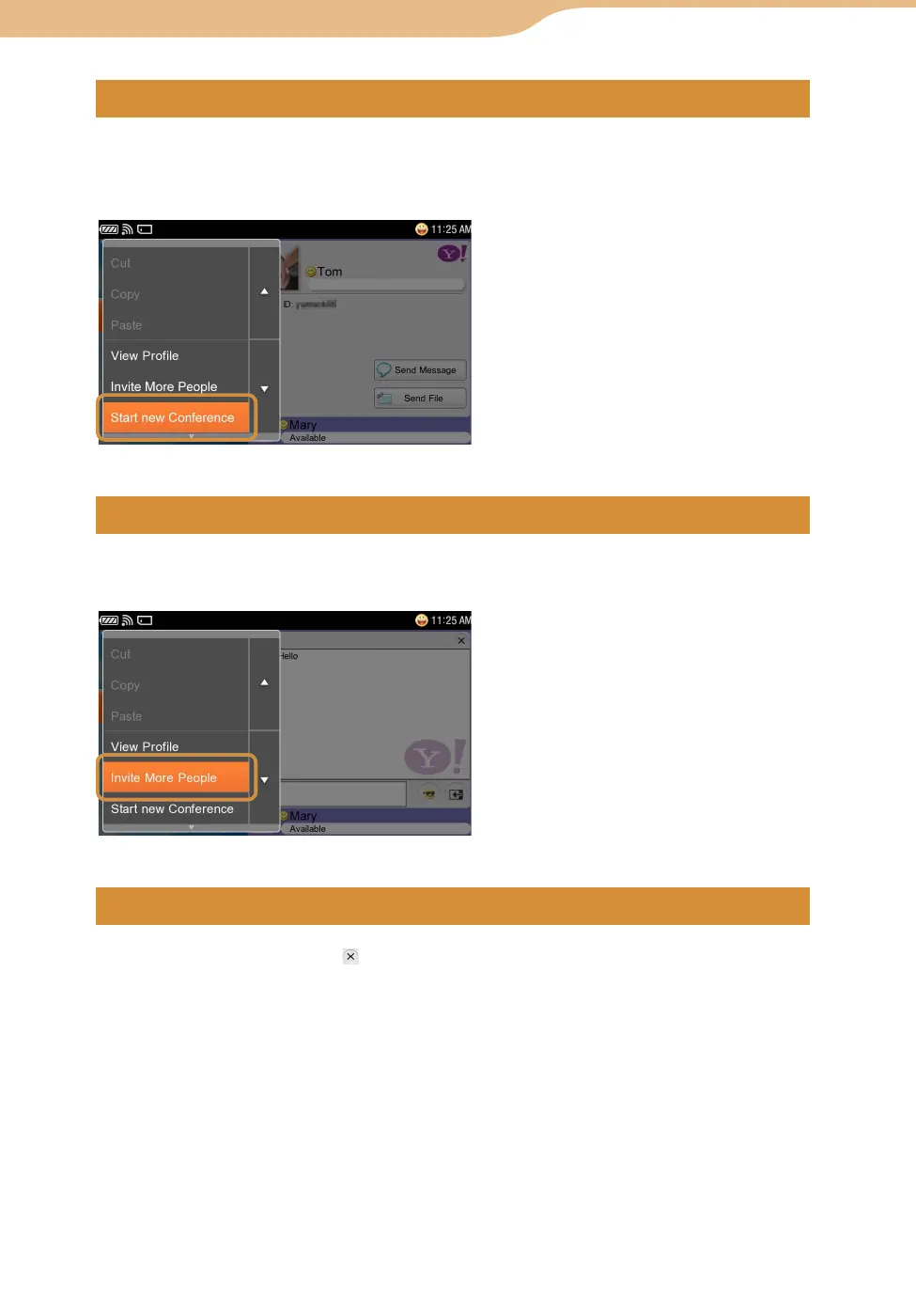
On the Contacts screen, select “Start new Conference” from the OPTION
menu, and then select the Contact(s) with which you want to have a
Conference.
On the Conversation screen, select “Invite More People” from the OPTION
menu, and then select the Contact you want to add.
To end a Conversation, tap on the Conversation screen.
The Conversation/Conference disappears from the Conversation/Conference
List screen.
Yahoo! Messenger









 To Next Page