Connecting to a Windows computer
12
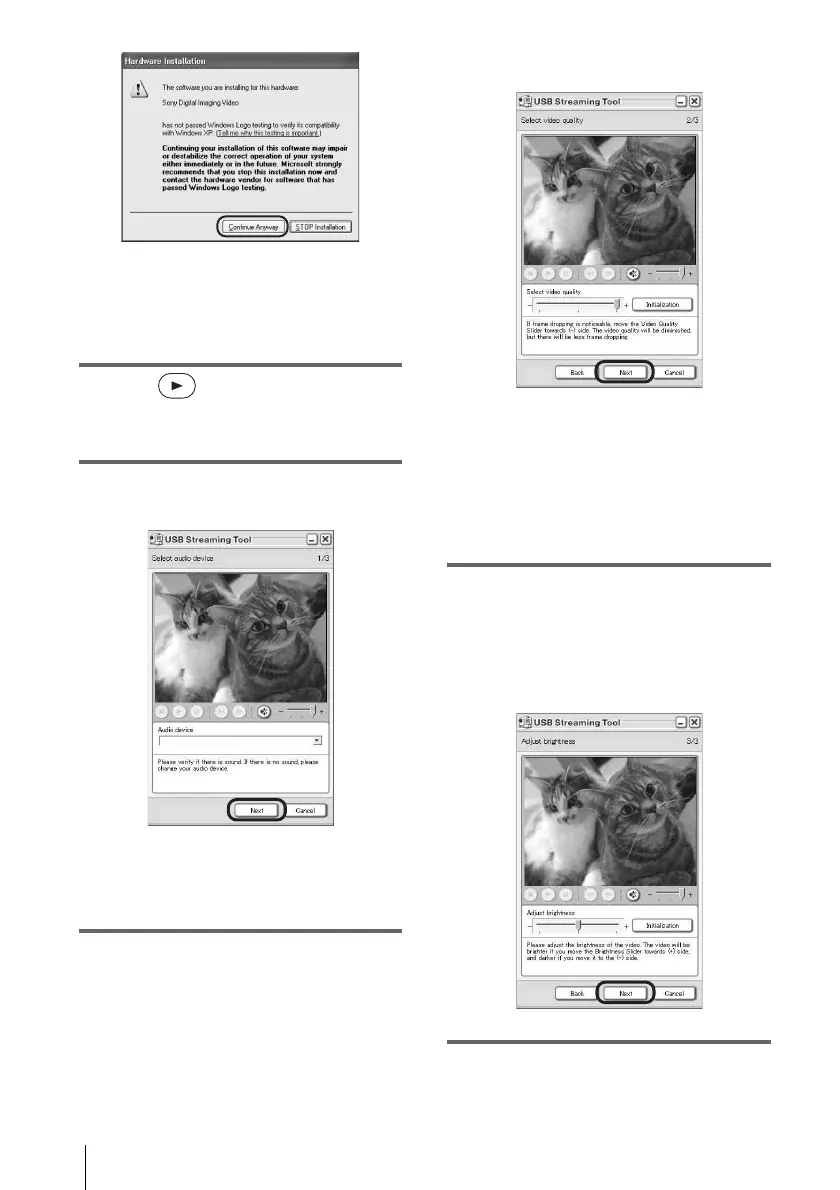
z Tip
• You can confirm there is no problem even if
you select [Yes] or [Continue Anyway]
depending on the OS.
6 Click (Playback).
Make sure that the movie recorded on a tape
is played back.
7 Make sure you hear the sound, then
click [Next].
b Note
• When you cannot hear the sound, select another
device.
8 Adjust the image quality, then click
[Next].
Adjusting the slider in the (+) direction
makes the image quality higher and
adjusting the slider in the (-) direction
makes the image quality lower.
b Note
• When you adjust the image quality, the picture
and the sound break off for a moment.
z
Tip
• If the movie is not smooth, adjust the slider in
the (-) direction.
9 Adjust the brightness, then click
[Next].
Adjusting the slider in the (+) direction
makes the picture brighter, and adjusting
the slider in the (-) direction makes the
picture darker.
10Click [Done].
[Picture Package Menu] starts up.



 To Next Page