Managing pictures on a Windows computer
Managing pictures on a Windows computer
19
4 Search for the point on the tape where
you want to start copying.
5 Connect your camcorder to the
computer using a USB cable (supplied)
or i.LINK cable (optional) (p. 11, 15).
[Picture Package Menu] starts up
automatically.
6 Click [Automatic Video Producer].
[Picture Package Auto Video] starts up.
.
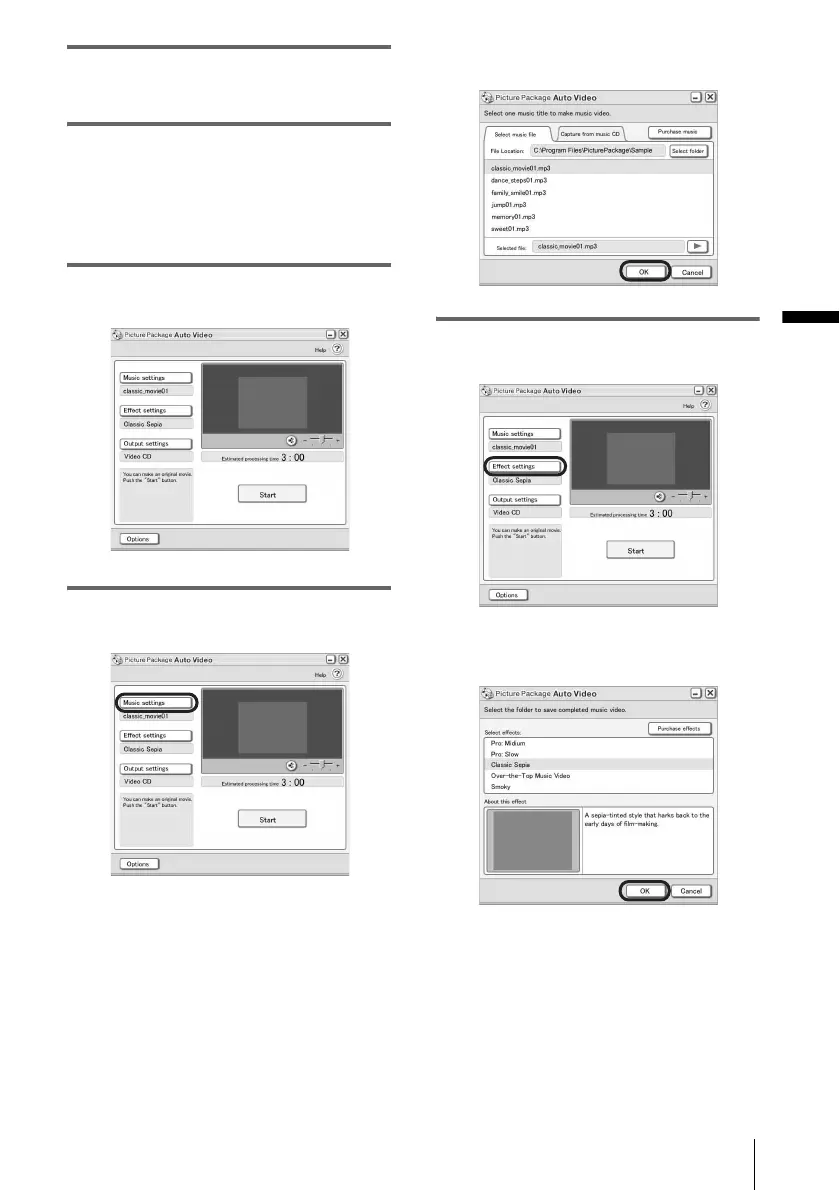
7 Click [Music settings], then select the
music
You can select music from music files in the
computer or music CDs other than sample
music on the application. Select music, then
click [OK].
.
8 Click [Effect settings], then select the
effect.
You can select one of the 5 effects. Select
an effect, then click [OK].
.
,continued



 To Next Page