Managing pictures on a Windows computer
22
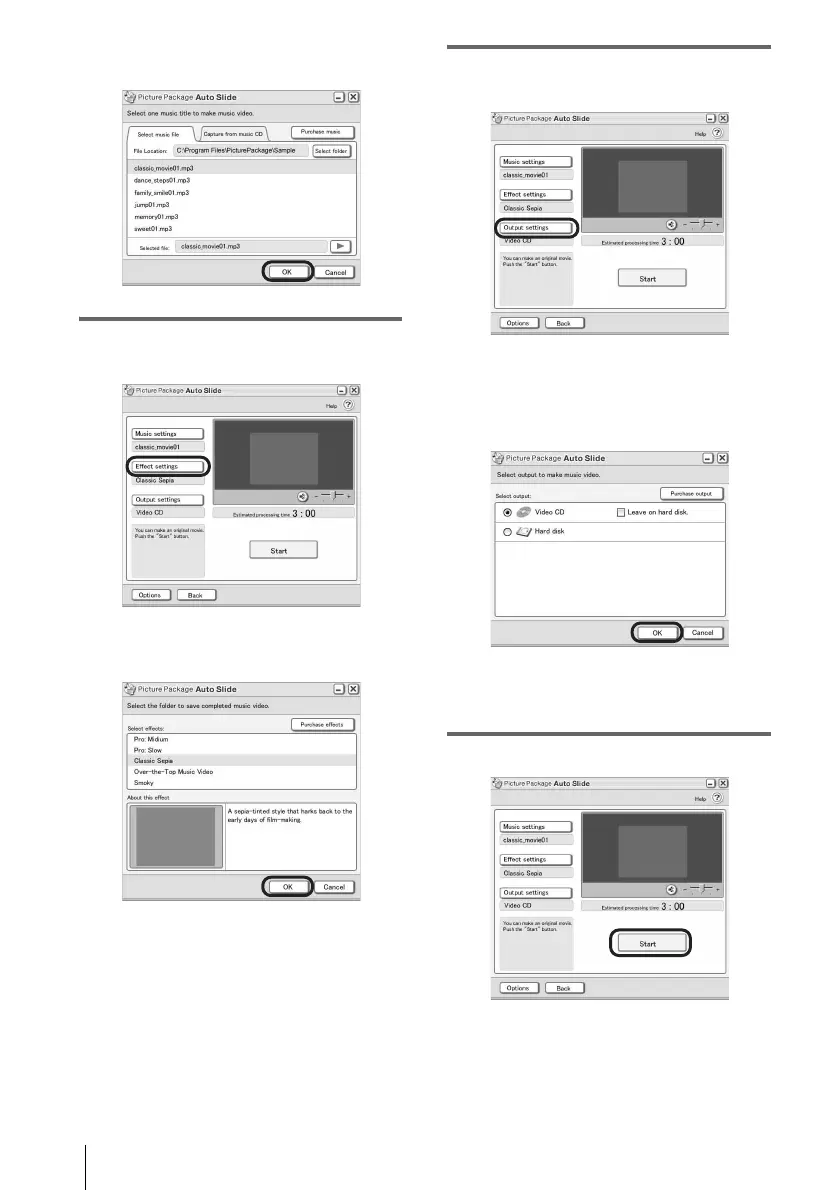
sample music on the application. Select
music, then click [OK].
.
8 Click [Effect settings], then select the
effect.
You can select one of the 5 effects. Select
an effect, then click [OK].
.
9 Click [Output settings], then select
where to store the images.
When you select [Video CD] for where to
store the images, place a new CD-R in the
disc drive. Select where to store the images,
then click [OK].
.
b Note
• CD-RWs cannot be used.
10Click [Start].



 To Next Page