Connecting to a Windows computer
Connecting to a Windows computer
9
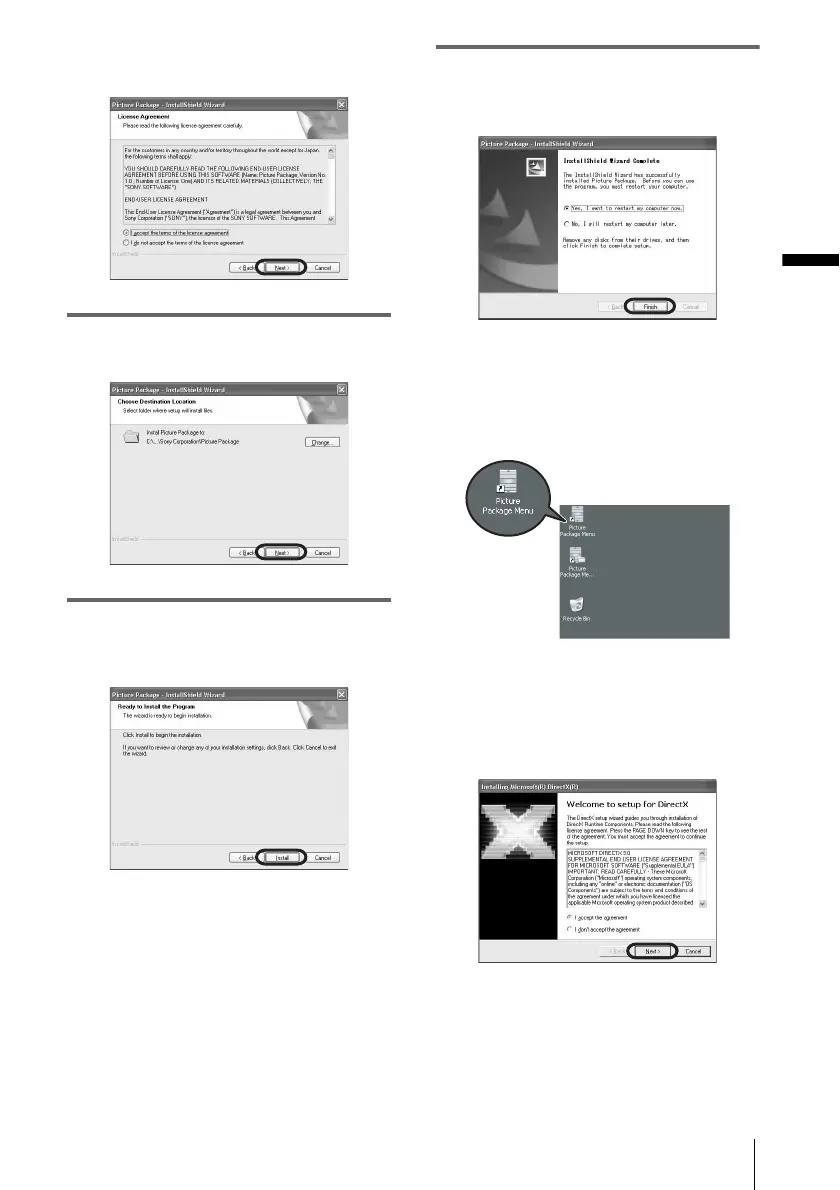
agreement] when you agree, then click
[Next].
7 Select where to save the software, then
click [Next].
8 Click [Install] on the [Ready to Install
the Program] screen.
The installation starts.
9 Make sure [Yes, I want to restart my
computer now.] is checked, then click
[Finish].
The computer turns off once, then starts up
again automatically (Restart). The short-cut
icons for [Picture Package Menu] and
[Picture Package Menu destination Folder]
appear on the desktop.
When DirectX 9.0b or later is not
installed on the computer, follow the
steps below to install DirectX 9.0b.
1 Read [License Agreement], then click
[Next].
,continued



 To Next Page