8
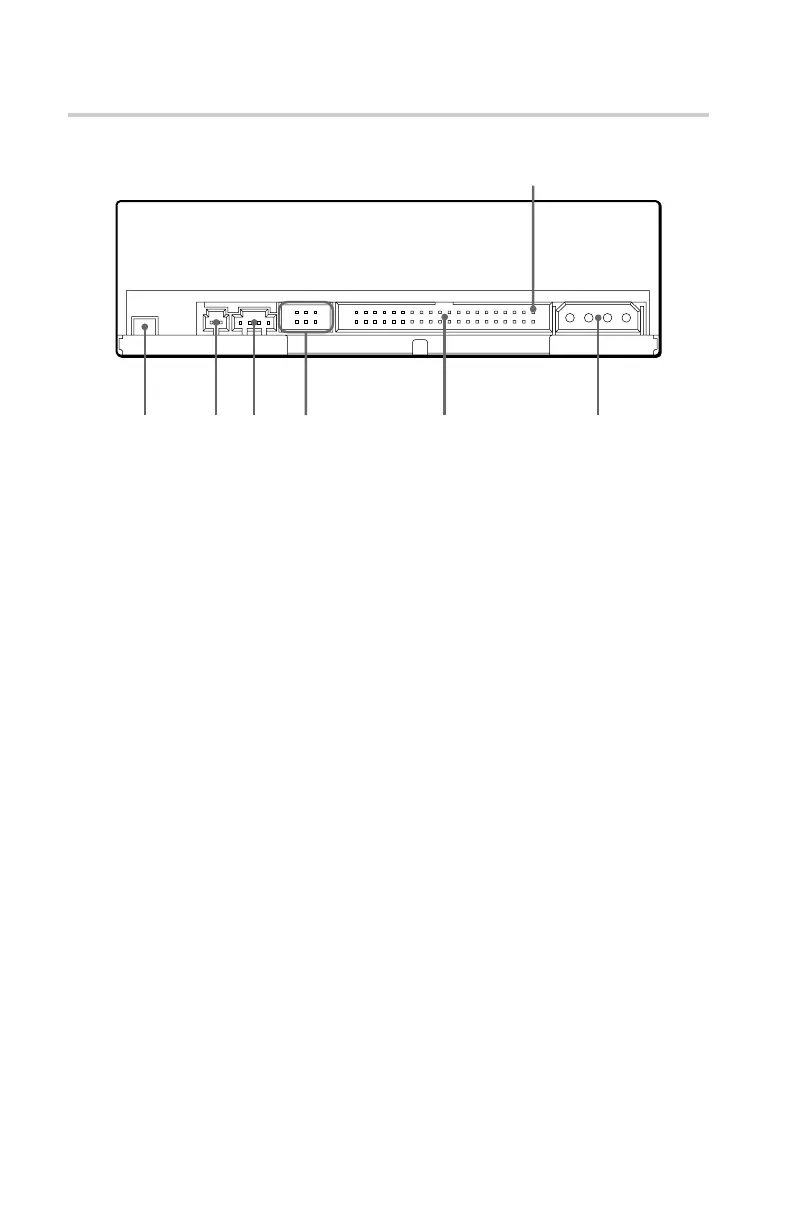
Rear Panel
1 2 3 4
5 6
11
11
1F.GND (Frame ground) tab
Connect with one of the host computer’s ground cables when the
drive’s frame is not in direct contact with the computer.
22
22
2Unused
33
33
3ANALOG AUDIO connector
Outputs analog audio signals.
44
44
4Configuration Jumpers
See page 11 for details.
55
55
5INTERFACE CONNECTOR (IDE bus)
Connect to IDE host adapter using a connecting cable.
66
66
6DC INPUT (power-in) connector
Connect to the power supply of the host computer.
Location and Function of Parts and Controls
Pin 1



 To Next Page