EasyManua.ls Logo

Sony Cyber-shot DSC-S70 - User Manual

Sony Cyber-shot DSC-S70
68 pages
Print Icon
To Next Page IconTo Next Page
Loading...
3-060-522-13(1)
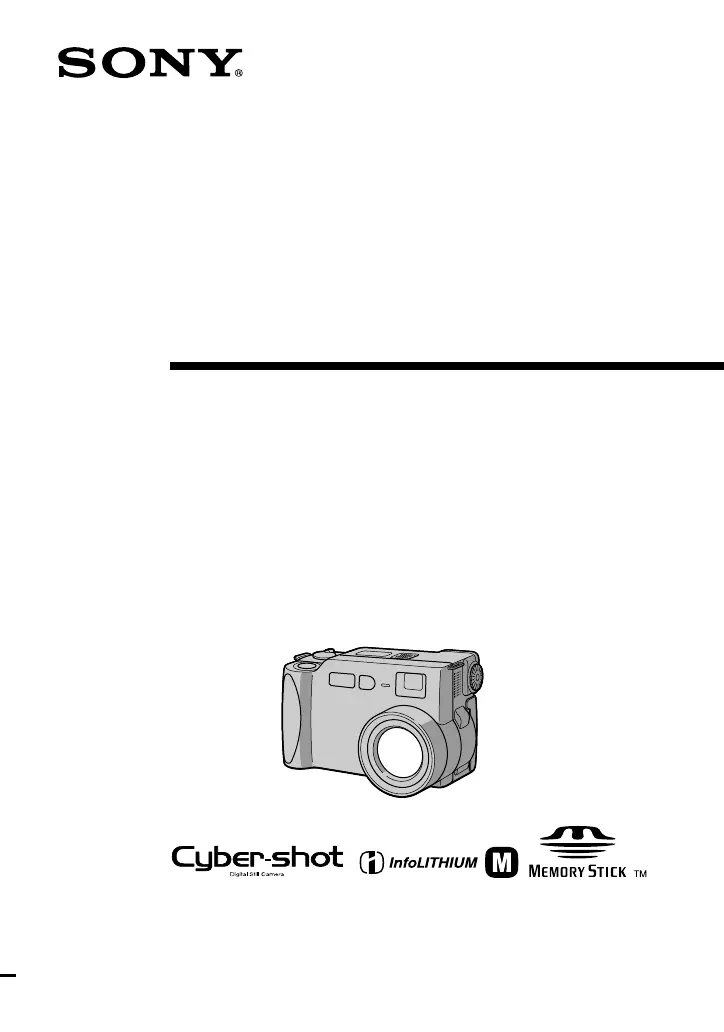
Digital Still
Camera
Operating Instructions
Before operating the unit, please read this manual thoroughly, and retain
it for future reference.
Owner’s Record
The model and serial numbers are located on the bottom. Record the
serial number in the space provided below. Refer to these numbers
whenever you call upon your Sony dealer regarding this product.
Model No. DSC-S70
Serial No. ________________________
DSC-S70
©2000 Sony Corporation

Table of Contents

Other manuals for Sony Cyber-shot DSC-S70

Questions and Answers

  • D
    danielwhiteheadSep 12, 2025
    What to do if file error occurs on Sony Digital Camera?
    • M
      Megan SandersSep 13, 2025
      If a file error occurs when you play back a file on your Sony Digital Camera, the image size may be larger than 2048×1536. Use an image size of 2048×1536 or smaller.
  • A
    anneraymondAug 25, 2025
    Why Sony Cyber-shot DSC-S70 flash does not work?
    • D
      dwayne84Aug 25, 2025
      If the flash on your Sony Digital Camera does not work, check if the flash is set to. If so, set the flash to auto (no indicator), or. If PROGRAM AE is set to the Twilight, Twilight plus, or Panfocus mode, cancel the mode or set the flash to. If the MODE selector is set to MOVIE, set it to STILL.
  • R
    Renee HerringAug 25, 2025
    What to do if my Sony Cyber-shot DSC-S70 Digital Camera does not work?
    • S
      Shannon JohnsonAug 26, 2025
      If your Sony Digital Camera is not working, ensure you are using an “InfoLITHIUM” battery pack. If the battery level is low, charge the battery pack. Also, check the AC power adapter connection to the DC IN jack and the wall outlet. If the issue persists, disconnect and reconnect all power sources after one minute, then turn the camera on.
  • C
    Clayton JuarezSep 23, 2025
    What to do if the image does not appear on the TV screen when using Sony Cyber-shot DSC-S70 Digital Camera?
    • W
      weavervictoriaSep 23, 2025
      If the image does not appear on the TV screen when using your Sony Digital Camera, the video output signal setting of your camera is incorrect. Change the setting.
  • C
    Christopher LawsonSep 13, 2025
    Why doesn't the zoom work on my Sony Digital Camera?
    • J
      John ShafferSep 13, 2025
      If the zoom on your Sony Digital Camera does not work, it may be because PROGRAM AE is set to the Panfocus mode. Cancel the Panfocus mode. Also, check if [CONVERSION] in the menu setting is set to [ON]; if so, set it to [OFF].
  • O
    ohendricksSep 22, 2025
    What to do if the battery remaining indicator is incorrect on Sony Cyber-shot DSC-S70 Digital Camera?
    • C
      Cynthia DavenportSep 22, 2025
      The battery remaining indicator on your Sony Digital Camera might be incorrect because you have used the camera for a long time in an extremely hot or an extremely cold location. Also, the battery pack might be dead, so replace it with a new one. If the battery pack is discharged, install a charged battery pack.
  • K
    Kaylee WaltersSep 6, 2025
    Why does my Sony Digital Camera power off suddenly?
    • B
      Brittany AyalaSep 6, 2025
      If your Sony Digital Camera turns off suddenly, it could be due to inactivity. When the MODE selector is set to STILL or MOVIE, the camera turns off automatically after about three minutes of inactivity to save battery. Turn the camera back on. Also, ensure the battery is charged; if it's discharged, replace it with a charged battery.
  • S
    Sheryl MendezSep 7, 2025
    How to brighten a dark picture on my Sony Digital Camera?
    • K
      Kristen JonesSep 7, 2025
      If your picture is too dark on your Sony Digital Camera, it may be because you are shooting a subject with a light source behind it. Adjust the exposure. You can also adjust the brightness of the LCD screen.
  • J
    Jennifer CookSep 23, 2025
    What to do if the Sony Cyber-shot DSC-S70 displays sufficient battery but the power runs out soon?
    • M
      moorejenniferSep 23, 2025
      If your Sony Digital Camera displays a sufficient battery remaining indicator but the power runs out soon, fully charge the battery pack.
  • M
    Mary WaltersAug 31, 2025
    Why does my Sony Digital Camera power turns off suddenly?
    • N
      Nicholas DoyleAug 31, 2025
      If your Sony Digital Camera turns off suddenly, it may be because, with the MODE selector set to STILL or MOVIE, if you do not operate the camera for about three minutes while the power is on, the camera turns off automatically to prevent wearing down the battery; turn on the camera. Another reason may be that the battery is discharged, replace it with a charged battery.

Summary

Getting Started with Your Camera

Identifying the Parts

Locates and identifies external buttons, lenses, and connectors on the camera for user reference.

Preparing the Power Supply

Instructions on installing, charging, and using the battery pack and AC adapter for camera operation.

Inserting the Memory Stick

Guides on how to properly insert and remove the Memory Stick for data storage.

Core Camera Operations

Recording Still Images

Step-by-step guide for capturing still photographs using the camera's basic functions.

Recording Moving Images

Instructions for recording video clips with sound using the camera.

Playing Back Images

How to review recorded still and moving images on the camera's LCD screen.

Advanced Features and Customization

Camera Controls and Menu Navigation

Explains the function of the MODE selector, control button, and accessing menus.

Menu Settings and Options

Details on configuring various camera settings via the menu system for advanced operations.

Recording Modes and Settings

Explores different recording modes like image size, e-mail, macro, AE, and effects.

Image Editing and Protection

Covers functions like protecting, deleting, resizing, copying, and marking images.

Additional Information

Precautions and Safety Guidelines

Important notes on cleaning, operating temperature, moisture condensation, and AC adapter safety.

Troubleshooting Common Issues

Solutions for common camera problems like power issues, focus, and image display errors.

Specifications and Indicators

Technical specifications, warning messages, and display window indicators for camera operation.

Sony Cyber-shot DSC-S70 Specifications

General IconGeneral
BrandSony
ModelCyber-shot DSC-S70
CategoryDigital Camera
LanguageEnglish

Related product manuals