B
BB
B
Various playback
45
B
Various playback
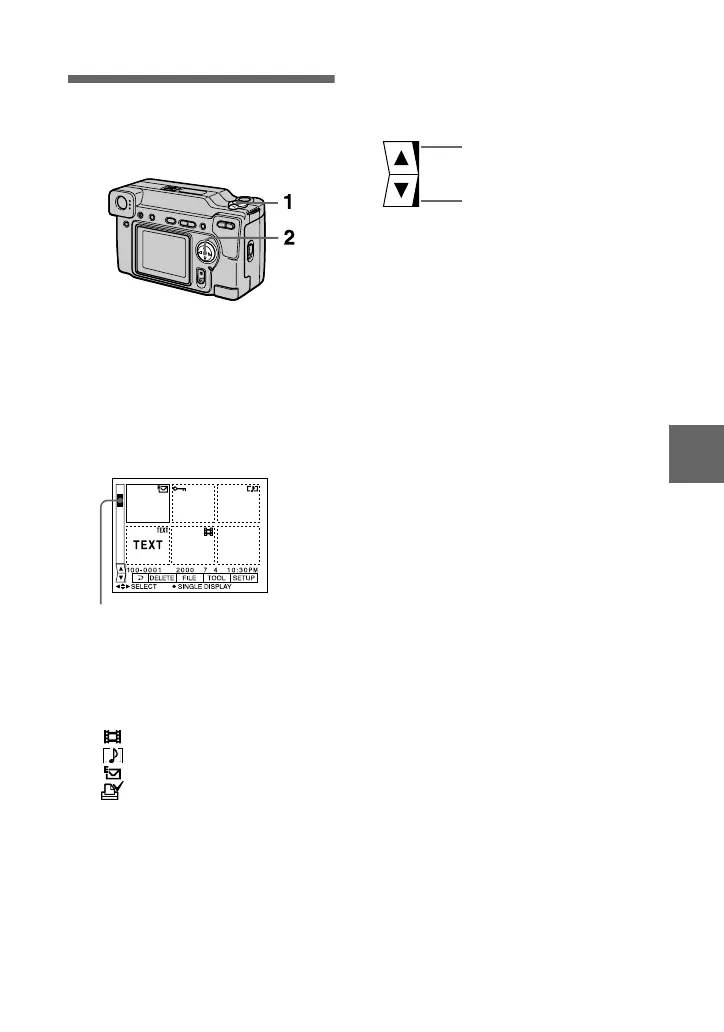
Playing back six
images at once
(INDEX)
1
Set the MODE selector to
PLAY.
2
Select [INDEX] on the LCD
screen.
Six images are displayed at once
(index screen).
The following marks are displayed
on each image according to the
image type and settings.
: Moving image file
: Voice memo file
: E-mail file
: Print mark
-
: Protect mark
TEXT: Text mark
TIFF: TIFF mark
(No mark): Normal recording (no
settings)
This shows the position of the
currently displayed images relative
to all the recorded images.
To display the next
(previous) index screen
Select
v
/
V
at the lower left of the LCD
screen.
To return to normal playback
(single image)
•
Select the desired image with the
control button.
•
Select [3] (RETURN).
Note
You cannot display images recorded in
TEXT mode on the INDEX screen.
Displays the previous
index screen
Displays the next index
screen



 To Next Page
 Loading...








