Table of
contents
Operation
Search
MENU/Settings
Search
Index
123
GB
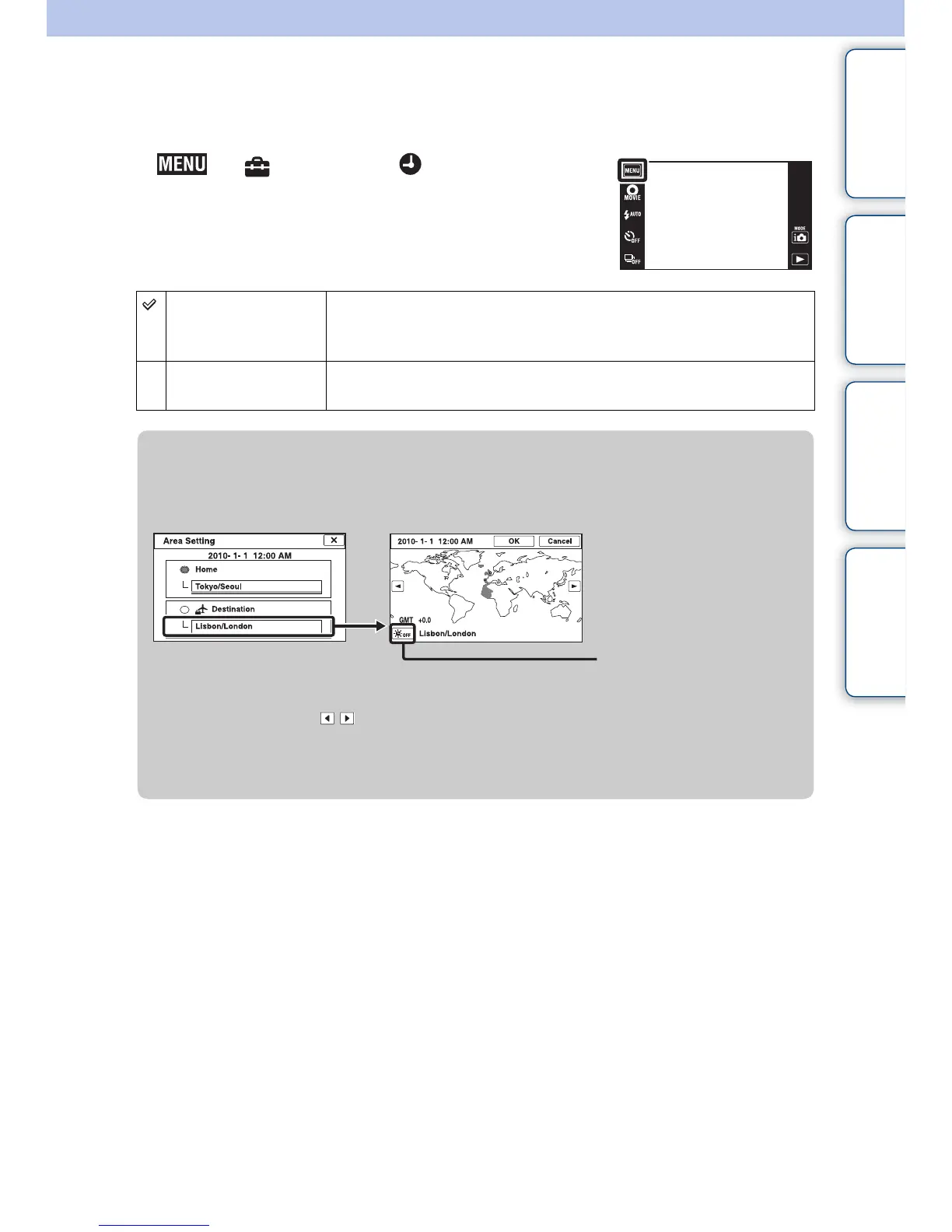
Area Setting
Adjusts the time to the local time of a selected area.
1 t (Settings) t (Clock Settings)
t [Area Setting] t desired mode
Home You use the camera in your area.
When the currently set area differs from your home area, you must
make the Area Setting.
Destination You use the camera set to the time at your destination.
Set the destination area.
zChanging Area Setting
Setting a frequently visited destination lets you easily adjust the time when you visit that
destination.
1Touch the “Destination” area.
2Select the area using / .
3Touch Daylight Savings icon, then select Daylight Savings On/Off.
4Touch [OK].
Daylight Savings icon



 To Next Page
 Loading...




