Table of
contents
Operation
Search
MENU/Settings
Search
Index
59
GB
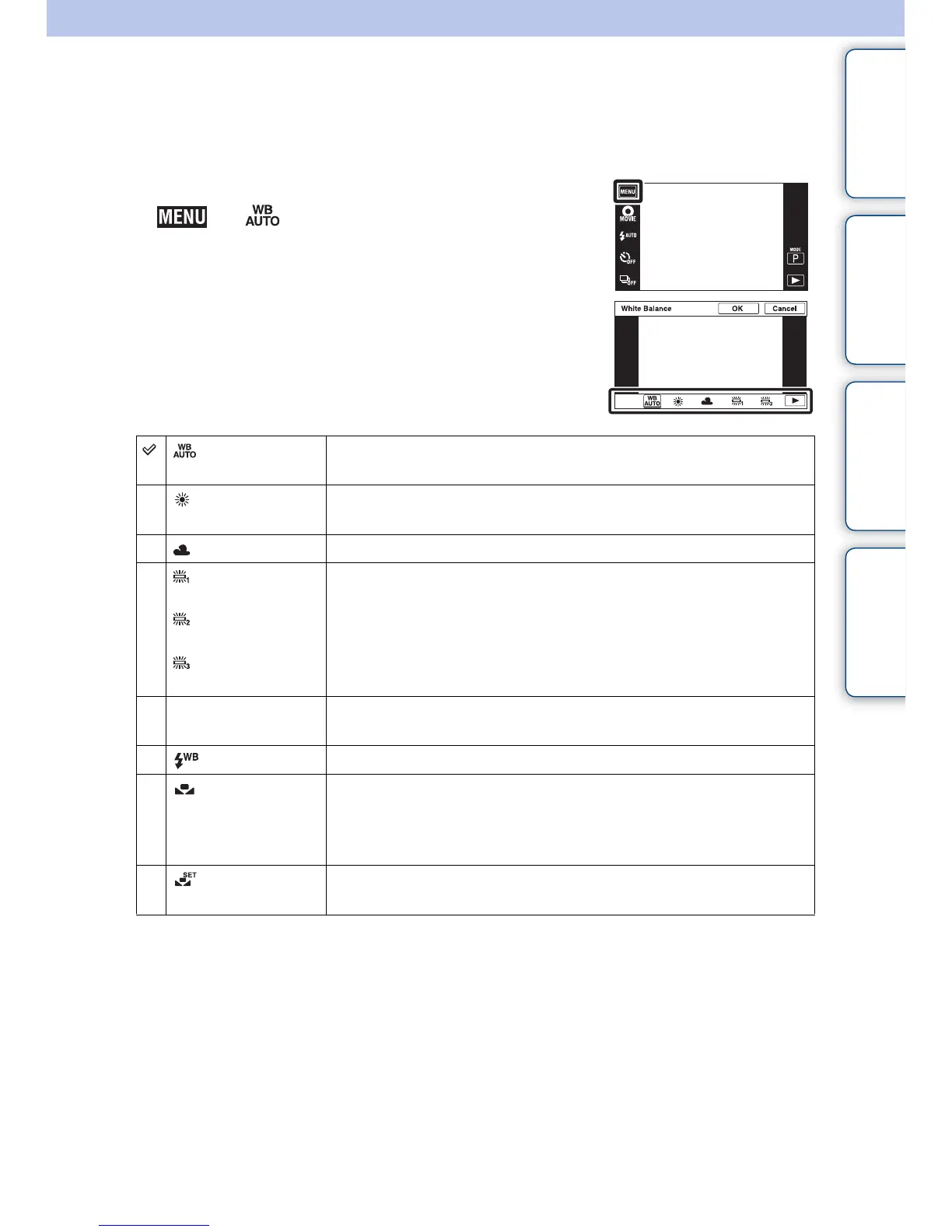
White Balance
Adjusts color tones according to the surrounding light conditions. Use this function if image
color appears unnatural.
1 Lower the lens cover to switch to shooting mode.
2 t (White Balance)
3 Touch the desired mode t [OK]
(Auto) Adjusts the white balance automatically so that the colors appear
natural.
(Daylight) Adjusts for outdoors conditions on a fine day, evening views, night
scenes, neon signs, fireworks, etc.
(Cloudy) Adjusts for a cloudy sky or a shady location.
(Fluorescent
White Balance 1)
(Fluorescent
White Balance 2)
(Fluorescent
White Balance 3)
[Fluorescent White Balance 1]: Adjusts for white fluorescent
lighting.
[Fluorescent White Balance 2]: Adjusts for natural white
fluorescent lighting.
[Fluorescent White Balance 3]: Adjusts for day white fluorescent
lighting.
n
(Incandescent)
Adjusts for places under incandescent lamp, or under bright
lighting, such as in a photo studio.
(Flash) Adjusts for the flash conditions.
(One Push) Adjusts the white balance depending on the light source. The white
color memorized in [One Push Set] mode becomes the basic white
color. Use this mode when [Auto] or other modes cannot be set the
color properly.
(One Push
Set)
Memorizes the basic white color which will be used in [One Push]
mode.
Continued r



 To Next Page
 Loading...




