6
Using the supplied stand
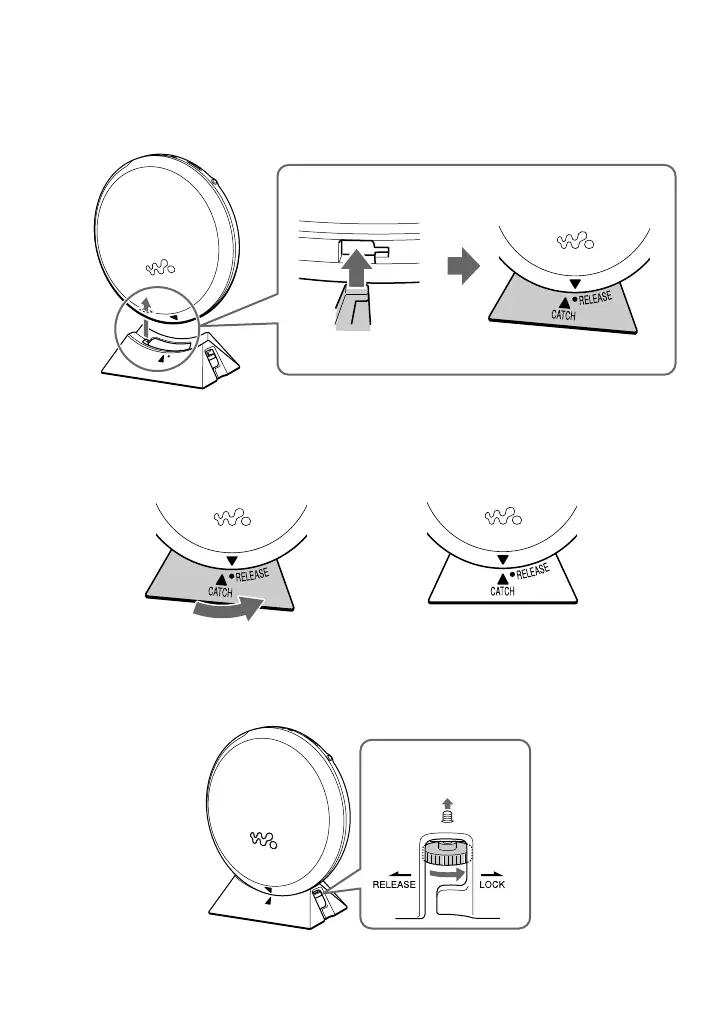
Attach the stand to the player as illustrated below:
1 Fit the projecting part of the stand into the small hole in the player.
The V mark on the player is aligned with the “•RELEASE”mark on the stand.
2 Slide the stand in the direction of the arrow until it clicks into place so that the V mark and
the vCATCH align.
3 Push the dial up in the direction as shown and turn the dial in the “LOCK” direction to attach
the stand to the player.
To lock the player
,



 To Next Page