30
GB
Presetting Radio Stations
You can preset 20 stations for FM and 10 stations for AM.
Before tuning, make sure to turn down the volume to minimum.
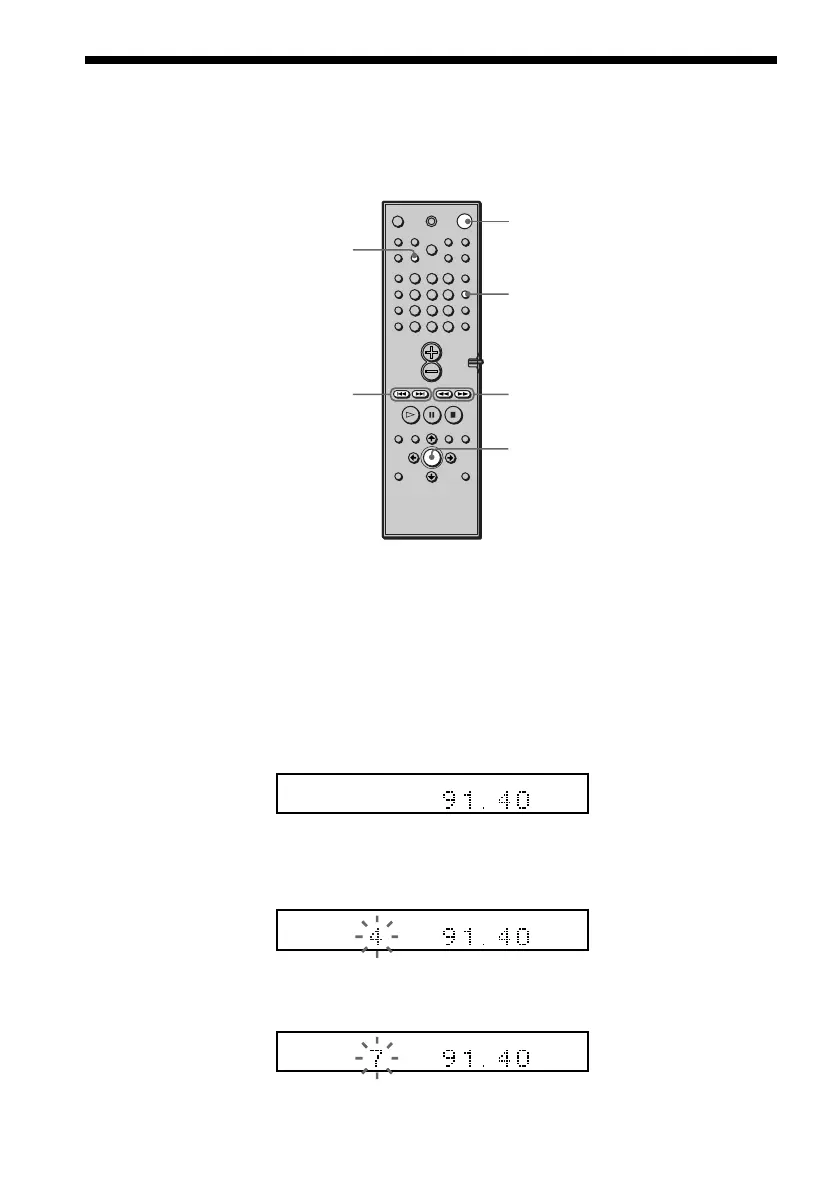
1 Press BAND repeatedly until the band you want appears on the front panel
display.
Every time you press BAND, the band changes to AM or FM alternately.
2 Press and hold TUNING + or – until the frequency indication starts to change,
then release.
Scanning stops when the system tunes in a station. “TUNED” and “ST” (for stereo
program) appear on the front panel display.
3 Press MEMORY.
A preset number appears on the front panel display.
4 Press PRESET + or – to select the preset number you want.
MEMORY
PRESET –/+
BAND
TUNING –/+
ENTER
123
456
7
>
10
10/0
89
PCM
AUTO
FM
TUNED ST
MHz
FM
TUNED ST
MHz
FM
TUNED ST
MHz
1



 To Next Page