Settings and Adjustments
67
GB
LANGUAGE SETUP
OSD :
DVD MENU :
AUDIO :
SUBTITLE :
ENGLISH
ENGLISH
ENGLISH
ENGLISH
Using the Setup Display
By using the Setup Display, you can make
various adjustments to items such as picture
and sound. You can also set a language for
the subtitles and the Setup Display, among
other things. For details on each Setup
Display item, see page 68-74. For an overall
list of Setup Display items, see page 85.
How to use the Setup Display
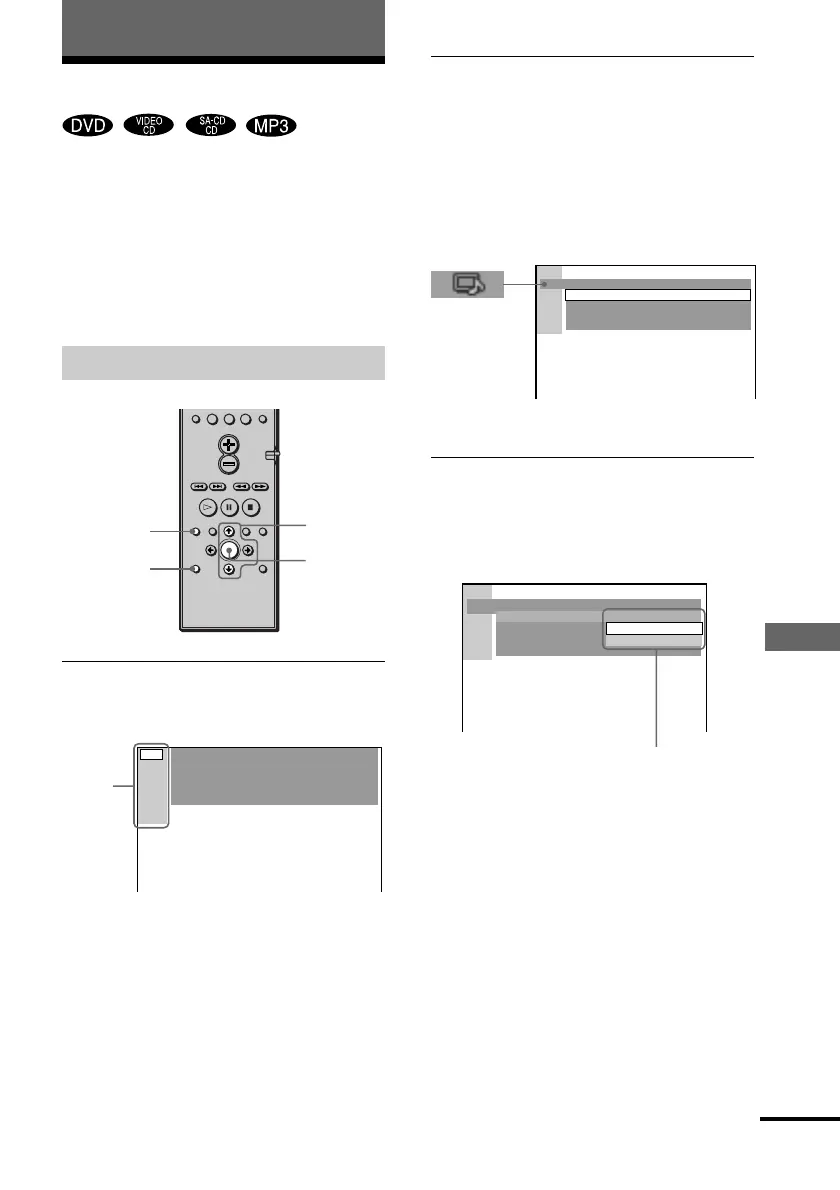
1 In stop mode, press DVD SETUP.
The Setup Display appears.
Settings and Adjustments
ENTER
2 Press X/x to select the setup item from
the displayed list: “LANGUAGE SETUP,”
“SCREEN SETUP,” “CUSTOM SETUP,”
“SPEAKER SETUP,” and “RESET”. Then
press ENTER or c.
The selected Setup item appears.
Example: “SCREEN SETUP”
3 Select an item using X/x, then press
ENTER or c.
The options for the selected item appear.
Example: “TV TYPE”
>
10
10/0
SCREEN SETUP
SCREEN SAVER:
BACKGROUND:
COMPONENT OUT:
ON
JACKET PICTURE
INTERLACE
16:9TV TYPE:
Main
item
DVD
DISPLAY
DVD
SETUP
Options
SCREEN SETUP
SCREEN SAVER:
BACKGROUND:
COMPONENTOUT:
TV TYPE:
4:3 LETTER BOX
4:3 PAN SCAN
16:9
continued
X/x/c



 To Next Page