Playing Discs
39
GB
Program
2
3
4
5
6
7
8
9
10
1
Creating Your Own
Program (Program Play)
You can play the contents of a disc in the
order you want by arranging the order of the
tracks on the disc to create your own
program. You can program up to 25 tracks.
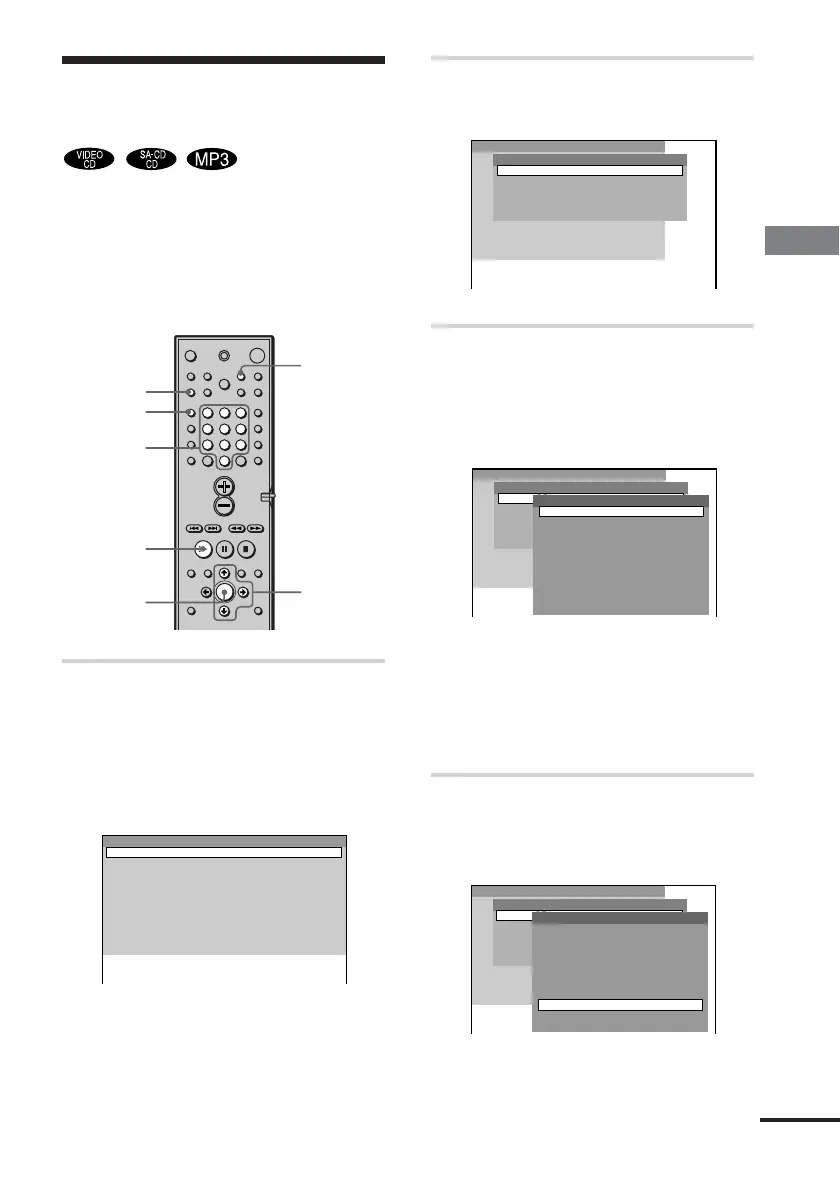
1 In stop mode, press PLAY MODE
repeatedly until “PROGRAM”
appears on the front panel
display.
The program menu appears on the TV
screen.
PLAY MODE
ENTER
H
X/x/c
Number
buttons
CLEAR
123
456
7
>
10
10/0
89
REPEAT
continued
Program
DISC2(CD)
Disc
DISC3(CD)
DISC4(CD)
DISC5(CD)
DISC1(CD)
2
3
4
5
6
7
8
9
10
1
Program
DISC2(CD)
Disc
DISC3(CD)
DISC4(CD)
DISC5(CD)
DISC1(CD)
2
3
4
5
6
7
8
9
10
1
1 TRACK1
Track
2 TRACK2
3 TRACK3
4 TRACK4
5 TRACK5
6 TRACK6
7 TRACK7
8 TRACK8
9 TRACK9
ALL TRACKS
Program
DISC2(CD)
Disc
DISC3(CD)
DISC4(CD)
DISC5(CD)
DISC1(CD)
2
3
4
5
6
7
8
9
10
1
1 TRACK1
Track
2 TRACK2
3 TRACK3
4 TRACK4
5 TRACK5
6 TRACK6
8 TRACK8
9 TRACK9
ALL TRACKS
7 TRACK7
2 Press c, then press X/x to select
the disc.
3 Press c.
The cursor moves to the track (in this
case, “DISC1(CD)”). Before
programming the MP3 tracks, it is
required to select the album.
When the list of all tracks or albums
cannot be displayed on the window,
the jump bar appears. Press c to select
the jump bar icon, and then scroll the
jump bar to display the rest of the list
using X/x.
4 Select the track you want to
program.
For example, select track “7.”



 To Next Page