50
Using the ND filter
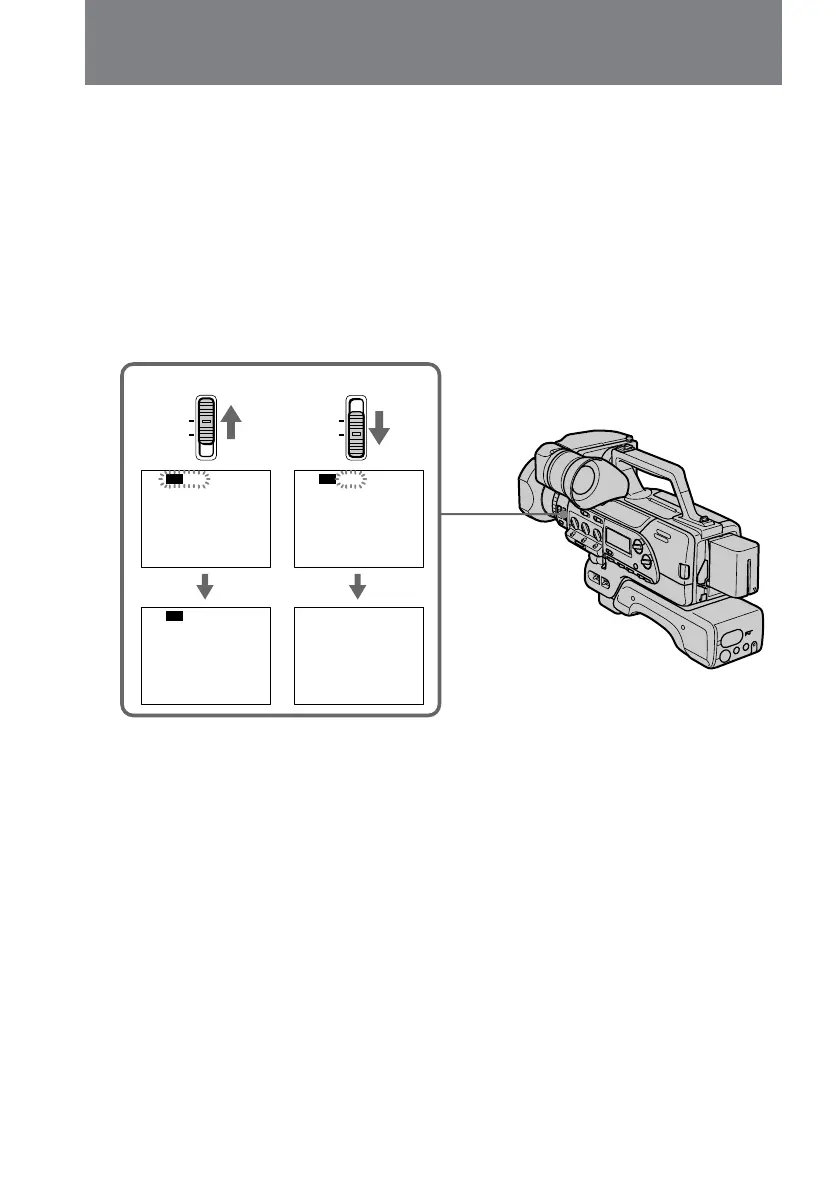
The digital camcorder automatically senses the need for the ND filter, in such a case,
ND ON/OFF flashes in the display.
Using the ND filter (to filter down to one-tenth the quantity of light), you can prevent
the picture from going out of focus under bright conditions.
When ND ON flashes in the viewfinder
Set ND FILTER to ON [a].
The flashing indicator disappears, and the ND indicator remains.
When ND OFF flashes in the viewfinder
Set ND FILTER to OFF [b].
The indicator disappears.
[a] [b]
FILTER
ND
ON
OFF
FILTER
ND
ON
OFF
ND ON ND OFF
ND




 To Next Page