22
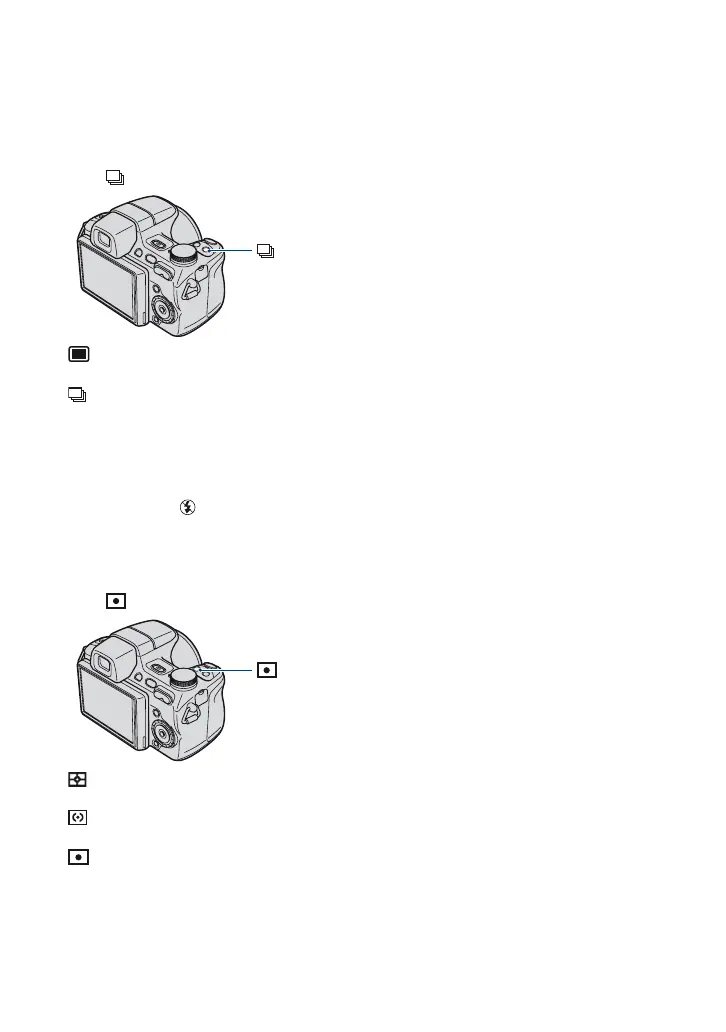
[ Shooting with Burst mode/Bracket mode
Selects whether the camera performs Burst/Bracket shooting or not when you press the shutter
button.
Press /BRK (REC Mode) button repeatedly until the desired mode is selected.
: Normal
Does not shoot continuously.
: Burst
Records up to 100 images in succession while you press and hold down the shutter button.
BRK: Bracket
Records a series of three images in a bracket shooting type selected from Exposure, White Balance, or
Color Mode.
• Set the bracket type using [Bracket Set] in the menu screen (page 29).
• The flash is set to (Flash forced off).
[ Selecting the metering mode
Selects the metering mode that sets which part of the subject to measure the brightness, to
determine the exposure.
Press (Metering Mode) button repeatedly until the desired mode is selected.
: Multi
Determines the exposure based on the brightness of the entire image.
: Center
Determines the exposure based on the brightness of the center of the image.
: Spot (only for still image)
Measures only the brightness of a part of the subject.
Set the position of + (Spot metering cross hairs) to the part that you want to measure the brightness in
the image.
• You can select the metering mode only when [Face Detection] is set to [Off] (page 29).
/BRK (REC Mode) button
(Metering Mode) button












 To Next Page