25
GB
[ To view images on TV
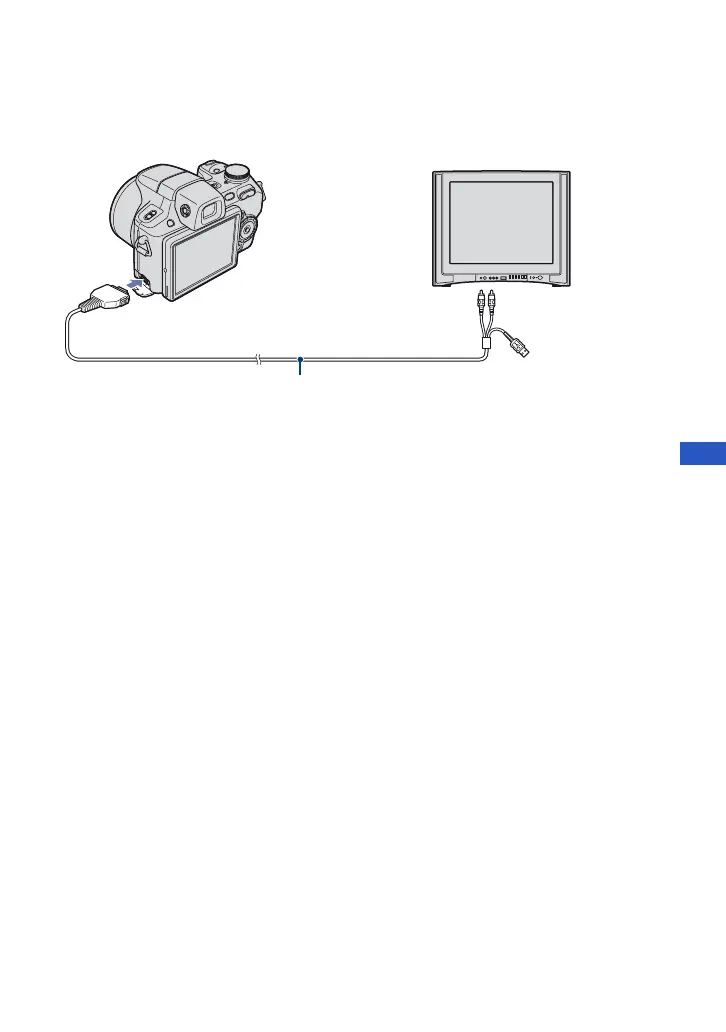
Connect the camera to the TV with the cable for multi-use terminal (supplied).
To view on HD (High Definition) TV, an HD Output Adaptor Cable (not supplied) is needed.
• If you set the image size to [16:9], you can record images in the size that fills the entire screen of the HD
TV.
• You cannot view movies output in [HD(1080i)] signal format. Set [COMPONENT] to [SD] when
shooting movies.
To audio/video
input jacks
Cable for multi-use terminal (supplied)
To the multi connector












 To Next Page