28
Viewing/deleting images
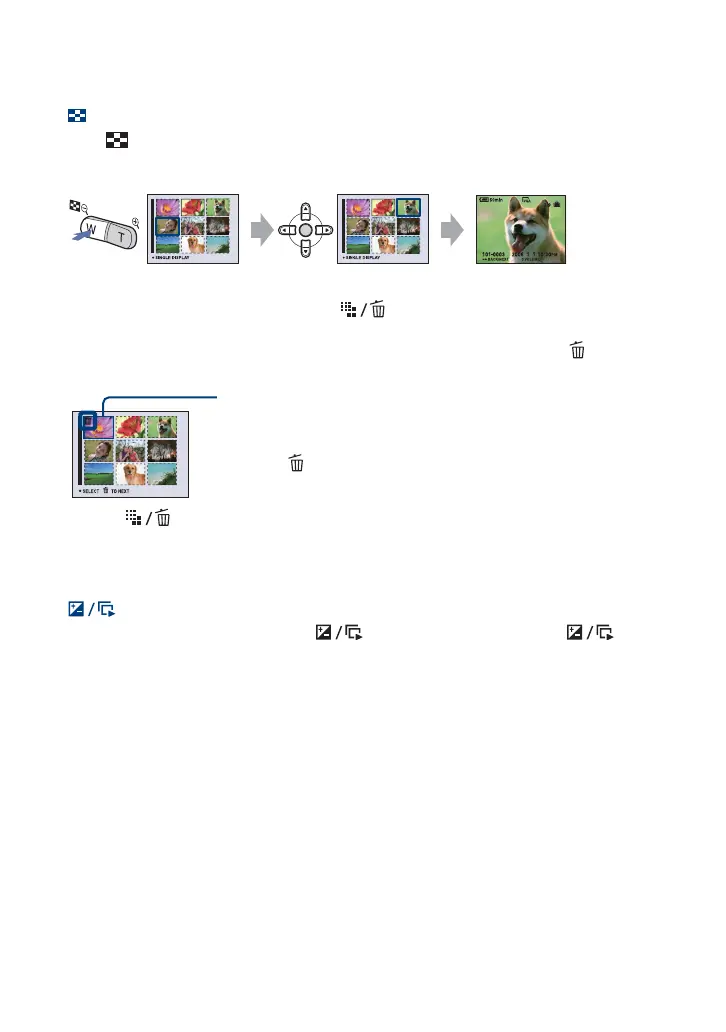
Viewing an index screen
Press (Index) and select an image with v/V/b/B. To display the next (previous) index
screen, press b/B.
To return to the single-image screen, press z.
To delete images in index mode
1 While an index screen is displayed, press (Delete) and select [Select] with v/V on the
control button, then press z.
2 Select the image you want to delete with v/V/b/B, then press z to display the (Delete)
indicator on the selected image.
3 Press (Delete).
4 Select [OK] with B, then press z.
• To delete all the images in the folder, select [All In This Folder] with v/V in step 1 instead of [Select],
then press z.
To play back a series of images (Slide Show)
While playing back still images, press (Slide Show). To cancel, press again.
To pause the slide show
Press z on the control button.
To restart, select [Continue], then press z.
• The slide show resumes from the image which was paused, however, the music starts again
from the beginning.
To display the previous/next image
Press b/B during pause.
To adjust the volume of the music
Press v/V to adjust the volume.
Green selection frame
To cancel a selection
Select an image you have previously selected for deletion, then press z to
delete the indicator from the image.













 To Next Page