6-35
DSC-T20/T25_ADJ
1-8-2. Precautions When an Error Occurred
The Automatic Adjustment Program sets the data for adjustment
before the adjustment starts. Accordingly, if the adjustment termi-
nates by an error, the data during the adjustment may be left in the
camera.
Note 1: With this data left in the camera, the camera will not op-
erate normally.
In this case, the [Release Data Setting] button is displayed in “red”
on the screen as shown figures below. Click the
[Release Data Setting] button to cancel the data setting. When the
data setting is cancelled, the button color becomes “white”.
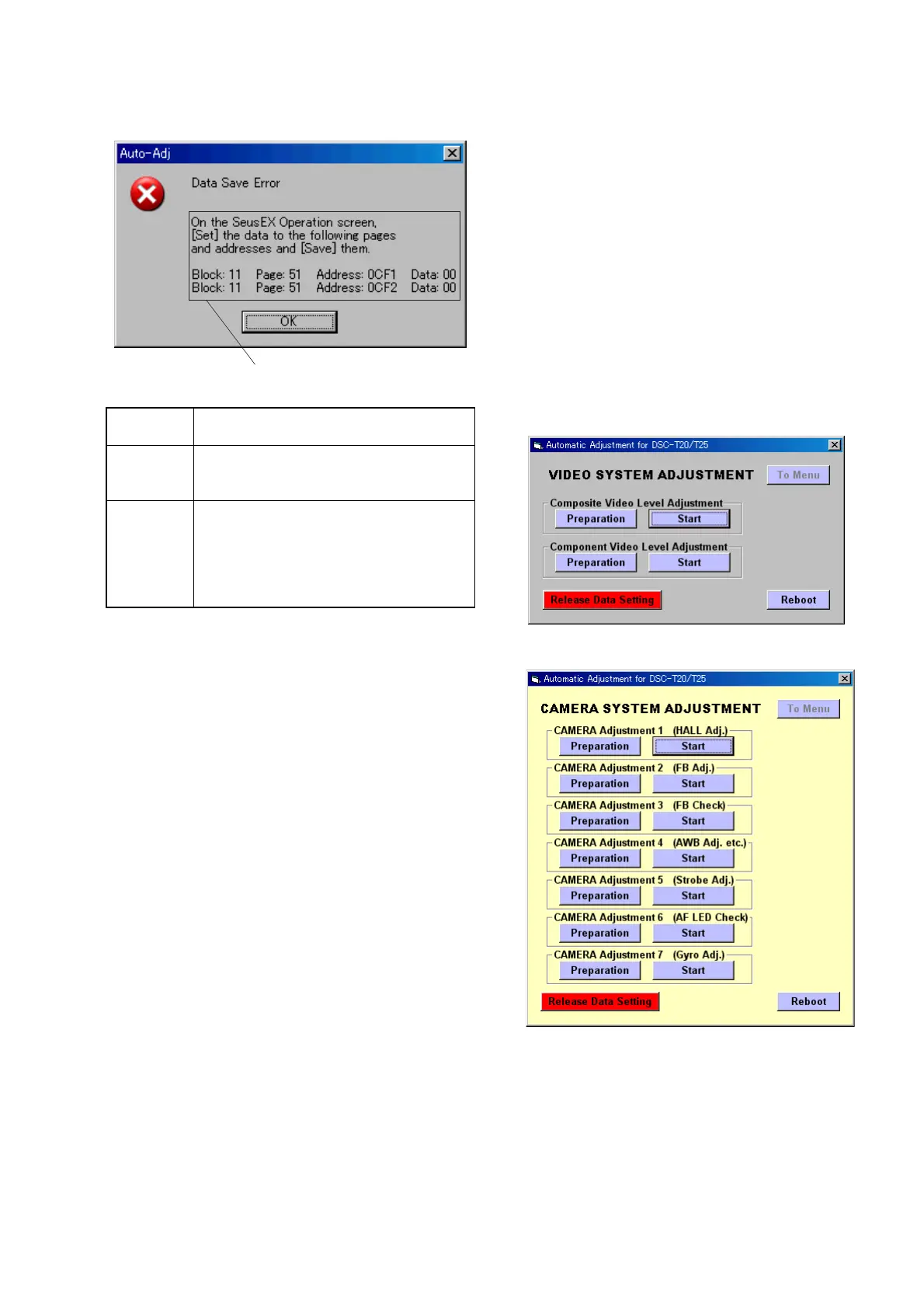
Note 2: When “Data Save Error” occurred, the [Release Data
Setting] button is displayed in “white”.
To cancel the data setting, perform it on the SeusEX Op-
eration screen. How to cancel the data setting is displayed
in the error message.
Video System Adjustment screen
Camera System Adjustment screen
5. Data Save Error
Symptom data cannot be saved normally. (The data set-
ting during adjustment cannot be cancelled)
Cause • Data writing to the flash memory failed.
• Connection is faulty.
• Power supply is not installed correctly.
Remedy • On the SeusEX Operation screen, [Set] the
data to the pages and addresses displayed in
the message, and [Save] them. (Cancel manu-
ally the data setting during adjustment.)
• Check the connection.
• Install the power supply correctly.
How to cancel the data setting during
adjustment is display here.









 To Next Page