6-34
DSC-T20/T25_ADJ
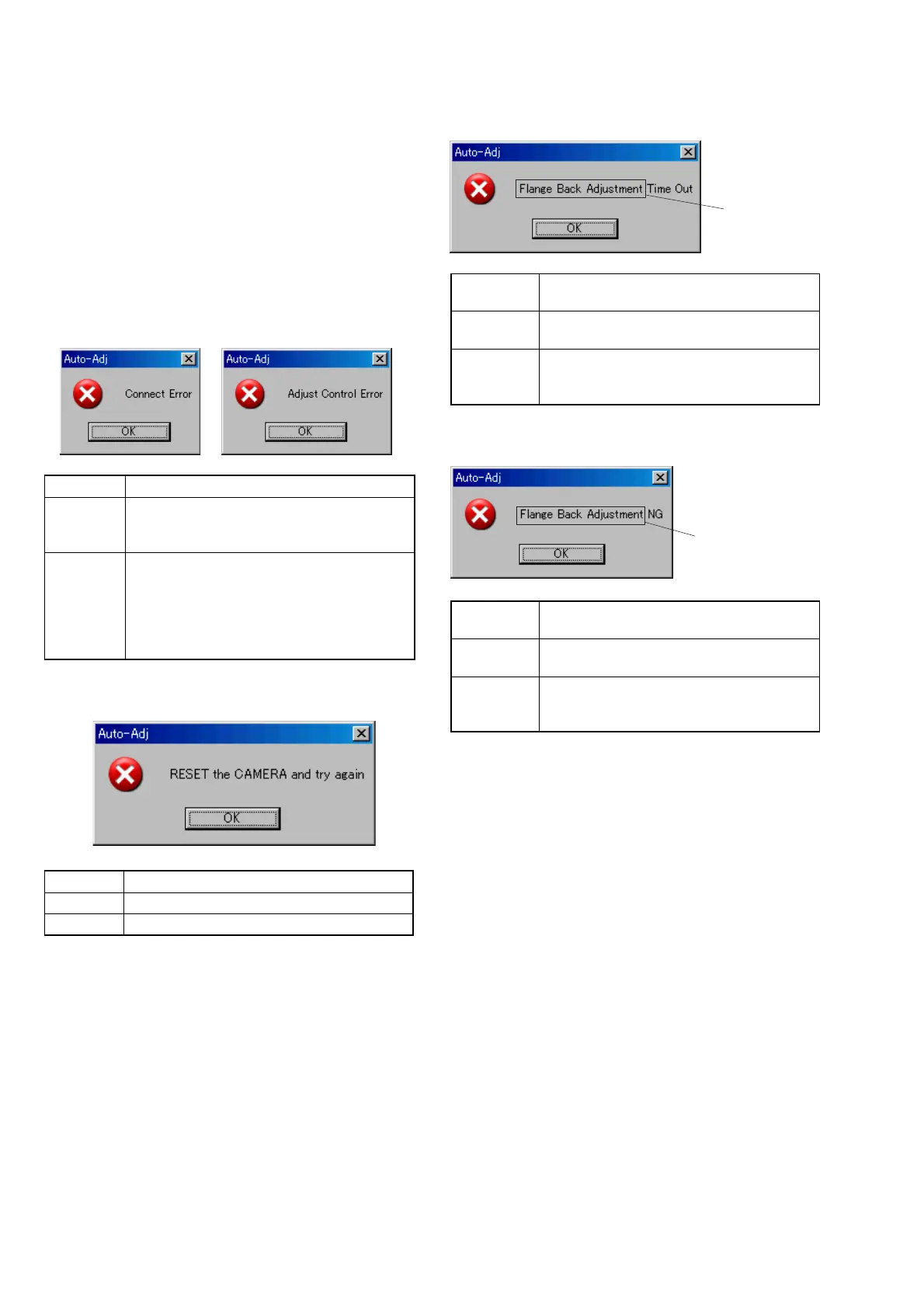
3. Adjustment Time Out
Symptom Adjustment does not finish within the specified
time.
Cause • Adjustment conditions are wrong.
• Data error exists in the camera.
Remedy • Check that the conditions such as a subject
are correct.
• Reset the camera.
4. Adjustment NG
Symptom The adjusted data does not become the speci-
fied value.
Cause • Adjustment conditions are wrong.
• Data error exists in the camera.
Remedy • Check that the conditions such as a subject
are correct.
• Reset the camera.
1-8. ERROR
In the case of an error during the execution of adjustment, the
Automatic Adjustment Program interrupts the processing at that
point, and displays an error message, and then terminates the pro-
gram execution there.
1-8-1. Error Message
When an error message is displayed, perform the remedy given
below, and then retry adjustment. If the error message is displayed
though the remedy was performed, the circuits will be faulty.
1. Connect Error, Adjust Control Error
Symptom USB communication with the set is abnormal.
Cause • USB cable is not inserted tightly.
• Power supply is not installed correctly.
• Communication with SeusEX is abnormal.
Remedy • Disconnect the USB cable once, and then re-
connect it tightly and check that the set is in
“USB Mode”.
• Install the power supply correctly.
• Start the SeusEX and click the [Connect] to
check that the connection state is established.
2. RESET the CAMERA and Try Again
Symptom The camera is not ready for adjustment.
Cause Data error exists in the camera.
Remedy Reset the camera.
This part indicates
the adjustment
item in which
an error occurred.
This part indicates
the adjustment
item in which
an error occurred.









 To Next Page