6-6
DSC-T20/T25_ADJ
Fig. 6-1-4
Note: The set must be connected to the modified HD station when performing the “Component out (Y, Pb, Pr) level adjustment” in the
“Video System Adjustment”.
6-1. CAMERA SECTION ADJUSTMENTS
1-1. PREPARATIONS BEFORE ADJUSTMENTS
1-1-1. Preparations
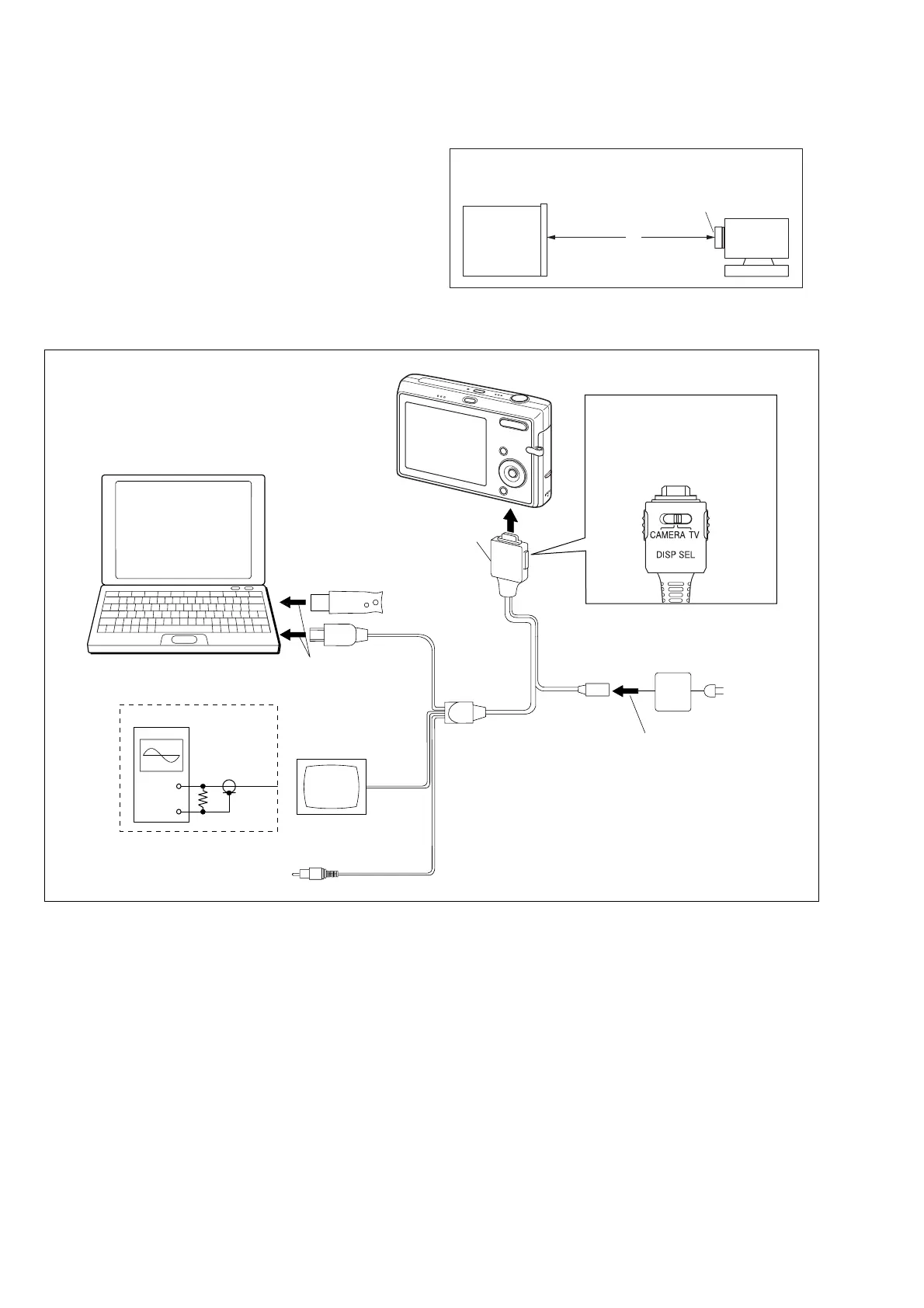
1) Connect the equipment for adjustments according to Fig. 6-1-4.
2) Start up the application for adjustment (SeusEX).
Fig. 6-1-3
Pattern box
Front of the lens
L = About 11 cm
L
Camera
PC
(The SeusEX must be installed in the PC.)
OS: Windows 98/98SE/Me/2000/XP
RAM: 256MB or more recommended
USB: 2.0 recommended (also compatible with 1.1)
Two connectors are required.
Audio
(Black)
Video
(yellow)
Color monitor
Video system Adjustment
(Composite video level adj.)
Osilloscope
Terminated
75 Ω
AC IN
AC power adaptor
AC-LS5
(1-479-284-51)
USB, A/V, DC IN cable
for multi-use terminal
(1-830-848-21)
HASP Key
To DC IN jack
To USB
connector
DISP SEL switch setting
TV: Video/Camera
System Adjustment
CAMERA: LCD
System Adjustment
To Multi connector
• Connecting the Equipment








 To Next Page