6-3
DSC-T20/T25_ADJ
1-1. Adjusting items when replacing main parts and boards
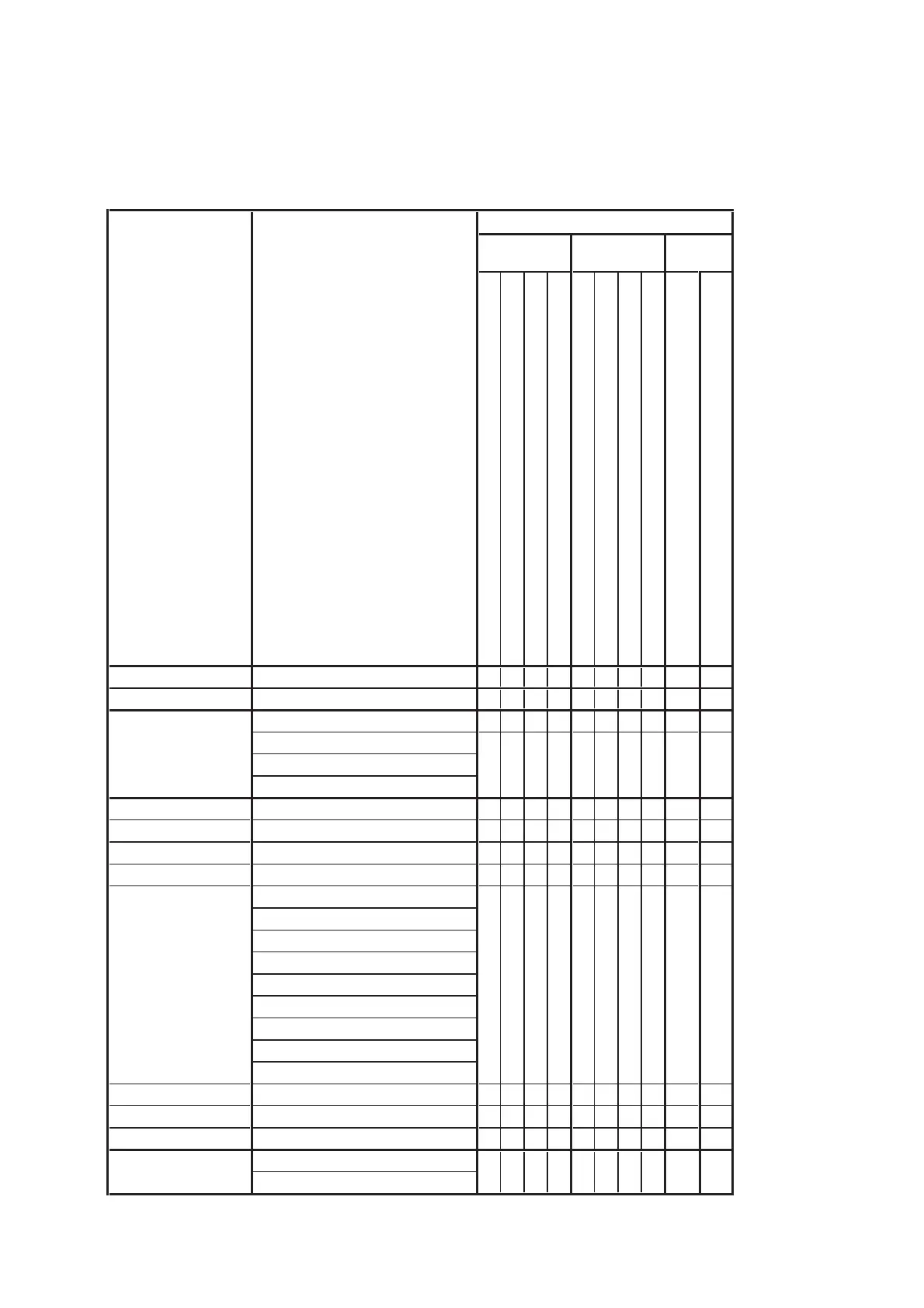
When replacing main parts and boards, adjust the items indicated by z in the following table.
Note 1: The automatic Adjustment Program does not support the “Wide Limit Adjustment”. Perform it manually.
Note 2: When replacing the SY-170 board, erase the data in internal memory of the board before replacement.
Note 3: When replacing the SY-170 board, execute formatting and initialize the internal memory after replacement.
Table 6-1-1
Replaced parts
Block Mounted parts Board
replacement replacement replacement
Adjusting item Adjustment
LCD unit
(AF illumination LED)
(Timing gen., CCD signal process)
(Audio, Video amp.)
(PITCH, YAW sensor)
LCD901
D002
IC304
IC602
SE502, SE501
(COMPLETE)
(COMPLETE) (Note 2, 3)
Lens block
CCD block assy (Including CD-695 flexible board and CCD imager)
Flash unit
LCD block
ST-163 board
SY-170 board
SY-170 board
SY-170 board
ST-163 board
SY-170 board
Destination Data Write Destination data write
z
USB Serial No. Input USB serial No. input
z
Composite video level adj.
zz
Component out Y level adj.
Component out Pb level adj.
Component out Pr level adj.
CAMERA adjustment 1 Hall adj.
zz
(Note 1) Wide limit adj.
zz
CAMERA adjustment 2 Flange back adj.
zz z
CAMERA adjustment 3 Flange back check
zz z
F No. compensation
Measure gain, LV adj.
Mechanical shutter adj.
AWB 3200K-5800K standard data input
AWB 3200K-5800K check
Color reproduction adj. & check
CCD linearity check
CCD white defect compensation check
CCD black defect compensation check
CAMERA adjustment 5 Strobe adj.
zz z z z
CAMERA adjustment 6 Auto focus illumination check
zzz
CAMERA adjustment 7 Angular velocity sensor sensitivity adj.
zzz
V-COM adj.
White Balance adj.
z
LCD adjustment
CAMERA adjustment 4
zz z
z
zz
VIDEO adjustment
z








 To Next Page