Cyber-shot User Guide
PrintSearch
Before Use
Confirming the operation
method
Shooting
Viewing
Useful shooting functions
Useful viewing functions
Changing settings
Viewing images on a TV
Using with your computer
Printing
Troubleshooting
Precautions/About this camera
Contents list
Top page > Changing settings > Main Settings > Display Setting
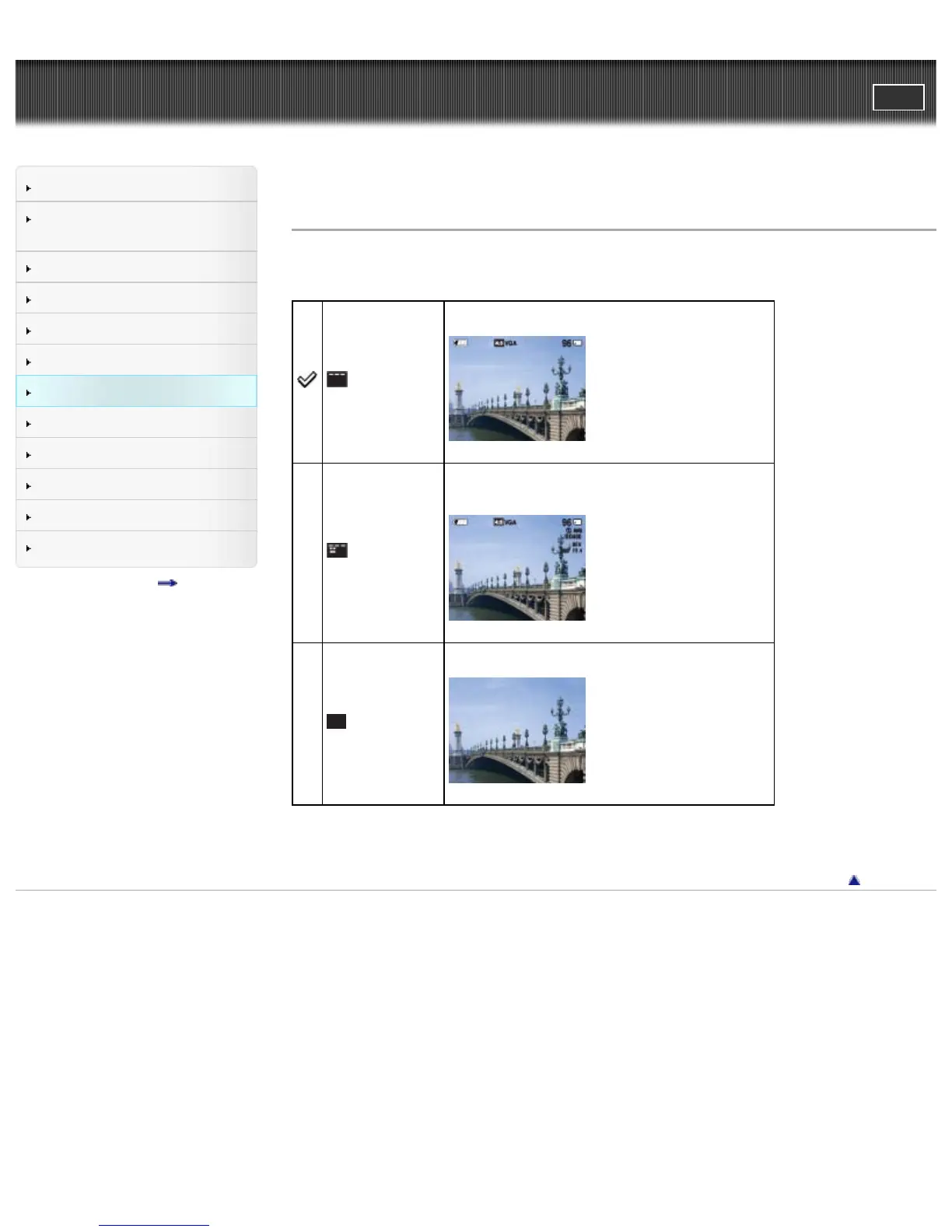
Display Setting
Changes the information displayed on the screen.
(On)
Displays the information.
(Detailed Info)
Displays the information.
Exif data for the recorded image are also displayed.
(Off)
Displays only images.
Back to top
Copyright 2013 Sony Corporation



 To Next Page