Cyber-shot User Guide
PrintSearch
Before Use
Confirming the operation
method
Shooting
Viewing
Useful shooting functions
Useful viewing functions
Changing settings
Viewing images on a TV
Using with your computer
Printing
Troubleshooting
Precautions/About this camera
Contents list
Top page > Shooting > Shooting movies > Shooting movies
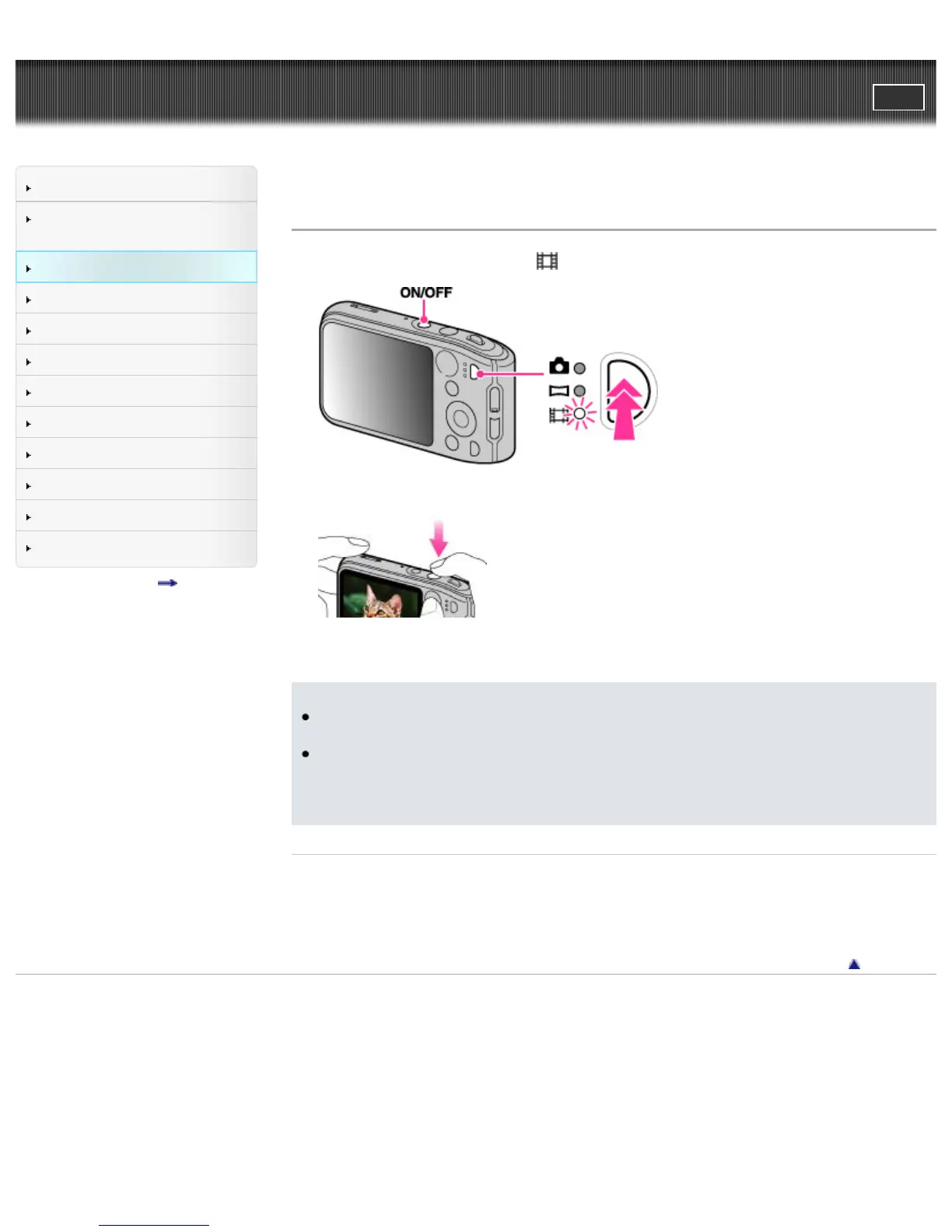
Shooting movies
1. Press the mode button to switch to (Movie Mode).
2. Press the shutter button to start recording.
3. Press the shutter button again to stop recording.
Notes
The operating sound of the lever may be recorded when the zoom function operates while shooting
a movie.
You can shoot continuously for approximately 29 minutes at a time when the temperature is 25°C
(77°F) and camera is set to the factory settings. When shooting stops, you can press the shutter
button again to restart shooting. Depending on the temperature when shooting, recording may
automatically stop to protect the camera.
Related Topic
Zoom
Movie shooting scene
Picture Effect
Back to top
Copyright 2013 Sony Corporation



 To Next Page