Cyber-shot User Guide
PrintSearch
Before Use
Confirming the operation
method
Shooting
Viewing
Useful shooting functions
Useful viewing functions
Changing settings
Viewing images on a TV
Using with your computer
Printing
Troubleshooting
Precautions/About this camera
Contents list
Top page > Useful shooting functions > Using shooting functions > Face Detection
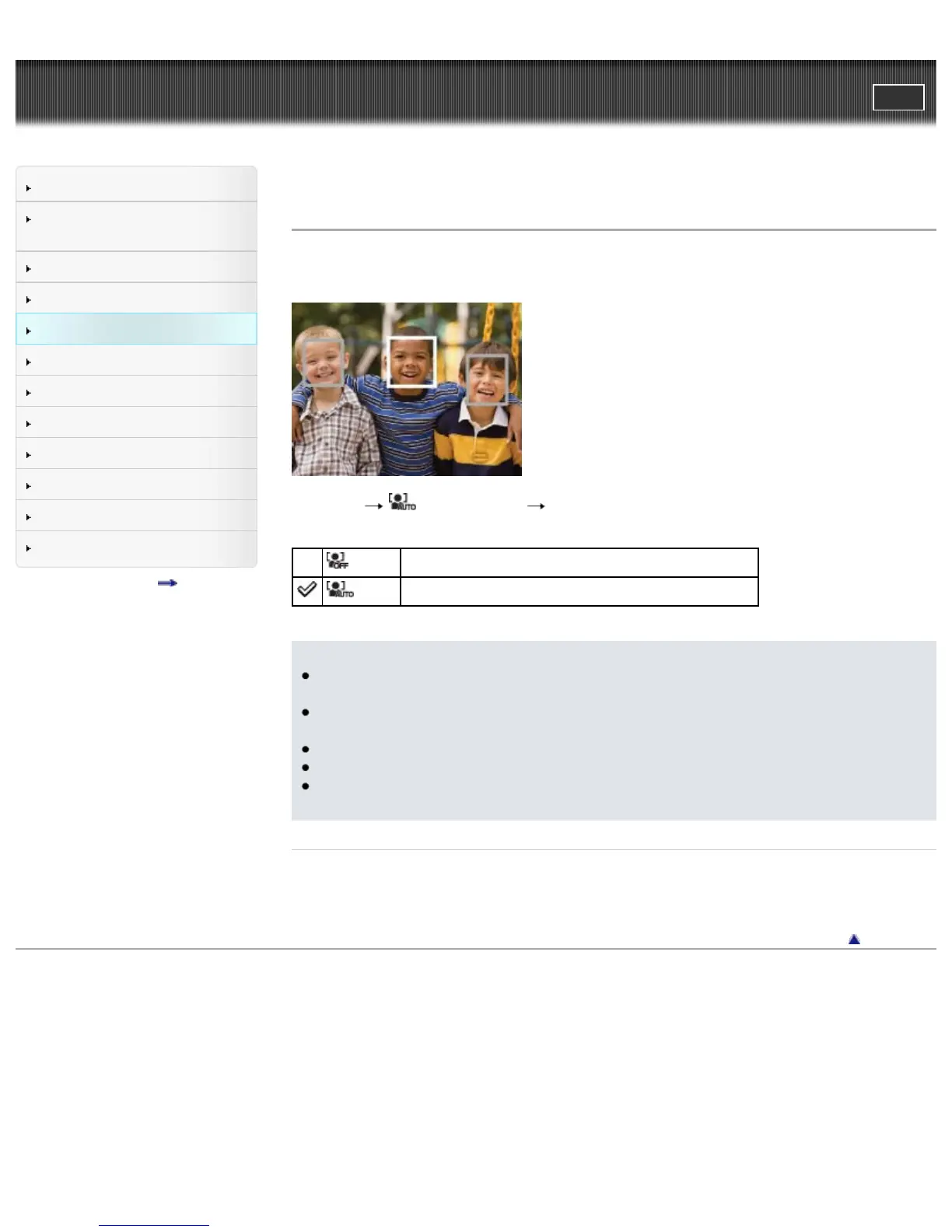
Face Detection
When the Face Detection function is used, the camera detects the faces of your subjects and adjusts the
focus, flash, exposure, white balance and red-eye reduction settings automatically.
1. MENU (Face Detection) desired mode
(Off)
Cannot use Face Detection.
(Auto)
Selects the face the camera is to automatically focus on.
Notes
[Off] is not available when [Self-Timer] is set to [Self-portrait One Person] or [Self-portrait Two
People].
You can select [Face Detection] only when the focus mode is set to [Multi AF] and the metering
mode is set to [Multi].
The Face Detection function does not operate when you use the digital zoom.
Up to 8 faces of your subjects can be detected.
During Smile Shutter shooting, [Face Detection] is automatically set to [Auto] even if it is set to
[Off].
Related Topic
Tracking focus
MENU items available for each shooting mode
Back to top
Copyright 2013 Sony Corporation



 To Next Page