Cyber-shot User Guide
PrintSearch
Before Use
Confirming the operation
method
Shooting
Viewing
Useful shooting functions
Useful viewing functions
Changing settings
Viewing images on a TV
Using with your computer
Printing
Troubleshooting
Precautions/About this camera
Contents list
Top page > Using with your computer > Importing images to a computer > Connecting the camera to
the computer
Connecting the camera to the computer
1. Set the camera to playback mode.
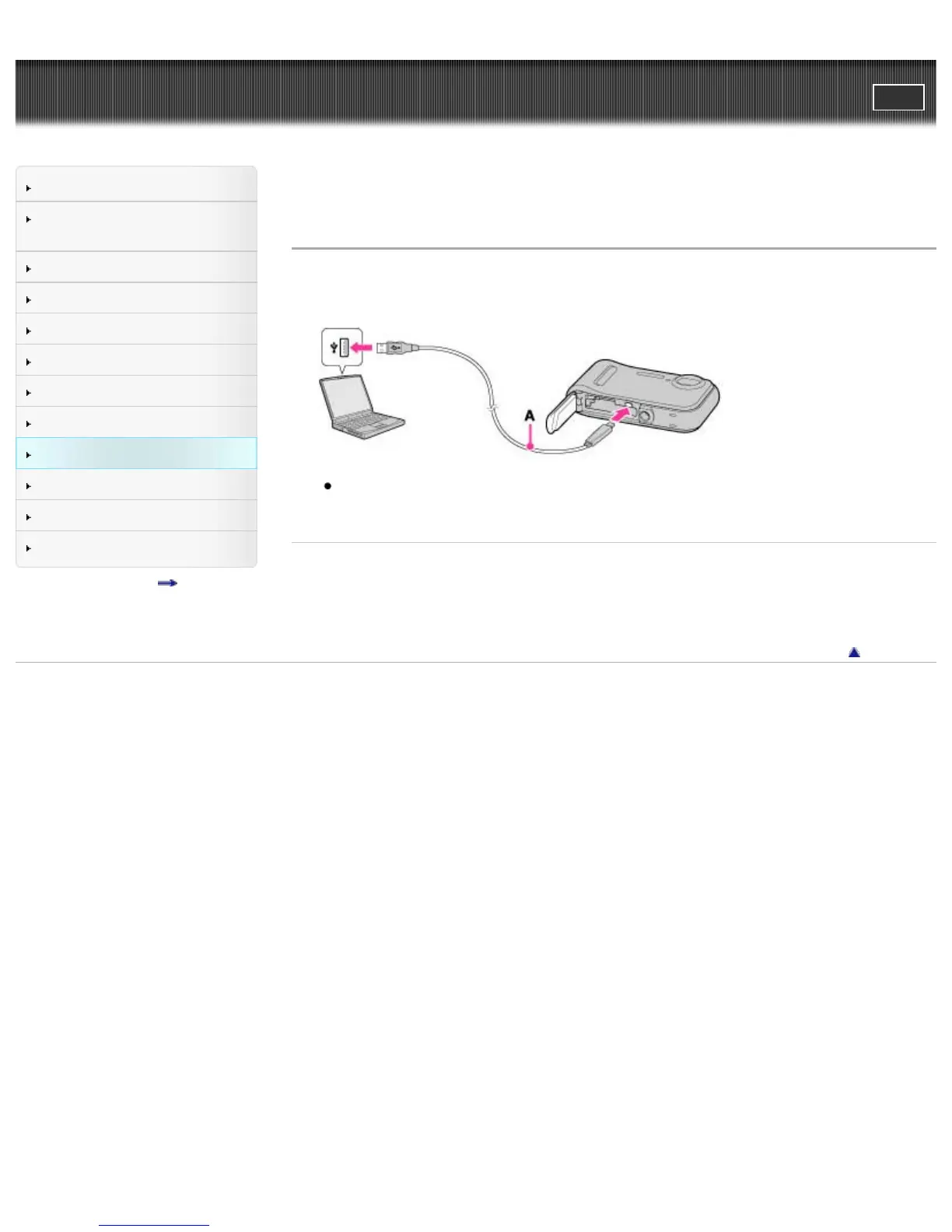
2. Connect the camera to your computer using a dedicated USB cable (supplied) (A).
When connecting the camera to a computer using the dedicated USB cable, power feeding from
the computer starts if [USB Power Supply] is set to [On]. ([On] is the default setting.)
Related Topic
USB Connect Setting
USB Power Supply
LUN Setting
Back to top
Copyright 2013 Sony Corporation



 To Next Page