26
Recording a picture
Spot light
This function prevents people’s faces, for example, from appearing excessively white
when shooting subjects lit by strong light, such as in the theater.
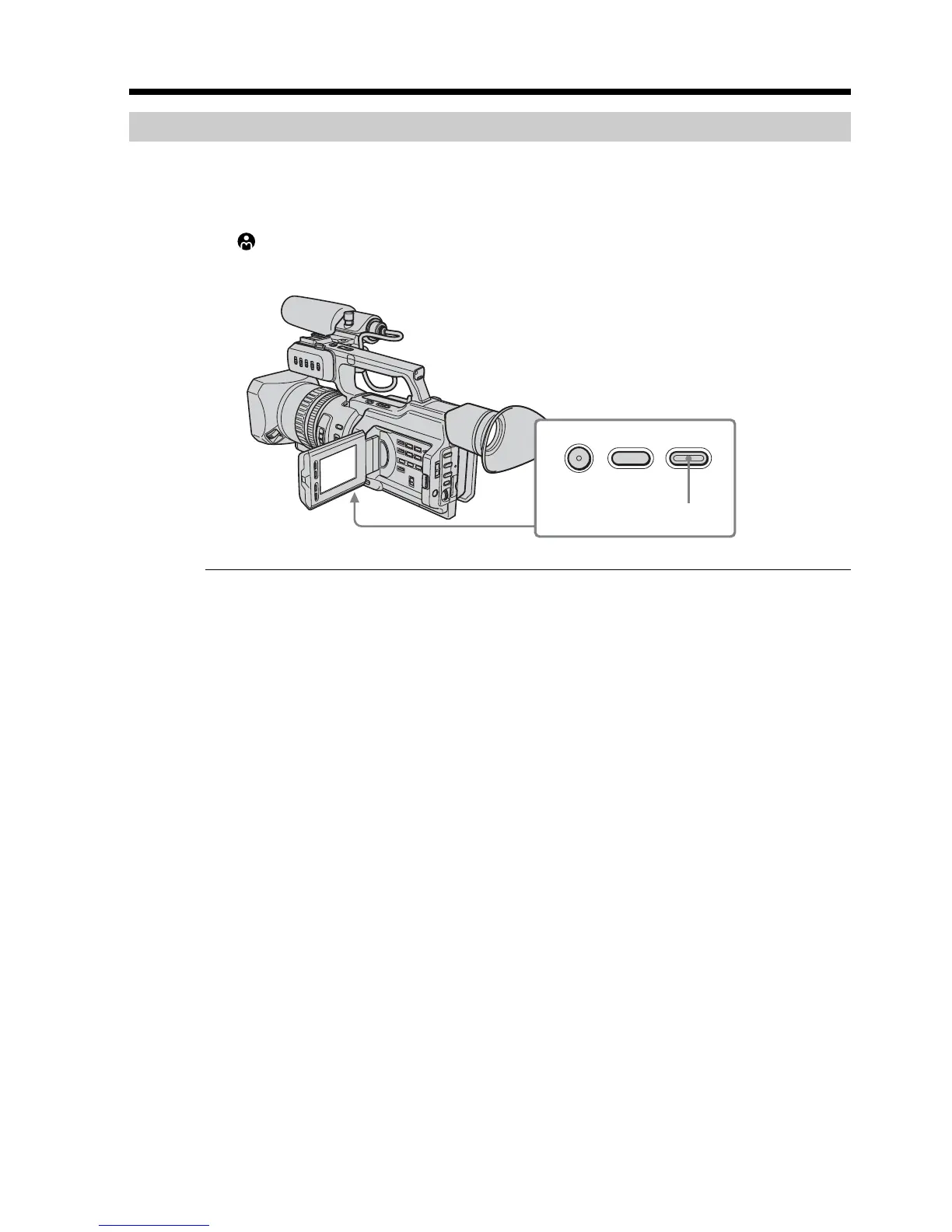
Press SPOT LIGHT in standby, recording, or memory mode.
The indicator appears on the LCD screen or in the viewfinder.
To cancel, press SPOT LIGHT again.
If you press BACK LIGHT when using the spot light function
The spot light function will be canceled and the backlight function will be enabled.
You cannot use the spotlight mode while in the following settings:
– Old movie
– Shutter speed value of 1/25 or smaller
– When you manually adjust more than two of the following functions: iris, gain, and
shutter speed
FADER
BACK LIGHT SPOT LIGHT
SPOT LIGHT





 To Next Page