Help Guide
In-Car Receiver
DSX-B700/DSX-B700W/DSX-B710D
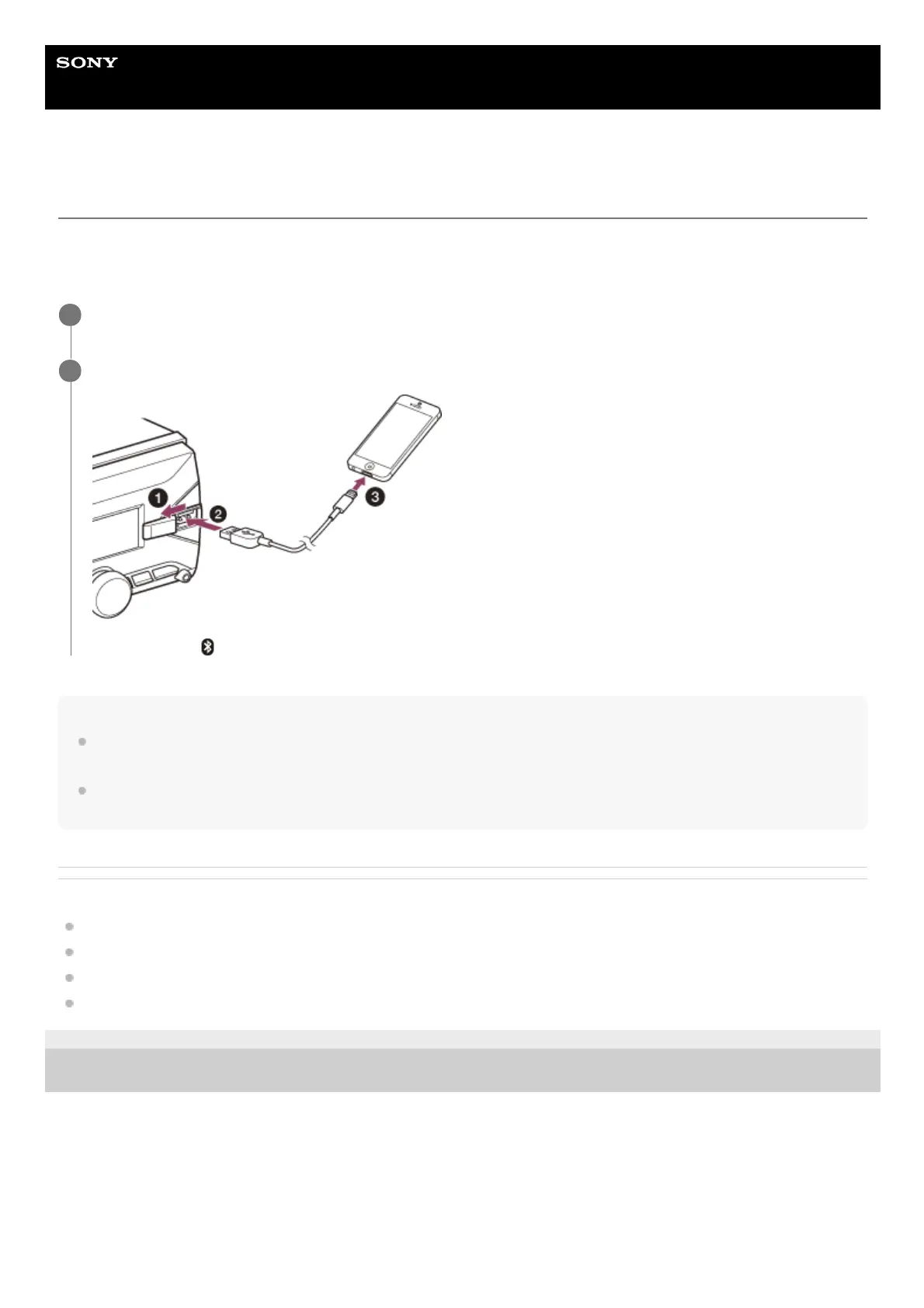
Connecting with an iPhone/iPod (BLUETOOTH Auto Pairing)
When an iPhone/iPod with iOS5 or later installed is connected to the USB port, the unit is paired and connected with the
iPhone/iPod automatically. To enable BLUETOOTH Auto Pairing, make sure [AUTO PAIR] in [BLUETOOTH] is set to
[ON].
Note
BLUETOOTH Auto Pairing is not possible if the unit is already connected to two BLUETOOTH devices. In this case, disconnect
one of the devices, then connect the iPhone/iPod again.
If BLUETOOTH Auto Pairing is not established, perform pairing and make the BLUETOOTH connection with the iPhone/iPod, as
with other BLUETOOTH device.
Related Topic
BLUETOOTH Setup (BLUETOOTH)
Preparing a Bluetooth® Device
Pairing and Connecting with a BLUETOOTH Device
Connecting with a Paired BLUETOOTH Device
5-004-923-11(3) Copyright 2019 Sony Corporation
Activate the BLUETOOTH function on the iPhone/iPod.
1
Connect the iPhone/iPod to the USB port.
Make sure that (BLUETOOTH) lights up on the display of the unit.
2



 To Next Page