Microphone array
B )
AUX connector
C )
Dual lenses
D )
Status indicator
The camera might not be included with your system, depending on country, region, and model.
Connect and install the camera as described in the instruction manual for the camera.
To configure camera and microphone settings, select (Settings) > [Devices] > [PlayStation
Camera].
Connecting and installing
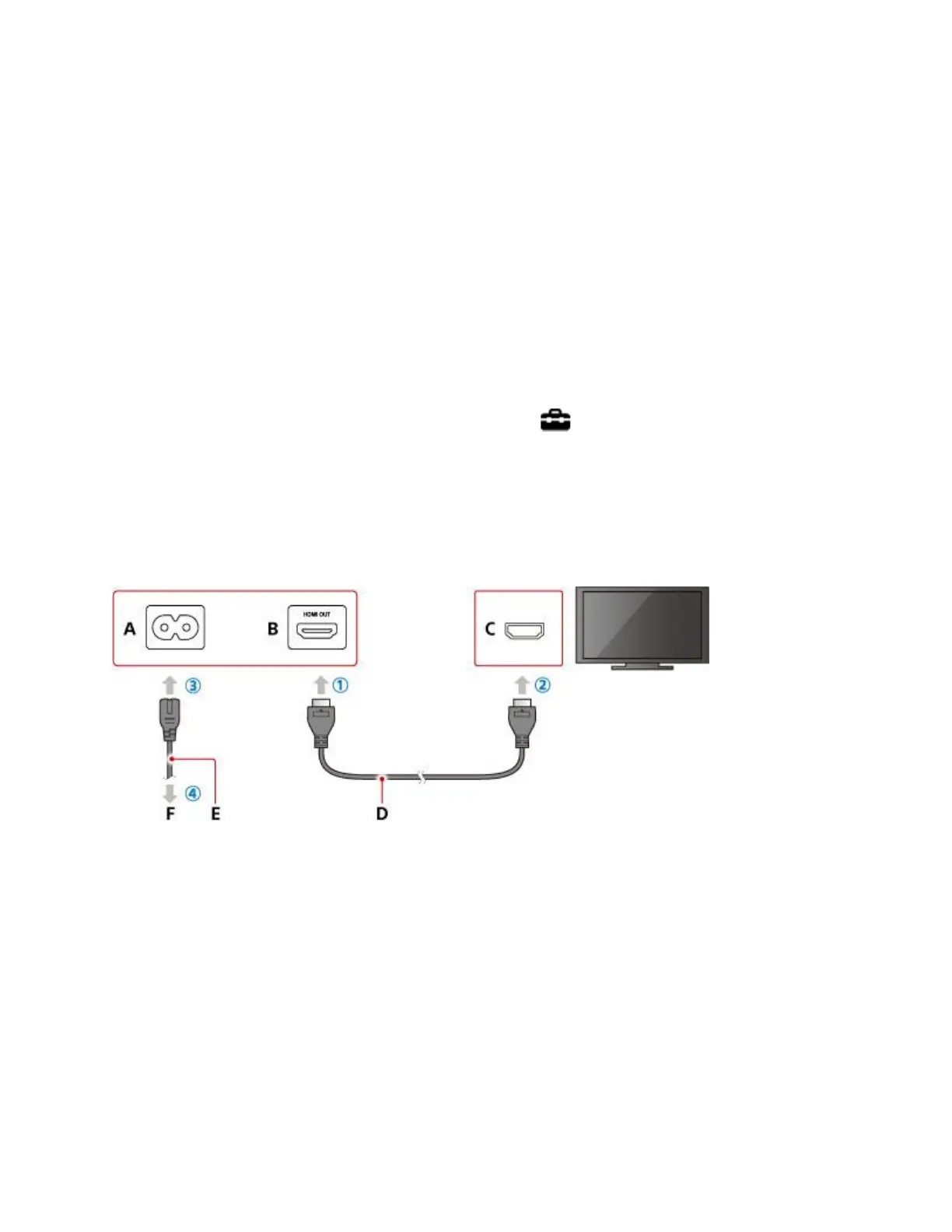
Connect items in order from ① to ④.
A )
AC IN connector (PS4™ system)
Connector shape varies depending on your PS4™ system.
B )
HDMI OUT port (PS4™ system)
C )
HDMI input port (TV)




 To Next Page