EasyManua.ls Logo

Sony DVP-NS507P - User Manual

Sony DVP-NS507P
82 pages
Print Icon
To Next Page IconTo Next Page
Loading...
RMT-D165A/RMT-D165P/RMT-D166P
SERVICE MANUAL
CD/DVD PLAYER
System
Laser: Semiconductor laser
Signal format system: NTSC
Audio characteristics
Frequency response: DVD VIDEO (PCM
96 kHz): 2 Hz to 44 kHz (±1.0 dB)/
DVD VIDEO (PCM 48 kHz): 2 Hz to
22 kHz (±0.5 dB)/CD: 2 Hz to 20 kHz
(±0.5 dB)
Signal-to-noise ratio (S/N ratio): 115 dB
Harmonic distortion: 0.003%
Dynamic range: DVD VIDEO: 103 dB/
CD: 99 dB
Wow and flutter: Less than detected value
(±0.001% W PEAK)
Outputs
(Jack name: Jack type/Output level/
Load impedance)
LINE OUT (AUDIO): Phono jack/
2 Vrms/ 10 kilohms
DIGITAL OUT (COAXIAL): Phono jack/
0.5 Vp-p/75 ohms
COMPONENT VIDEO OUT
(Y, PB, PR): Phono jack/Y: 1.0 Vp-p/
PB, PR: 0.65 Vp-p/75 ohms
LINE OUT (VIDEO): Phono jack/
1.0 Vp-p 75 ohms
S VIDEO OUT: 4-pin mini DIN/Y:
1.0 Vp-p, C: 0.286 Vp-p/75 ohms
General
Power requirements:
120 V AC, 60 Hz
110-240 V AC, 50/60 Hz
See page 5 for further information
Power consumption: 11 W
Dimensions (approx.): 430 × 43 ×
237.7 mm (17 × 2
11
/16 × 9
1
/2 in.)
(width/height/depth) incl. projecting
parts
Mass (approx.): 1.95 kg (4
1
/3 lb)
Operating temperature: 5°C to 35°C
(41°F to 95°F)
Operating humidity: 25% to 80%
SPECIFICATIONS
Supplied accessories
See page 17
Specifications and design are subject to
change without notice.
ENERGY STAR
is a U.S. registered
mark.
As an ENERGY STAR
Partner, Sony
Corporation has determined that this
product meets the ENERGY STA R
guidelines for energy efficiency.
Canada Model
PX Model
Mexico Model
Latin Model
Brazil Model
Hong Kong Model
GA Model
Taiwan Model
Korea Model
Saudi Arabia Model
Middle East Model
India Model
Australia Model
China Model
Argentina Model
US Model
Iran Model
DVP-NS575P
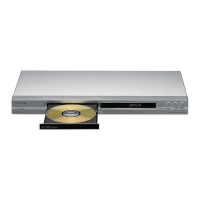
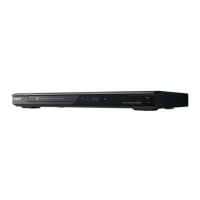
DVP-NS355/NS501P/NS507P/NS525P/NS575P/NS585P
Notes: US and Canada model only
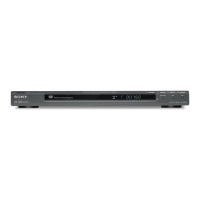
Photo : DVP-NS575P
RMT-D165P
Brazil Model
DVP-NS355
China Model
DVP-NS507P/NS525P/NS585P
Middle East Model
DVP-NS585P
US Model
DVP-NS501P

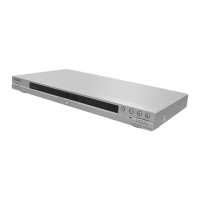
Table of Contents

Questions and Answers

  • H
    Heidi MooreAug 13, 2025
    Why is there no sound coming from my Sony DVP-NS507P DVD Player?
    • K
      Kylie HenryAug 13, 2025
      If there is no sound from your Sony DVD Player, it could be due to several reasons. The connecting cord might be damaged, so try reconnecting it securely. Also, if the audio signal does not come through the DIGITAL OUT (COAXIAL) jack, check the audio settings. Note that while playing a Super VCD on which the audio track 2 is not recorded, no sound will come out when you select '2:STEREO,' '2:1/L,' or '2:2/R.'
  • D
    Daniel ProctorAug 16, 2025
    Why is there no picture on my Sony DVP-NS507P?
    • C
      Caleb WolfAug 17, 2025
      If there's no picture or picture noise appears on your Sony DVD Player, the connecting cords may be damaged, so try reconnecting them securely. Also, check the connection to your TV and switch the input selector on your TV. If you set the NORMAL/PROGRESSIVE switch to PROGRESSIVE on the rear panel, even though your TV cannot accept the progressive signal, set the NORMAL/PROGRESSIVE switch to NORMAL. Set to the PROGRESSIVE only when you connect your TV to the player's COMPONENT VIDEO OUT jacks using a COMPONENT VIDEO cord.
  • H
    Heather PerryAug 20, 2025
    How to fix sound distortion on Sony DVP-NS507P DVD Player?
    • D
      David HaleAug 21, 2025
      If sound distortion occurs on your Sony DVD Player, set 'AUDIO ATT' in 'AUDIO SETUP' to 'ON'.
  • T
    Timothy TorresAug 25, 2025
    What to do if the disc tray does not open and “TRAY LOCKED” appears on the front panel display of my Sony DVD Player?
    • J
      Jacqueline GreenAug 25, 2025
      Contact your Sony dealer or local authorized Sony service facility.
  • A
    Alexandra BaxterAug 28, 2025
    Why can't I change the language on my Sony DVP-NS507P DVD Player?
    • T
      Troy LuceroAug 28, 2025
      If the language for the sound track cannot be changed on your Sony DVD Player, it may be because multilingual tracks are not recorded on the DVD being played, or the DVD prohibits the changing of the language for the sound track. Try using the DVD’s menu instead of the direct selection button on the remote.
  • P
    Paula JamesSep 1, 2025
    What to do if the subtitle language cannot be changed on Sony DVP-NS507P DVD Player?
    • M
      Mr. Keith HickmanSep 1, 2025
      If the subtitle language cannot be changed or turned off on your Sony DVD Player, it may be because multilingual subtitles are not recorded on the DVD being played, or the DVD prohibits the changing of subtitles. Try using the DVD’s menu instead of the direct selection button on the remote.
  • C
    Christina ValenzuelaSep 5, 2025
    Why can't I change the angles on my Sony DVP-NS507P DVD Player?
    • J
      John RussoSep 5, 2025
      If the angles cannot be changed on your Sony DVD Player, it may be because multi-angles are not recorded on the DVD being played, or the DVD prohibits changing of the angles. Try using the DVD’s menu instead of the direct selection button on the remote.
  • H
    hollygonzalezSep 8, 2025
    Why are 5 numbers or letters displayed on the screen of my Sony DVP-NS507P DVD Player?
    • L
      lperezSep 8, 2025
      The self-diagnosis function was activated.

Sony DVP-NS507P Specifications

General IconGeneral
TypeDVD Player
Output VideoComposite, S-Video, Component
Remote ControlYes
Progressive ScanYes
Playable File TypesJPEG, MP3
DTSYes
Video Formats SupportedMPEG-2
Audio Formats SupportedDolby Digital, DTS
Output AudioOptical, Coaxial
Video Output SystemNTSC
Playable Disc FormatsDVD, CD, VCD, SVCD
Surround SoundDolby Digital
ConnectionsComposite Video, S-Video, Component Video, Optical Audio, Coaxial Audio, Analog Audio

Related product manuals