EasyManua.ls Logo

Sony DVP-NS575P - Service Manual

Sony DVP-NS575P
82 pages
Print Icon
To Next Page IconTo Next Page
Loading...
RMT-D165A/RMT-D165P/RMT-D166P
SERVICE MANUAL
CD/DVD PLAYER
System
Laser: Semiconductor laser
Signal format system: NTSC
Audio characteristics
Frequency response: DVD VIDEO (PCM
96 kHz): 2 Hz to 44 kHz (±1.0 dB)/
DVD VIDEO (PCM 48 kHz): 2 Hz to
22 kHz (±0.5 dB)/CD: 2 Hz to 20 kHz
(±0.5 dB)
Signal-to-noise ratio (S/N ratio): 115 dB
Harmonic distortion: 0.003%
Dynamic range: DVD VIDEO: 103 dB/
CD: 99 dB
Wow and flutter: Less than detected value
(±0.001% W PEAK)
Outputs
(Jack name: Jack type/Output level/
Load impedance)
LINE OUT (AUDIO): Phono jack/
2 Vrms/ 10 kilohms
DIGITAL OUT (COAXIAL): Phono jack/
0.5 Vp-p/75 ohms
COMPONENT VIDEO OUT
(Y, PB, PR): Phono jack/Y: 1.0 Vp-p/
PB, PR: 0.65 Vp-p/75 ohms
LINE OUT (VIDEO): Phono jack/
1.0 Vp-p 75 ohms
S VIDEO OUT: 4-pin mini DIN/Y:
1.0 Vp-p, C: 0.286 Vp-p/75 ohms
General
Power requirements:
120 V AC, 60 Hz
110-240 V AC, 50/60 Hz
See page 5 for further information
Power consumption: 11 W
Dimensions (approx.): 430 × 43 ×
237.7 mm (17 × 2
11
/16 × 9
1
/2 in.)
(width/height/depth) incl. projecting
parts
Mass (approx.): 1.95 kg (4
1
/3 lb)
Operating temperature: 5°C to 35°C
(41°F to 95°F)
Operating humidity: 25% to 80%
SPECIFICATIONS
Supplied accessories
See page 17
Specifications and design are subject to
change without notice.
ENERGY STAR
is a U.S. registered
mark.
As an ENERGY STAR
Partner, Sony
Corporation has determined that this
product meets the ENERGY STA R
guidelines for energy efficiency.
Canada Model
PX Model
Mexico Model
Latin Model
Brazil Model
Hong Kong Model
GA Model
Taiwan Model
Korea Model
Saudi Arabia Model
Middle East Model
India Model
Australia Model
China Model
Argentina Model
US Model
Iran Model
DVP-NS575P
DVP-NS355/NS501P/NS507P/NS525P/NS575P/NS585P
Notes: US and Canada model only
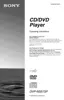
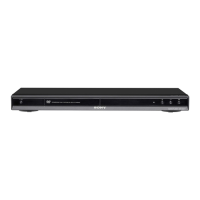
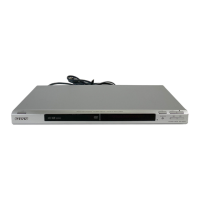
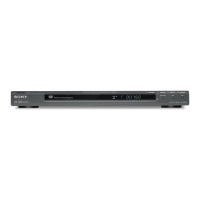
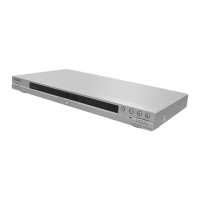
Photo : DVP-NS575P
RMT-D165P
Brazil Model
DVP-NS355
China Model
DVP-NS507P/NS525P/NS585P
Middle East Model
DVP-NS585P
US Model
DVP-NS501P

Table of Contents

Other manuals for Sony DVP-NS575P

Questions and Answers

  • B
    bentleyanneAug 12, 2025
    Why is there no sound coming from my Sony DVP-NS575P DVD Player?
    • K
      Kristy HarveyAug 12, 2025
      If there is no sound from your Sony DVD Player, it could be due to several reasons. The connecting cord might be damaged, so try reconnecting it securely. Also, if the audio signal does not come through the DIGITAL OUT (COAXIAL) jack, check the audio settings. Note that while playing a Super VCD on which the audio track 2 is not recorded, no sound will come out when you select '2:STEREO,' '2:1/L,' or '2:2/R.'
  • L
    lgreenAug 16, 2025
    Why is there no picture on my Sony DVP-NS575P?
    • I
      Isaiah BassAug 16, 2025
      If there's no picture or picture noise appears on your Sony DVD Player, the connecting cords may be damaged, so try reconnecting them securely. Also, check the connection to your TV and switch the input selector on your TV. If you set the NORMAL/PROGRESSIVE switch to PROGRESSIVE on the rear panel, even though your TV cannot accept the progressive signal, set the NORMAL/PROGRESSIVE switch to NORMAL. Set to the PROGRESSIVE only when you connect your TV to the player's COMPONENT VIDEO OUT jacks using a COMPONENT VIDEO cord.
  • N
    nmartinAug 20, 2025
    How to fix sound distortion on Sony DVD Player?
    • H
      Holly GutierrezAug 20, 2025
      If sound distortion occurs on your Sony DVD Player, set 'AUDIO ATT' in 'AUDIO SETUP' to 'ON'.
  • T
    Taylor WoodAug 25, 2025
    What to do if the disc tray does not open and “TRAY LOCKED” appears on the front panel display of my Sony DVP-NS575P DVD Player?
    • B
      browndanielAug 25, 2025
      Contact your Sony dealer or local authorized Sony service facility.
  • K
    Kenneth MaldonadoAug 27, 2025
    Why can't I change the language on my Sony DVP-NS575P?
    • M
      Miranda HortonAug 28, 2025
      If the language for the sound track cannot be changed on your Sony DVD Player, it may be because multilingual tracks are not recorded on the DVD being played, or the DVD prohibits the changing of the language for the sound track. Try using the DVD’s menu instead of the direct selection button on the remote.
  • J
    Johnathan HowardAug 31, 2025
    What to do if the subtitle language cannot be changed on Sony DVP-NS575P?
    • C
      Carlos EstesAug 31, 2025
      If the subtitle language cannot be changed or turned off on your Sony DVD Player, it may be because multilingual subtitles are not recorded on the DVD being played, or the DVD prohibits the changing of subtitles. Try using the DVD’s menu instead of the direct selection button on the remote.
  • C
    Colin BrownSep 4, 2025
    Why can't I change the angles on my Sony DVP-NS575P?
    • J
      Jennifer RobinsonSep 4, 2025
      If the angles cannot be changed on your Sony DVD Player, it may be because multi-angles are not recorded on the DVD being played, or the DVD prohibits changing of the angles. Try using the DVD’s menu instead of the direct selection button on the remote.
  • C
    Carolyn HillSep 7, 2025
    Why are 5 numbers or letters displayed on the screen of my Sony DVD Player?
    • D
      Dylan JacobsSep 8, 2025
      The self-diagnosis function was activated.

Summary

SERVICE MANUAL

SPECIFICATIONS

Detailed technical specifications for the DVD player models.

SAFETY CHECK-OUT

LEAKAGE TEST

Procedure for testing AC leakage from exposed metal parts to ground.

SERVICE NOTE

DISC REMOVAL PROCEDURE (at POWER OFF)

Steps to remove a disc from the player when it is powered off.

SECTION 1 GENERAL

Precautions

Safety, power, operation, placement, and cleaning precautions for the player.

About this Manual

Explains the manual's content and icons used.

Index to Parts and Controls

Reference guide to player parts and controls with page numbers.

Player Interface and Controls

Front Panel and Rear Panel Displays

Description of the front panel display, rear panel connections, and indicators.

Remote Control Overview

Layout and functions of the remote control.

Control Menu Navigation Guide

Instructions on how to use the on-screen Control Menu for settings and information.

Hookups and Connections

List of Control Menu Items

A list of items available within the Control Menu.

Connecting the Player

Step-by-step guide for connecting the DVD player to external devices.

Audio and Video Connections

Connecting Audio Cords

Detailed instructions for connecting audio output jacks to amplifiers or decks.

Connecting to TV;Monitor

Instructions for connecting video output jacks to TVs, monitors, or projectors.

Power and Initial Setup

Connecting the Power Cord

Steps for connecting the player to a power source.

Quick Setup Procedure

Initial player setup for language, aspect ratio, and audio output.

Disc Playback Operations

Playing Discs

Basic steps to insert and play discs, including auto-power off.

Resume Playback Functionality

How to resume playback from where a disc was stopped, including multi-disc resume.

Disc Tray Locking (Child Lock)

Procedure to lock the disc tray to prevent unauthorized access.

Advanced Playback Features

Disc Menu Navigation

Navigating DVD menus for titles, scenes, audio, and subtitles.

DVD-RW Title Selection

Selecting between 'ORIGINAL' and 'PLAY LIST' titles on DVD-RW discs.

Video CD Playback Modes

Using PBC for interactive Video CD playback and various play mode functions.

Disc Searching and Navigation

Scene and Point Searching

Techniques for fast scan, slow-motion, and freeze frame to find specific points.

Title;Chapter;Track;Scene Search

How to locate specific titles, chapters, tracks, or scenes on a disc.

Viewing Disc Information

Time and Text Information Display

Displaying playing time, remaining time, and text data from DVDs and CDs.

Sound Settings

Changing Audio Output

Selecting audio formats, languages, and sound modes for DVDs and CDs.

TV Virtual Surround Settings (TVS)

Enabling virtual surround sound effects using front speakers only.

Enjoying Movies

Angle and Subtitle Control

Changing camera angles and displaying/hiding subtitles during movie playback.

Playback Picture Adjustments

Customizing playback picture settings like sharpness and picture mode.

Data CD (MP3;JPEG) Playback

How to play MP3 audio tracks and JPEG image files from Data CDs.

Data CD Playback Features

MP3;JPEG File Management

Selecting albums, tracks, or image files for playback from Data CDs.

Slideshow with Sound Creation

Creating and playing a slideshow of JPEG images with synchronized MP3 audio.

Image Rotation and Zoom Functionality

Rotating and magnifying JPEG images displayed from Data CDs.

Additional Functions

Slideshow Customization Options

Setting slideshow duration and selecting display effects for image files.

Disc Locking and Parental Control

Setting parental controls and disc playback restrictions using passwords.

Parental Control and TV Remote Usage

Parental Control Management

Procedures for setting, turning off, or changing parental control passwords and levels.

TV Remote Control Capabilities

Using the player's remote to control Sony and non-Sony TVs.

Setup and Adjustment Menus

Using the Setup Display Interface

Navigating the Setup Display for various player adjustments.

Display and Language Configuration

Configuring on-screen display, menu, audio, and subtitle languages.

Picture and Sound Configuration

Adjusting screen aspect ratio, saver, black level, and audio settings.

Custom Settings and Troubleshooting

Custom Setup Menu Options

Configuring custom playback settings like auto power off, auto play, and display dimmer.

Troubleshooting Common Issues

Solutions for common player issues related to power, picture, and sound.

Operation and Diagnostics

Player Operation Troubleshooting

Troubleshooting common operational problems like remote malfunction or disc playback issues.

Self-Diagnosis Error Codes

Understanding and interpreting the player's self-diagnosis error codes.

Glossary of Technical Terms

Definitions of technical terms used in the manual.

SECTION 2 DISASSEMBLY

Upper Case and Front Panel Removal

Steps to remove the upper case and front panel assembly.

Mechanism Disassembly Procedures

Loading Assembly Removal

Steps for disassembling and removing the disc loading assembly.

Optical Device Removal and Safety

Optical Device Removal

Procedure for removing the optical device (laser pickup) and handling precautions.

Internal Component Disassembly

Motor, MS-203 Board, and MV-044 Board Removal

Steps to remove the DC motor, MS-203 board, and MV-044 board.

Switching Regulator Removal

Switching Regulator Disassembly

Steps for removing the switching regulator unit.

Internal Component Views

Top and Bottom Internal Views

Visual overview of the player's internal components from top and bottom.

Circuit Board Locations

Location of Main Circuit Boards

Diagram showing the physical location of the main circuit boards within the player.

SECTION 3 BLOCK DIAGRAMS

Overall System Block Diagram

High-level overview of the player's main functional blocks and their interconnections.

System Control and Signal Processing

System Control;Signal Processor Block Diagram

Detailed block diagram of the system control and signal processing circuits.

RF and Servo Systems

RF;Servo Block Diagram

Block diagram illustrating the RF signal processing and servo control systems.

Audio Signal Processing

Audio Block Diagram

Block diagram detailing the audio signal processing path and components.

Video Signal Processing

Video Block Diagram

Block diagram showing the video signal processing path and related components.

Interface Control Systems

Interface Control Block Diagram

Block diagram of the interface control circuits, including buttons and displays.

Power Supply System

Power Block Diagram

Schematic showing the switching regulator and power supply circuits.

SECTION 4 SCHEMATICS AND WIRING DIAGRAMS

Frame Schematic Diagram

Overall schematic diagram showing the main board interconnections.

Printed Wiring Boards and Waveforms

Printed Wiring Boards and Waveforms

Printed wiring board layouts and signal waveforms for key components.

MV-044 Board Schematics (Drive)

MV-044 Board Side A and B Layouts

Printed wiring board layouts for the MV-044 board, showing component placement.

MV-044 Board Schematics (Drive Section)

MV-044 Board (1;5) Drive Schematic

Schematic diagram for the drive section of the MV-044 board.

MV-044 Board Schematics (CPU;Servo)

MV-044 Board (2;5) CPU, Servo-DSP, AVDEC Schematic

Schematic diagram for the CPU, Servo-DSP, and AVDEC sections of the MV-044 board.

MV-044 Board Schematics (Video)

MV-044 Board (3;5) Video Schematic

Schematic diagram for the video processing section of the MV-044 board.

MV-044 Board Schematics (Audio)

MV-044 Board (4;5) Audio Schematic

Schematic diagram for the audio processing section of the MV-044 board.

MV-044 Board Schematics (Power)

MV-044 Board (5;5) PS Through Schematic

Schematic diagram for the power supply through section of the MV-044 board.

IF-112 Board Schematics

IF-112 (Interface) Printed Wiring Board

Printed wiring board layout for the IF-112 interface board.

IF-112 Board Schematics (Interface)

IF-112 Board Interface Schematic

Schematic diagram for the IF-112 interface board.

Power Block Schematics (SRV1487 UC)

Power Block (SRV1487 UC) Printed Wiring Board

Printed wiring board layout for the SRV1487UC power block.

Power Board (SRV1487 UC) Schematics

Power Board (SRV1487 UC) Schematic

Schematic diagram for the SRV1487UC power board.

Power Block Schematics (SRV1501 WW)

Power Block (SRV1501 WW) Printed Wiring Board

Printed wiring board layout for the SRV1501WW power block.

Power Board (SRV1501 WW) Schematics

Power Board (SRV1501 WW) Schematic

Schematic diagram for the SRV1501WW power board.

SECTION 5 IC Pin Functions

System Control IC Pin Functions (MV-044 Board IC201)

Detailed pin functions for the system control IC on the MV-044 board.

SECTION 6 TEST MODE

General Test Mode Description

Overview of test modes, mirror time, and IOP measurement procedures.

Starting Test Mode

Steps to enter the test mode and access the diagnosis menu.

Drive Manual Operation

Accessing and using the drive manual operation functions within the test mode.

Mirror Time Adjustment Procedures

Procedures for checking and adjusting mirror time values for CD and DVD discs.

Executing Mirror Time Adjustment

Detailed steps for performing mirror time adjustment and saving settings.

Self-Diagnosis and Self Check Modes

IF CON Self Diagnostic Function

Using the IF-112 board for self-diagnosis of player functions.

Self Check Mode Operation

Procedures for entering and operating the self-check mode for display and panel tests.

Auto Self Check Operation

Auto Self Check Display Sequence

The sequence of displays shown during the auto self-check mode.

Self Check Function Tests

Key Input and Voltage Tests

Testing input voltages and key functions during self-check.

FLD and LED All ON Test

Verifying all segments of the FLD and all LEDs are operational.

Key Display and Code Display Tests

Testing main unit and remote key name and code displays in self-check.

Remote Commander Key Tests

Remote Commander Key Name;Code Display

Testing remote commander key name and code displays during self-check.

Communication and Display Tests

Communication Monitoring Display

Monitoring communication status between main unit and system controller.

FLD Anode and Shuttle Click Tests

Testing FLD segments and shuttle click operation for display integrity.

Grid and LED Test Displays

FLD Grid Test Display

Testing individual FLD grids using shuttle click input.

LED Test Display Function

Testing LED indicators by inputting specific keys.

SECTION 7 ELECTRICAL ADJUSTMENT

Power Supply Voltage Adjustment

Procedures for checking and adjusting power supply voltages to specified levels.

SECTION 8 REPAIR PARTS LIST

Exploded Views - Main Section

Exploded view diagrams showing parts of the player's main assembly.

Mechanism Deck Assembly Exploded View

Mechanism Deck Assembly Exploded View

Exploded view diagram of the disc mechanism deck assembly.

IF-112 Board Parts List

IF-112 Electrical Components List

List of electrical parts and components for the IF-112 board.

MV-044 Board Parts List

MV-044 Electrical Components List

List of electrical parts and components for the MV-044 board.

MV-044 Component Details

MV-044 Crystals, Fuses, Diodes, ICs, Photo Couplers

List of specific components like crystals, fuses, diodes, ICs, and photo couplers for MV-044.

Sony DVP-NS575P Specifications

General IconGeneral
DVD TypeDVD player
Progressive ScanYes
Remote ControlYes
Video Output SystemNTSC
UpscalingNo
Video OutputComponent Video, Composite Video, S-Video
Audio OutputDigital audio coaxial, Digital audio optical
Disc Formats SupportedDVD, CD, CD-R, CD-RW

Related product manuals