EasyManua.ls Logo

Sony DVP-NS530 - User Manual

Sony DVP-NS530
133 pages
Print Icon
To Next Page IconTo Next Page
Loading...
RMT-D152A/D156P/D157P/D152E/D153A/D158P
DVP-NS325/NS330/NS333/NS430/NS433/NS530/NS725P/NS730P
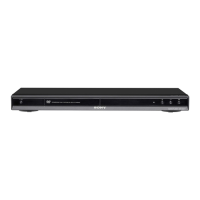
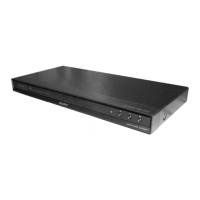
Photo : DVP-NS325
RMT-D152A
SERVICE MANUAL
CD/DVD PLAYER
System
Laser: Semiconductor laser
Signal format system: NTSC
Audio characteristics
Frequency response: DVD VIDEO (PCM
96 kHz): 2 Hz to 44 kHz (±1.0 dB)/
DVD VIDEO (PCM 48 kHz): 2 Hz to
22 kHz (±0.5 dB)/CD: 2 Hz to 20 kHz
(±0.5 dB)
Signal-to-noise ratio (S/N ratio): 115 dB
(LINE OUT (L/R) AUDIO jacks only)
Harmonic distortion: 0.003%
Dynamic range: DVD VIDEO: 103 dB/
CD: 99 dB
Wow and flutter: Less than detected
value (±0.001% W PEAK)
The signals from LINE OUT L/R
(AUDIO) jacks are measured. When you
play PCM sound tracks with a 96 kHz
sampling frequency, the output signals
from the DIGITAL OUT (COAXIAL) jack
are converted to 48 kHz sampling
frequency.
Outputs/Inputs (NS325)
Jack name: (Jack type/Output or
Input level/Load impedance)
Outputs (NS725P/NS530/NS730P/
NS330/NS333/NS430/NS433)
Jack name: (Jack type/Output level/
Load impedance)
LINE OUT (AUDIO): Phono jack/
2 Vrms/ 10 kilohms
DIGITAL OUT (OPTICAL): Optical
output jack/-18d Bm (wave length:
660 nm) (NS725P/NS530/NS730P/
NS430/NS433)
DIGITAL OUT (COAXIAL): Phono jack/
0.5 Vp-p/75 ohms (NS325/NS725P/
NS530/NS730P/NS330/NS333/
NS430/NS433)
COMPONENT VIDEO OUT (Y, P
B, PR):
Phono jack/Y: 1.0 Vp-p/PB, PR:
0.65 Vp-p/75 ohms (NS325/NS725P)
COMPONENT VIDEO OUT (Y, P
B/CB,
PR/CR): Phono jack/Y: 1.0 Vp-p,
P
B/CB, PR/CR: 0.7 Vp-p/75 ohms
(NS730P)
COMPONENT VIDEO OUT (Y, CB/CR):
Phono jack/Y: 1.0 Vp-p, C
B, CR:
0.7 Vp-p/75 ohms (NS530)
LINE OUT (VIDEO): Phono jack/
1.0 Vp-p 75 ohms (NS325/NS725P/
NS530/NS730P/NS330/NS333/
NS430/NS433)
S VIDEO OUT: 4-pin mini DIN/Y:
1.0 Vp-p, C: 0.286 Vp-p/75 ohms
(NS325/NS725P/NS530/NS730P/
NS330/NS333/NS430/NS433)
SPECIFICATIONS
General
Power consumption: 13 W/ 14 W
Dimensions (approx.): 430 × 55.5 ×
244 mm (17 × 2
3
/16 × 9
5
/8 in.)
(NS325/NS530/NS330/NS333)
430 × 55.5 × 237 mm (17 × 2
3
/16 ×
9
3
/5 in.) (NS430/NS433/NS725P/
NS730P)
Supplied accessories
See page 14 (NS325)
See page 15 (NS725P/NS530/NS730P/
NS330/NS333/NS430/NS433)
Specifications and design are subject to
change without notice.
ENERGY STAR
is a U.S. registered
mark.
As an
ENERGY STAR
Partner, Sony
Corporation has determined that this
product meets the
ENERGY STA R
guidelines for energy efficiency.
US Model
DVP-NS325/NS725P
Canadian Model
DVP-NS325/NS725P
PX Model
DVP-NS325/NS725P
E Model
DVP-NS325
Mexico Model
DVP-NS325
Brazilian Model
DVP-NS325
Argentina Model
DVP-NS325
AEP Model
DVP-NS330/NS333/NS430/
NS433
UK Model
DVP-NS330/NS430
Russian Model
DVP-NS330
Hong Kong Model
DVP-NS530/NS730P
Singapore Model
DVP-NS530/NS730P
Taiwan Model
DVP-NS530
Korea Model
DVP-NS530/NS730P
Saudi Arabia Model
DVP-NS530
Middle East Model
DVP-NS530/NS730P
Australian Model
DVP-NS530/NS730P
New Zealand Model
DVP-NS530/NS730P


Table of Contents

Questions and Answers

  • M
    Matthew MayAug 16, 2025
    What to do if my Sony DVD Player remote does not function?
    • S
      Sherry RandolphAug 16, 2025
      If your remote isn't working, first ensure there are no obstacles between the remote and the player. Also, make sure you're not too far from the player and that you're pointing the remote directly at the remote sensor on the player. Finally, check if the batteries in the remote are weak and replace them if necessary.
  • K
    kayla41Aug 19, 2025
    Why is there no sound coming from my Sony DVD Player?
    • M
      Matthew ClarkAug 19, 2025
      Several factors can cause a lack of sound. Check that the connecting cord is securely re-connected. The player might be connected to the wrong input jack on the amplifier (receiver), or the amplifier input might not be correctly set. Also, the player may be in pause mode, Slow-motion Play mode, fast forward, or fast reverse mode. If using DIGITAL OUT, check the audio settings. When playing a Super VCD, sound won't come out if audio track 2 isn't recorded and you select '2:STEREO,' '2:1/L,' or '2:2/R.'
  • E
    Edward PhillipsAug 21, 2025
    What to do if my Sony DVP-NS530 DVD Player disc does not play?
    • J
      Jennifer AlexanderAug 22, 2025
      If your disc isn't playing, make sure it's inserted correctly with the playback side facing down on the disc tray and that it is not skewed. The region code on the DVD must match the player. Also, the player cannot play a recorded disc that is not correctly finalized.
  • D
    david20Aug 25, 2025
    Why is the sound volume low on my Sony DVP-NS530 DVD Player?
    • L
      Lindsey SmithAug 26, 2025
      The sound volume may be low on some DVDs. You can try setting 'AUDIO DRC' to 'TV MODE' to improve it. Also, make sure that 'AUDIO ATT' in 'AUDIO SETUP' is set to 'OFF'.
  • C
    Cody ColemanAug 27, 2025
    Why is there no picture/picture noise appears on my Sony DVD Player?
    • D
      David CollinsAug 27, 2025
      There could be several reasons for the picture issues you're experiencing. The connecting cords might be damaged, so ensure they are securely re-connected. The disc itself may be dirty or flawed. If your player's video output runs through a VCR to your TV, or if you're using a combination TV/VIDEO player, the copy-protection signal on some DVDs might be affecting picture quality. Also, check if the player is set to progressive format while your TV doesn't support it; if the PROGRESSIVE indicator is lit, press the PROGRESSIVE button to turn it off.
  • R
    Ryan LivingstonAug 30, 2025
    Why is the sound noisy on my Sony DVP-NS530?
    • J
      Jeffrey PotterAug 30, 2025
      When playing a CD with DTS sound tracks, noise may come from the LINE OUT L/R (AUDIO) jacks or DIGITAL OUT (OPTICAL or COAXIAL) jack.
  • E
    Erica FoxSep 2, 2025
    Why does my Sony DVP-NS530 DVD Player start playing the disc automatically?
    • D
      Dillon WheelerSep 2, 2025
      Your DVD player might be starting discs automatically because the disc itself features an auto playback function. Alternatively, check if 'AUTO PLAY' in 'CUSTOM SETUP' is set to 'ON'.
  • G
    gtateSep 4, 2025
    Why does my Sony DVP-NS530 DVD Player stop playback automatically?
    • K
      keith22Sep 5, 2025
      If you're playing discs with an auto pause signal, the player will stop playback at that signal.
  • J
    Jordan KimSep 7, 2025
    Why won't my Sony DVP-NS530 play MP3 audio tracks?
    • P
      patricia45Sep 7, 2025
      The DATA CD may not be recorded in the MP3 format that conforms to ISO9660 Level 1/Level 2 or Joliet. The MP3 audio track may not have the extension '.MP3.' The data may not be formatted in MP3 even though it has the extension '.MP3.' The data may not be MPEG1 Audio Layer 3 data. The player cannot play audio tracks in MP3PRO format.
  • A
    ashley20Sep 10, 2025
    Why doesn't the disc start playing from the beginning on my Sony DVD Player?
    • E
      Erica SwansonSep 10, 2025
      The disc might not be starting from the beginning because Program Play, Shuffle Play, Repeat Play, or A-B Repeat Play has been selected. Also, Resume play may have taken effect.

Summary

SPECIFICATIONS

System

Describes player system details, including laser type and signal format.

Audio Characteristics

Details audio performance specifications like frequency response and dynamic range.

General

Covers power consumption, dimensions, and supplied accessories.

SAFETY CHECK-OUT

LEAKAGE TEST

Critical safety test procedure to measure AC leakage current to earth ground.

SAFETY-RELATED COMPONENT WARNING!

Identifies critical safety components requiring specific replacement parts.

1. GENERAL

Precautions

Important safety and usage notes regarding power, placement, and operation.

About this Manual

Explanation of manual content, icons, and controls.

This Player Can Play the Following Discs

Lists compatible disc formats and explains region code system.

Hookups

Instructions for connecting the player to various devices.

Playing Discs

Guide to disc playback operations and available functions.

Viewing Information About the Disc

How to check disc details like playing time and text.

Sound Adjustments

Options for adjusting audio settings and surround sound.

Using Various Additional Functions

Accessing extra features such as parental controls and TV functions.

Setting and Adjustments

Overview of system setup options for language, screen, and custom settings.

SERVICE NOTE

Disc Removal Procedure (at POWER OFF)

Procedure for safely removing a disc when the unit is powered off.

How to Service MB-108 Board

Specific instructions for servicing the MB-108 board, including jig setup.

SECTION 2 DISASSEMBLY

2-1. UPPER CASE

Procedure for removing the upper case of the unit.

2-2. FRONT PANEL ASSEMBLY

Procedure for removing the front panel assembly.

Index to Parts and Controls

Front panel

Identifies front panel components with corresponding page numbers.

SECTION 1-1 GENERAL (Except NS725 P;NS730 P)

Precautions

Important safety and usage notes for the player.

About this Manual

Explanation of manual content, icons, and usage.

This Player Can Play the Following Discs

Lists compatible disc formats and explains region code system.

Guide to the Control Menu Display

Control Menu Display

Explains different control menu displays and their contents.

Control Menu display off

Option to turn off the control menu display.

Hookups

Hooking Up the Player

Steps for connecting the player to a TV, projector, or AV amplifier.

Step 3: Connecting the Video Cords

Video connection guide for different TV input types.

Hookups

Step 4: Connecting the Audio Cords

Audio connection guide for various system setups.

Hookups

Step 5: Connecting the Power Cord

Procedure for connecting the player and TV power cords to an AC outlet.

Step 6: Quick Setup

Initial player setup for language, aspect ratio, and audio.

Playing Discs

Playing Discs

Basic playback instructions and disc compatibility notes.

Notes on playing DTS sound tracks on a CD

Specific notes and warnings for playing DTS encoded CDs.

Additional operations

Details on functions like Instant Replay and Child Lock.

Locking the disc tray (Child Lock)

Function to lock the disc tray to prevent children from opening it.

Searching for a Scene

Searching for a Particular Point on a Disc (Scan, Slow-motion Play, Freeze Frame)

Techniques for locating specific points on a disc using scan, slow-motion, or freeze frame.

Using Various Additional Functions

Locking Discs (CUSTOM PARENTAL CONTROL, PARENTAL CONTROL)

Setting playback restrictions for discs using parental control.

Custom Parental Control

Setting custom parental control passwords for up to 40 discs.

Parental Control (limiting playback by children)

Setting parental control levels based on playback limitation.

Settings and Adjustments

Using the Setup Display

Navigating the setup menu to make various adjustments.

Settings and Adjustments

Setting the Display or Sound Track Language (LANGUAGE SETUP)

Setting display and sound track languages for menus and subtitles.

Settings for the Display (SCREEN SETUP)

Adjusting display settings like TV type, screen saver, and background.

Settings and Adjustments

Custom Settings (CUSTOM SETUP)

Customizing playback-related settings like auto power off and dimmer.

Settings and Adjustments

Settings for the Sound (AUDIO SETUP)

Configuring audio settings for playback and connection conditions.

Settings and Adjustments

Setting the digital output signal

Configuring digital audio output signals for connected components.

Additional Information

Troubleshooting

Problem solving guide for common difficulties encountered with the player.

Additional Information

Self-diagnosis Function (When letters;numbers appear in the display)

Explanation of diagnostic codes that appear on the display.

Additional Information

Glossary

Definition of technical terms used in the manual.

Language Code List

Language Code List

List of language codes conforming to ISO 639: 1988 standard.

Sony DVP-NS530 Specifications

General IconGeneral
BrandSony
ModelDVP-NS530
CategoryDVD Player
LanguageEnglish

Related product manuals