EasyManua.ls Logo

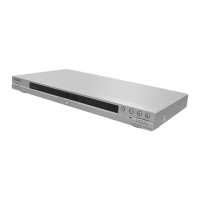
Sony DVP-NS52P - User Manual

Sony DVP-NS52P
83 pages
Print Icon
To Next Page IconTo Next Page
Loading...
CD/DVD PLAYER
System
Laser: Semiconductor laser
Signal format system: PAL/NTSC
Audio characteristics
Frequency response: DVD VIDEO (PCM
96 kHz): 2 Hz to 44 kHz (±1.0 dB)/
DVD VIDEO (PCM 48 kHz): 2 Hz to
22 kHz (±0.5 dB)/CD: 2 Hz to 20 kHz
(±0.5 dB)
Signal-to-noise ratio (S/N ratio): 115 dB
(LINE OUT L/R (AUDIO) jacks only)
Harmonic distortion: 0.003%
Dynamic range: DVD VIDEO: 103 dB/
CD: 99 dB
Wow and flutter: Less than detected value
(±0.001% W PEAK)
Outputs
(Jack name: Jack type/Output level/
Load impedance)
LINE OUT (AUDIO): Phono jack/
2 Vrms/ 10 kilohms
DIGITAL OUT (OPTICAL)
(DVP-NS52P only):
Optical output jack/–18 dBm
(wave length 660 nm)
DIGITAL OUT (COAXIAL): Phono jack/
0.5 Vp-p/75 ohms
LINE OUT (VIDEO): Phono jack/
1.0 Vp-p/75 ohms
S VIDEO OUT
(DVP-NS52P only):
4-pin mini DIN/Y: 1.0 Vp-p,
C: 0.3 Vp-p (PAL),
0.286 Vp-p (NTSC)/75 ohms
COMPONENT VIDEO OUT
(Y, PB/CB, PR/CR)
(DVP-NS52P only):
Phono jack/Y: 1.0 Vp-p,
PB/CB, PR/CR: 0.7 Vp-p/75 ohms
SPECIFICATIONS
General
Power requirements:
220–240 V AC, 50/60 Hz
Power consumption:
DVP-NS32/NS33: 10 W
DVP-NS52P: 11 W
Dimensions (approx.):
DVP-NS32/NS33:
430 × 43 × 237.2 mm
DVP-NS52P:
430 × 43 × 237.3 mm
(width/height/depth)
incl. projecting parts
Mass (approx.):
DVP-NS32/NS33: 1.92 kg
DVP-NS52P: 1.95 kg
Operating temperature: 5°C to 35°C
Operating humidity: 25% to 80%
Supplied accessories
See page 15
Specifications and design are subject to
change without notice.
DVP-NS30/NS32/NS33/NS52P
RMT-D175P
SERVICE MANUAL
AEP Model
DVP-NS30/NS32/NS33/NS52P
Russia Model
DVP-NS30/NS32/NS52P
UK Model
DVP-NS30/NS52P
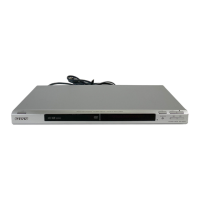
Photo : DVP-NS30
RMT-D175P
w
w
w
.
x
i
a
o
y
u
1
6
3
.
c
o
m
Q
Q
3
7
6
3
1
5
1
5
0
9
9
2
8
9
4
2
9
8
T
E
L
1
3
9
4
2
2
9
6
5
1
3
9
9
2
8
9
4
2
9
8
0
5
1
5
1
3
6
7
3
Q
Q
TEL 13942296513 QQ 376315150 892498299
http://www.xiaoyu163.com


Table of Contents

Other manuals for Sony DVP-NS52P

Questions and Answers

  • J
    Justin GarciaAug 19, 2025
    Why is there no sound from my Sony DVP-NS52P DVD Player?
    • A
      anthony73Aug 19, 2025
      There are several reasons why you might not hear any sound from your Sony DVD Player. First, check if the connecting cord is damaged and reconnect it securely. If you are playing a Super VCD on which the audio track 2 is not recorded, no sound will come out when you select “2:STEREO,” “2:1/L,” or “2:2/R.”
  • G
    Gregory WatsonAug 21, 2025
    What to do if the remote does not function with my Sony DVP-NS52P?
    • R
      Rachel PerryAug 21, 2025
      If the remote for your Sony DVD Player isn’t working, there might be a few reasons. There could be obstacles between the remote and the player. Ensure that the distance between the remote and the player is not too far. Also, make sure the remote is pointed at the remote sensor on the player.
  • R
    rodriguezandreaAug 23, 2025
    What to do if my Sony DVP-NS52P DVD Player disc does not play?
    • C
      Colleen EdwardsAug 23, 2025
      If your Sony DVD Player isn't playing discs, make sure the disc is inserted with the playback side facing down, not turned over.
  • J
    Jason MatthewsAug 26, 2025
    How to fix sound distortion on my Sony DVP-NS52P?
    • E
      Ethan HubbardAug 26, 2025
      If you are experiencing sound distortion with your Sony DVD Player, try setting “AUDIO ATT” in “AUDIO SETUP” to “ON”.
  • T
    Tommy GregoryAug 28, 2025
    What to do if my Sony DVD Player MP3 audio track cannot be played?
    • U
      ubushAug 28, 2025
      If your Sony DVD Player isn't playing MP3 audio tracks, confirm that “MODE (MP3, JPEG)” is not set to “IMAGE (JPEG)”.
  • A
    Andrea RussellAug 30, 2025
    What to do if my Sony DVP-NS52P JPEG image file cannot be played?
    • A
      akochAug 30, 2025
      If your Sony DVD Player isn't displaying JPEG image files, make sure that “MODE (MP3, JPEG)” is not set to “AUDIO (MP3)”.
  • R
    rebecca82Sep 1, 2025
    How to fix a Sony DVD Player that won't turn on?
    • M
      Matthew DavidsonSep 1, 2025
      Check that the power cord is connected securely.
  • G
    Gerald GallegosSep 3, 2025
    Why is there no picture on my Sony DVP-NS52P, or why does picture noise appear?
    • J
      jesse10Sep 3, 2025
      There could be several reasons for picture issues with your Sony DVD Player. First, the connecting cords might be damaged, so try reconnecting them securely. Check the connection to your TV and switch the input selector so that the signal from the player appears on the TV screen. If the picture output from your player goes through your VCR to get to your TV, try connecting your player to your TV’s S VIDEO input. Also, if your TV cannot accept the progressive signal, select “NORMAL (INTERLACE)” so that the PROGRESSIVE indicator turns off.
  • S
    Sean ThomasSep 5, 2025
    What to do if my Sony DVP-NS52P DVD Player MP3 audio tracks and JPEG image files start playing simultaneously?
    • O
      osmithSep 5, 2025
      If your Sony DVD Player is playing MP3 audio tracks and JPEG image files at the same time, make sure that “MODE (MP3, JPEG)” is not set to “AUTO”.
  • D
    Danielle MooreSep 7, 2025
    Why does my Sony DVP-NS52P disc not start playing from the beginning?
    • T
      Thomas SavageSep 7, 2025
      If your Sony DVD Player disc doesn’t start from the beginning, Program Play, Shuffle Play, Repeat Play, or A-B Repeat Play might be selected. Also, Resume play may have taken effect.

Summary

SPECIFICATIONS

System

Details about the laser and signal format system.

Audio characteristics

Frequency response, S/N ratio, and distortion specifications.

Outputs

Lists various audio and video output jacks and their specifications.

General

Power requirements, consumption, dimensions, and mass.

SAFETY CHECK-OUT

LEAKAGE TEST

Procedure for testing AC leakage from exposed metal parts to earth ground.

Unleaded solder

Characteristics and handling precautions for unleaded solder.

SAFETY-RELATED COMPONENT WARNING!

Critical safety components must be replaced with SONY parts.

SECTION 1 GENERAL

Warning

General safety precautions to prevent fire or shock hazard.

Precautions

Safety, installation, and handling precautions for the unit and discs.

About This Manual

Explains the scope and model coverage of the manual.

This Player Can Play the Following Discs

Lists compatible disc formats like DVD VIDEO, VCD, CD, and DATA CD/DVD.

Hookups

Instructions for connecting the player to a TV, projector, or AV amplifier.

Playing Discs

Guide on how to play discs and use basic playback functions.

Sound Adjustments

Procedures for changing audio output settings and sound effects.

Enjoying DivX Videos

Instructions for playing DivX video files from data discs.

Troubleshooting

Solutions for common operational problems and difficulties.

SECTION 2 DISASSEMBLY

2-1. UPPER CASE

Procedure for removing the upper case of the unit.

2-2. FRONT PANEL ASSEMBLY

Instructions for disassembling the front panel assembly.

2-3. LOADING ASSEMBLY

Steps for disassembling the disc loading mechanism.

2-4. OPTICAL DEVICE (KHM-310 CAA;C2 RP)

Details on disassembling and handling the optical pickup device.

2-5. MV-045, IF 124 and ER-037 BOARDS

Procedures for accessing and removing the main circuit boards.

2-6. SWITCHING REGULATOR

Steps for disassembling the switching regulator component.

2-7. INTERNAL VIEWS

Visuals showing the internal layout of the player's components.

2-8. CIRCUIT BOARDS LOCATION

Diagram showing the placement of major circuit boards within the unit.

SECTION 3 BLOCK DIAGRAMS

3-1. OVERALL BLOCK DIAGRAM

A high-level overview of the player's main functional blocks and interconnections.

3-2. POWER LINE BLOCK DIAGRAM

Diagram illustrating the power supply distribution and regulation within the player.

3-3. SYSTEM CONTROL;SIGNAL PROCESSOR BLOCK DIAGRAM

Block diagram of the system control and signal processing path.

3-4. RF;SERVO BLOCK DIAGRAM

Diagram detailing the RF and servo control systems for disc playback.

3-5. AUDIO BLOCK DIAGRAM

Block diagram showing the audio signal processing path from input to output.

3-6. VIDEO BLOCK DIAGRAM

Diagram illustrating the video signal processing and output path.

3-7. INTERFACE CONTROL BLOCK DIAGRAM

Block diagram for interface control signals and connections.

SECTION 4 PRINTED WIRING BOARDS AND SCHEMATIC DIAGRAMS

4-1. FRAME SCHEMATIC DIAGRAM

A high-level schematic showing the interconnections between major boards.

4-2. PRINTED WIRING BOARDS AND SCHEMATIC DIAGRAMS

General notes for PWB and schematic diagrams, including waveform references.

4-3. WAVEFORM

Illustrates typical signal waveforms at various test points for the MV-045 board.

MV-045 (CPU, Servo-DSP, AVDEC, DRIVE, VIDEO, AUDIO, POWER) PRINTED WIRING BOARD

Detailed layout of the MV-045 board showing component placement and connections.

MV-045 BOARD (1;5)

Schematic diagram of the MV-045 board, focusing on CPU, Servo-DSP, and AVDEC functions.

MV-045 BOARD (2;5)

Schematic diagram of the MV-045 board, detailing DRIVE and motor control circuits.

MV-045 BOARD (3;5)

Schematic diagram of the MV-045 board, focusing on video signal processing.

MV-045 BOARD (4;5)

Schematic diagram of the MV-045 board, detailing audio signal processing.

MV-045 BOARD (5;5)

Schematic diagram of the MV-045 board, detailing power supply circuits.

IF-124 (INTERFACE) PRINTED WIRING BOARD

Layout of the IF-124 interface board showing component placement.

IF-124 BOARD

Schematic diagram of the IF-124 interface board, showing control signal paths.

ER-037 (EURO OUT) PRINTED WIRING BOARD

Layout of the ER-037 board detailing Euro AV output connections.

ER-037 BOARD

Schematic diagram of the ER-037 board, illustrating Euro AV output circuitry.

POWER BLOCK PRINTED WIRING BOARD

Layout of the power block printed wiring board.

POWER BOARD (2 P-P1-9054 F)

Schematic diagram of the power supply board.

SECTION 5 IC PIN FUNCTION DESCRIPTION

5-1. SYSTEM CONTROL PIN FUNCTION DESCRIPTION (MV-045 BOARD IC101)

Detailed pinout and function description for the IC101 microprocessor on the MV-045 board.

SECTION 6 TEST MODE

6-1. EXECUTING IOP MEASUREMENT

Step-by-step guide for performing IOP measurement and related adjustments.

6-2. EMERGENCY HISTORY CHECK

Procedure to access and interpret emergency history logs and error codes.

6-3. INITIALIZING SETUP DATA

Instructions for resetting the player's setup data to default values.

6-4. VERSION INFORMATION

How to check the firmware version of the player's main components.

6-5. IF CON SELF DIAGNOSTIC FUNCTION

Guide to using the IF CON self-diagnostic mode for system checks.

2. OPERATION OF SELF CHECK MODE

Explains how to enter and perform self-checks on the FLD, LED, and key inputs.

SECTION 7 ELECTRICAL ADJUSTMENT

7-1. POWER SUPPLY OUTPUT VOLTAGE CHECK

Procedure for checking and verifying output voltages from the player's power supply.

7-2. ADJUSTMENT OF VIDEO SYSTEM

Steps for adjusting video output levels and signal quality.

SECTION 8 REPAIR PARTS LIST

8-1. EXPLODED VIEWS

Diagrams showing disassembled views of the player's main sections and components.

8-2. ELECTRICAL PARTS LIST

A detailed list of electrical components with part numbers and specifications.

Sony DVP-NS52P Specifications

General IconGeneral
TypeDVD Player
DVD PlaybackYes
CD PlaybackYes
Video OutputComposite, S-Video, Component
Audio Formats SupportedDolby Digital, DTS
Progressive ScanYes
UpscalingNo
Remote ControlYes
Supported MediaDVD, CD, CD-R, CD-RW
Audio OutputDigital Audio Coaxial x 1
Video Formats SupportedMPEG2

Related product manuals