EasyManua.ls Logo

Sony DVS-2000C - Page 87

Sony DVS-2000C
108 pages
Print Icon
To Next Page IconTo Next Page
To Previous Page IconTo Previous Page
Loading...
MU
(1)
VAF
ACT
SRE
@
WHHMORBPS.
rv
7vavx—-*EKXOMETC
FT
(SYSTEM)
[F2]
(SYSTEM)
SYSTEM
SETUP
=
2
—-##AREUNS,
{1)
System
Setup
@
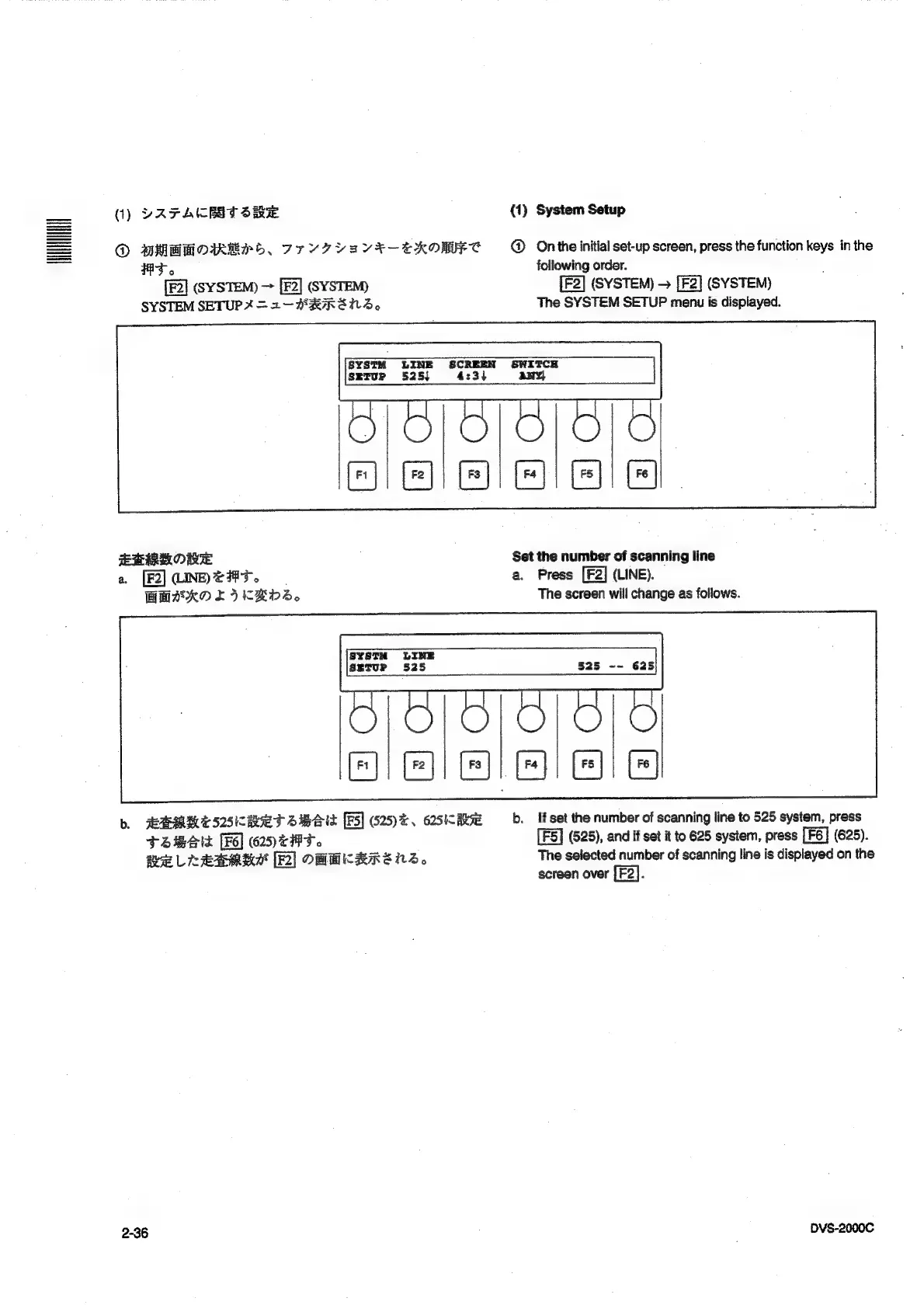
On
the
initial
set-up
screen,
press
the
function
keys
in
the
following
order.
(SYSTEM)
>
(SYSTEM)
The
SYSTEM
SETUP
menu
is
displayed.
S¥STM
LINE
SCREEN SWITCH
SETUP
525}
4:3)
any}
Ga
Ged
ia
Ma
le
EMR
ORE
a
[F2]
(INET.
BMeKO
EI
KKDS,
SYSTH
LINE
SETUP
525
Set
the
number
of
scanning
line
a.
Press
[F2]
(LINE).
The
screen
will
change
as
follows.
525
--
625
Copco]
aca
b.
ARMMESSKRET
SBS
[FS]
625)
e,
62S
RE
TSZBe14
(625)
tT.
RELL
EDMEA
[2]
OHMKRRENS,
2-36
b.
ft
set
the
number
of
scanning
line
to
525
system,
press
(525),
and
if
set
it
to
625
system,
press
(625).
The
selected
number
of
scanning
line
is
displayed
on
the
screen
over
:
DVS-2000C

Table of Contents

Related product manuals