EasyManua.ls Logo

Sony DVS-2000C - Page 90

Sony DVS-2000C
108 pages
Print Icon
To Next Page IconTo Next Page
To Previous Page IconTo Previous Page
Loading...
(3)
POAKTY
FORAY
@
DHMBHORBPS,
Vrv
FY
ave—TROMEC
Wy.
(INPUT)
[F2]
(XPT)
INPUT
XPT
ASSIGNX
=
2
-BRRENS,
(3)
Assignment
of
the
Crosspoint
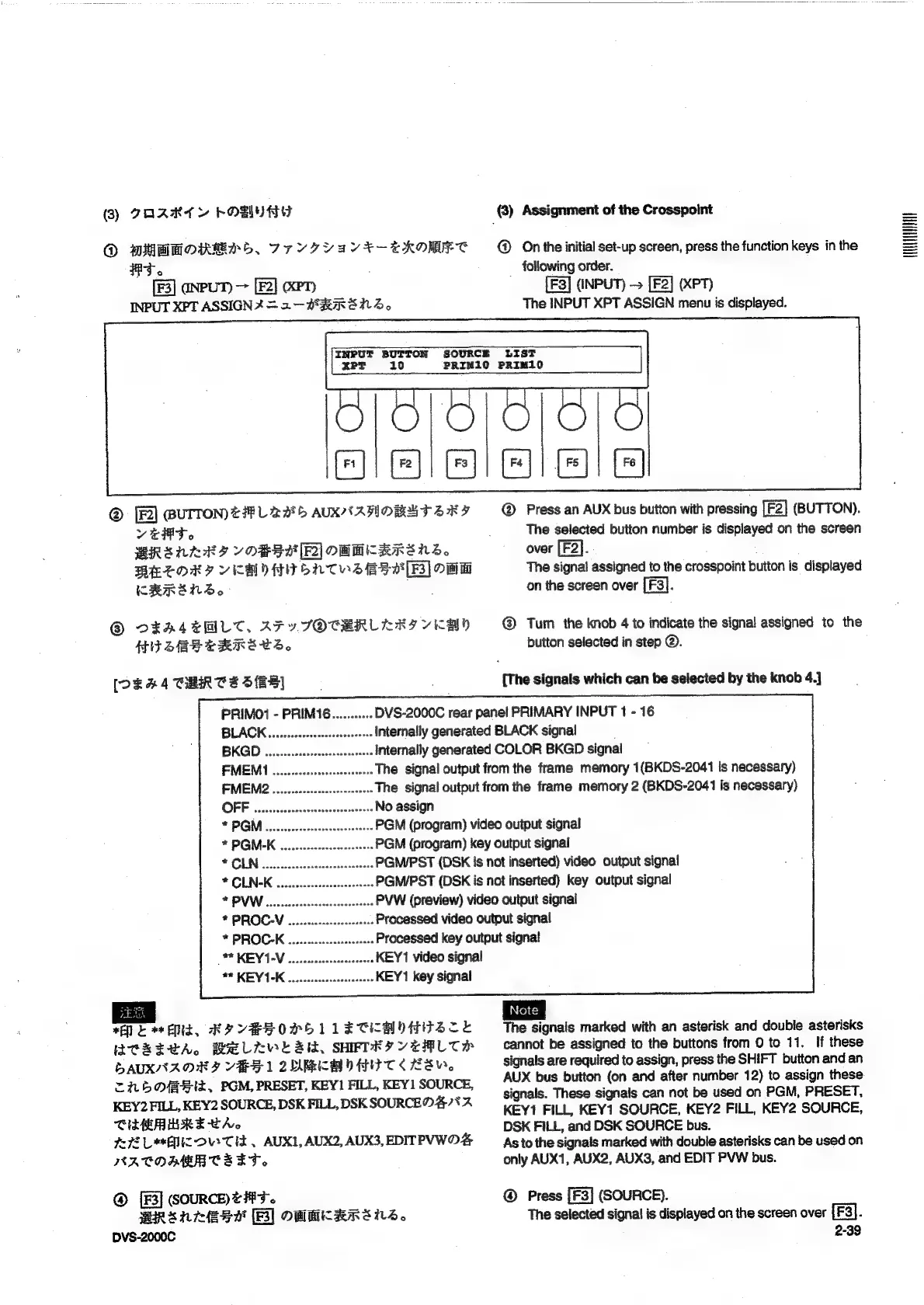
@
On
the
initial
set-up
screen,
press
the
function
keys
in
the
following
order.
(INPUT)
[F2]
(XPT)
The
INPUT
XPT
ASSIGN
menu
is
displayed.
INPUT
BUTTON
SOURCE
LIST
xPT
10
PRIM10O
PRIM10
pe
es
|
®
(BUTTON)
£48
L
22°
5
AUXNAWMOBRT
SRY
vet.
BRALLES
ORS]
OMMKRRS
NS.
WETOR,
VCH)
HI
ONT
Ess
[BS]
OM
CHRENS}D.
®
D¥EA4EMLT.,
AF
YSOCRERLEA
AI
YKCAY
HI
SEBS
ERRE
CS
[De
a4
CHART
S
SBS]
|
|
@
Press
an
AUX
bus
button
with
pressing
(BUTTON).
The
selected
button
number
is
displayed
on
the
screen
over
[F2].
The
signal
assigned
to
the
crosspoint
button
is
displayed
on
the
screen
over
;
@
Tum
the
knob
4
to
indicate
the
signal
assigned
to
the
button
selected
in
step
@.
[The
signals
which
can
be
selected
by
the
knob
4.]
DVS-2000C
rear
panel
PRIMARY
INPUT
1
-
16
Internally
generated
BLACK
signal
Internally
generated
COLOR
BKGD
signal
The
signal
output
from
the
frame
memory
1(BKDS-2041
is
necessary)
The
signal
output
from
the
frame
memory
2
(BKDS-2041
is
necessary)
No
assign
PGM
(program)
video
output
signal
PGM
(program)
key
output
signal
PGM/PST
(DSK
is
not
inserted)
video
output
signal
PGM/PST
(DSK
is
not
inserted)
key
output
signal
PVW
(preview)
video
output
signal
Processed
video
output
signal
Processed
key
output
signa!
KEY
1
video
signal
KEY
1
key
signal
eee
ee
Eld,
KP
VYBSOPSL
LE
CCM
ORTSZCE
WERECA.
BELEWE
Si,
SHFTRIYTALTH
DAUXNAOK,
VSS
1
2URCAMO
AIT
Re,
=HOOBHI,
PGM,
PRESET,
KEY!
FILL,
KEY]
SOURCE,
KEY2
FILL,
KEY2
SOURCE,
DSK
FILL,
DSK
SOURCE
47%
2
CHAU
RE
TA
72
Lic
OVe
Tis.
AUX,
AUX2,
AUX3,
EDITPVWOS
NATOAMR
CSET.
@
(SOURCE)
@
#43.
BRsnress
(Bl
OWHKARSHS.
DVS-2000C
fea
The
signals
marked
with
an
asterisk
and
double
asterisks
cannot
be
assigned
to
the
buttons
from
0
to
11.
If
these
signals
are
required
to
assign,
press
the
SHIFT
button
and
an
AUX
bus
button
(on
and
after
number
12)
to
assign
these
signals.
These
signals
can
not
be
used
on
PGM,
PRESET,
KEY1
FILL,
KEY1
SOURCE,
KEY2
FILL,
KEY2
SOURCE,
DSK
FILL,
and
DSK
SOURCE
bus.
As
to
the
signals
marked
with
double
asterisks
can
be
used
on
only
AUX1,
AUX2,
AUX3,
and
EDIT
PVW
bus.
Press
[F3]
(SOURCE).
The
selected
signal
is
displayed
on
the
screen
over
[F3].
2-39
UUCTUUUH

Table of Contents

Related product manuals