3-17
DXC-D35/D35WS(UC)
DXC-D35P/D35WSP(CE) V1
3-3-17. 4 : 3 Title Adjustment (Only for DXC-
D35WS/D35WSP)
Equipment: Color monitor (or, B/W monitor)
Preparation: OUTPUT/DL/DCC + switch: BARS
Test point: MONITOR OUT connector
Adjustment Procedure
1. Select “PAGE 9” on the ADVANCE menu, set
“16:9/4:3” to “4:3” position.
2. Select “PAGE 8” on the ADVANCE menu, set
“CLOCK IND” to “BARS” position.
3. Set the cursor to “EXIT MENU” then press the UP
switch to return to the menu selecting screen.
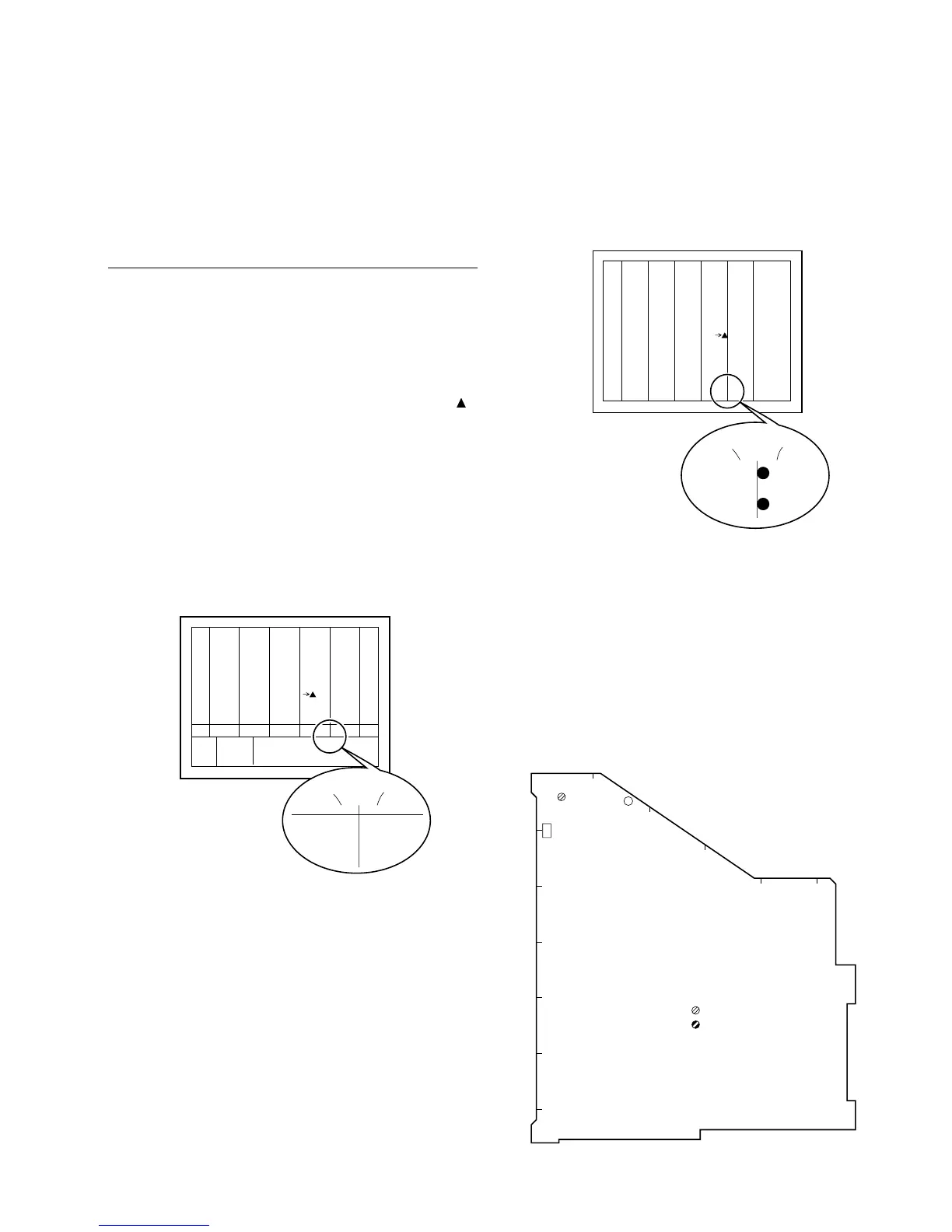
4. Adjusting point: 1CV1/MB-785 board
Specification: Align the center of the two-digit
figure XX with the boundary
between magenta and red of the
color bar as shown in the follow-
ing figure. (for NTSC)
[for NTSC]
OPEN MENU
(YES )
SERVICE
XX XX XX
X:XX
XXdB
XXXX
TONE
W:P
Magenta
Red
X:XX
XX XX XX
Specification: Align the left end of the “:” with
the boundary between magenta
and red of the color bar as shown
in the following figure. (for PAL)
[for PAL]
CV1
CV3
B
C
D
E
F
G
6
4
3
2
1
MB-785 board



 To Next Page