Recognising music with TrackID™
Use the TrackID™ music recognition service to identify a song you hear playing in
your surroundings. Just record a short sample of the song and you’ll get artist, title
and album info within seconds. You can purchase songs identified by TrackID™ and
you can view TrackID™ charts to see what TrackID™ users around the globe are
searching for. For best results, use TrackID™ in a quiet area.
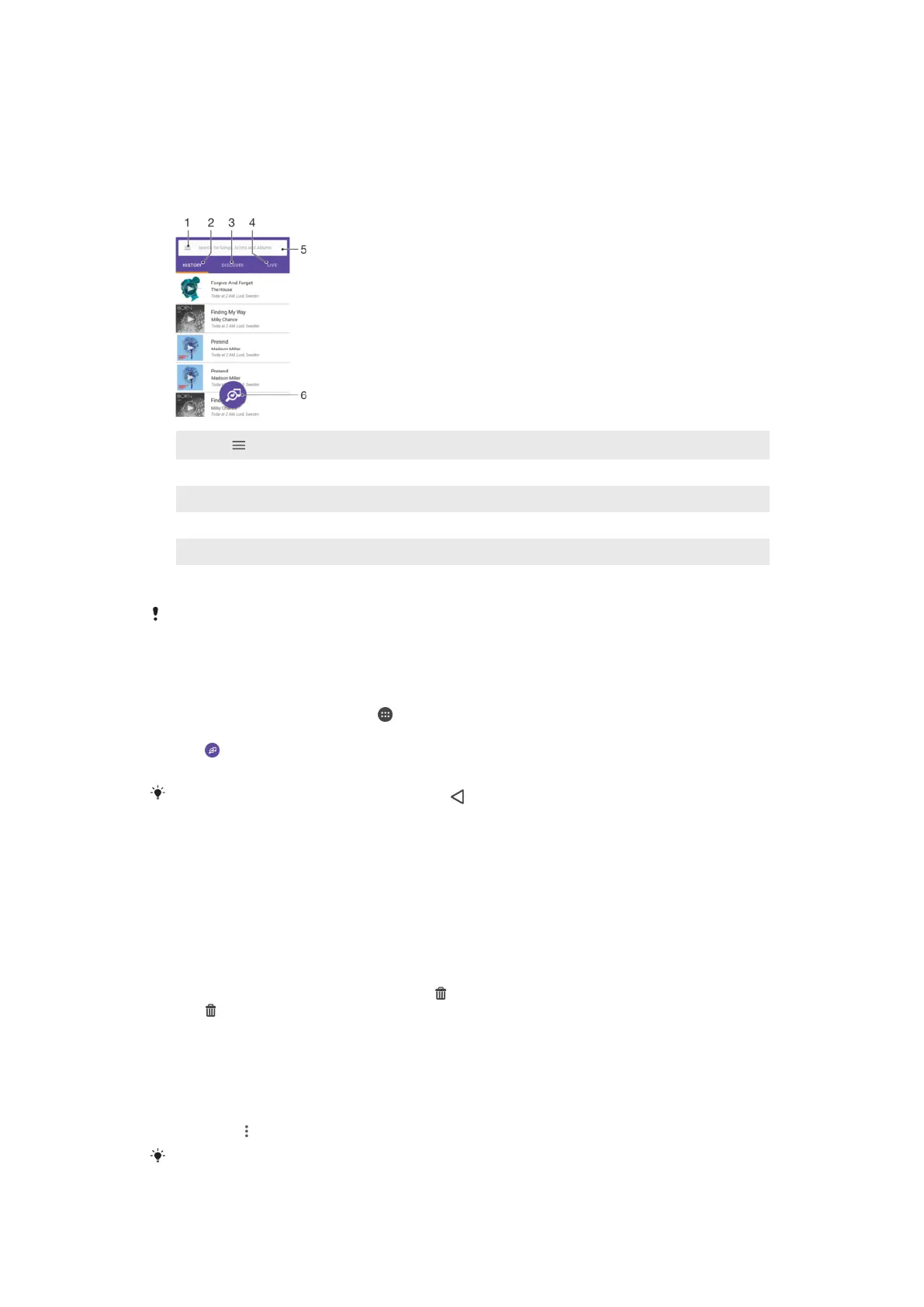
1
Tap to open the TrackID™ home screen menu
2 View the history of your previous searches
3 Explore top tracks, popular playlists, new songs and more
4 Check out what others are tracking
5 Search for tracks, albums and artists
6 Identify the music that you are listening to
The TrackID™ application and some features of the TrackID™ service may not be supported in
all countries or regions or by all networks or service providers. TrackID™ can be connected to
music streaming services available in your country.
To identify music using TrackID™ technology
1
From your Home screen, tap .
2
Find and tap TrackID™, then hold your device close to the music source.
3
Tap . If the song is recognised by the TrackID™ service, the results appear on
the screen.
To return to the
TrackID™ start screen, tap .
To view artist information for a song
1
After a song is recognised by the TrackID™ application, the result is displayed
on the TrackID™ home screen.
2
Scroll to the result that you want to view, then tap to open it.
To delete a song from the track history
1
Open the TrackID™ application, then browse to the song that you want to
delete.
2
Touch and hold the screen to display
.
3
Tap .
To use TrackID™ LIVE
You can use TrackID™ LIVE to see real time LIVE trackings from around the world.
There are two ways to start TrackID™ LIVE:
•
Tap the map on the TrackID™ home screen.
•
Or press
, then tap TrackID™ LIVE.
You can change how fast you want to get the trackings and you can mute or unmute the song
previews.
91
This is an Internet version of this publication. © Print only for private use.















 To Next Page