masterpage:Right4
filename[G:\_Upload\3073074111\307307411MVCFD100UC\02GB-
MVCFD100UC\04bas.fm]
B
BB
B Playback
25
model name1[MVC-FD100/200]
[3-073-074-11(1)]
Playing back moving images
Slide the POWER switch down to turn on the power and insert a floppy disk or a
“Memory Stick” in your camera.
1
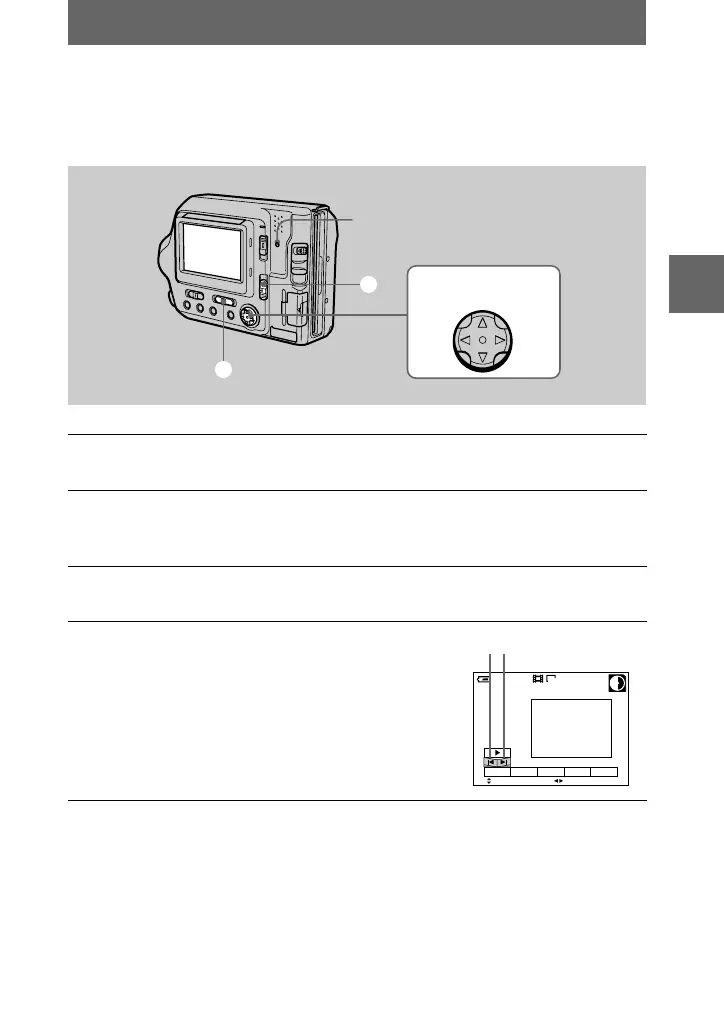
Set the PLAY/STILL/MOVIE selector to PLAY.
The last recorded image (still or moving) appears on the LCD screen.
2
Select the playback media using the MS/FD selector.
MS: When playing back images in the “Memory Stick.”
FD: When playing back images in the floppy disk.
3
Press
v
on the control button to display the menu bar on the LCD
screen.
4
Select the desired moving image with the
control button.
Moving images are displayed one size smaller
than still images.
Press
v
/
V
/
b
/
B
on the control button to select
"b
/
B"
on the LCD screen, then press
b
/
B
.
"b
: To display the preceding image.
B"
: To display the next image.
3 – 5
1
2
Access lamp
Control button
160
60min
6/8
SELECT
DELETE
INDEX FILE SETUPTOOL
FILE BACK/NEXT
"b/B"
01cov.book Page 25 Thursday, November 29, 2001 1:20 PM



 To Next Page
 Loading...









