17
Menu Adjustment
Sony KV-AR21M30 Group A11 (GB)_4-097-821-11 (2)Sony KV-AR21M30 Group A11 (GB)_4-097-821-11 (2)
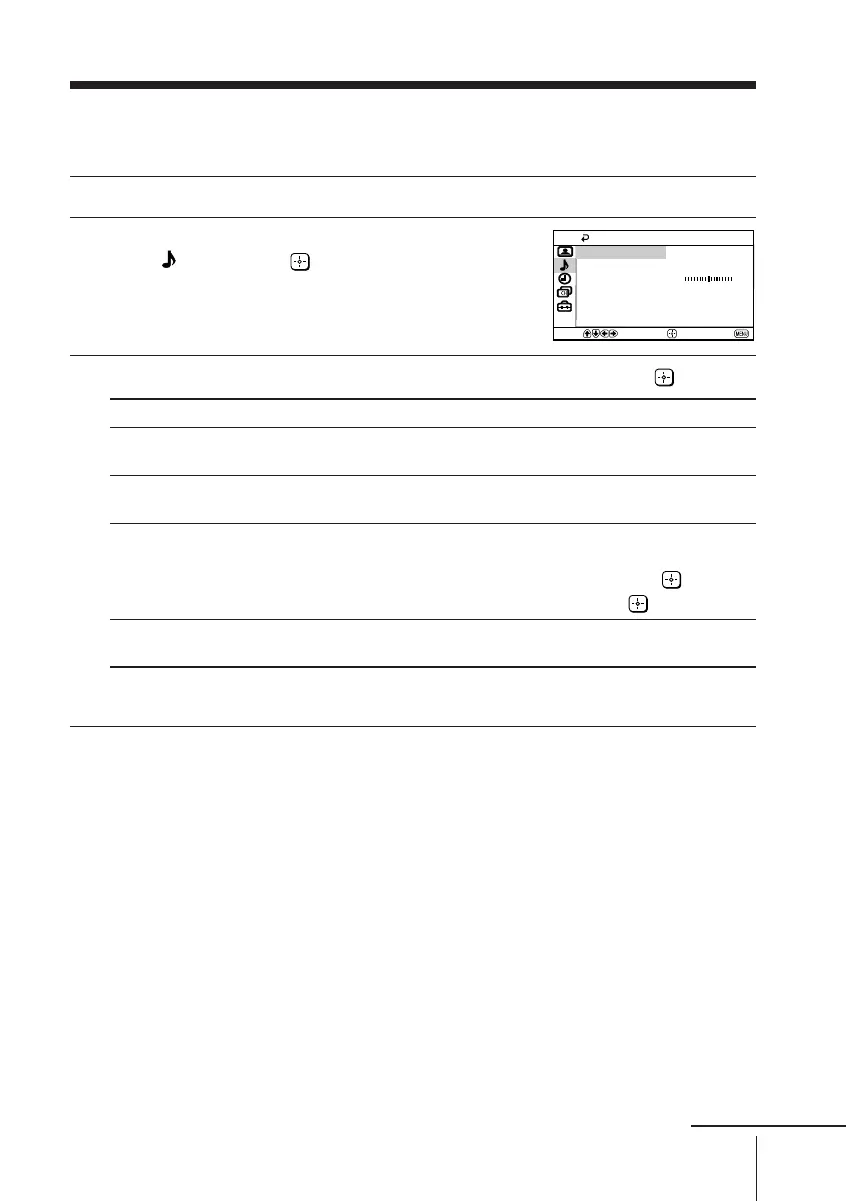
x Changing the “Sound” setting
The “Sound” menu allows you to adjust the sound settings.
1
Press MENU.
2
Press V or v to select the “Sound”
icon (
), then press .
3
Press V or v to select the desired item (e.g., “Mode”), then press .
Select To
“Mode” choose either “Dynamic”, “Drama”, “Soft” or
“Personal”* (see page 11).
“Balance” Press v or B to emphasize the left speaker.
Press V or b to emphasize the right speaker.
“Intelligent Volume” adjust the volume of all program numbers and
video inputs automatically.
Press V or v to select “On”, then press .
To cancel, select “Off”, then press .
“Surround” choose either “SRS”, “Simulated” or “Off”
(see page 9).
*You can adjust the setting to your personal preference in the “Sound Adjustment”
option only when the “Personal” mode is selected (see page 18).
Balance
Intelligent Volume:
Surround:
Sound Adjustment
Dynamic
Mode:
Sound
Confirm
End
Select
Off
Off
continue
01GB06ADJ-MIX.p65 30/7/1918, 4:53 PM17









 To Next Page