Using the software
D:\WORK\GPS_CS1\2688548111_UGGB\01GB-GPSCS1\01GB04BAS.fm
master:Right
GPS-CS1
2-688-548-11(1)
GB
25
GB
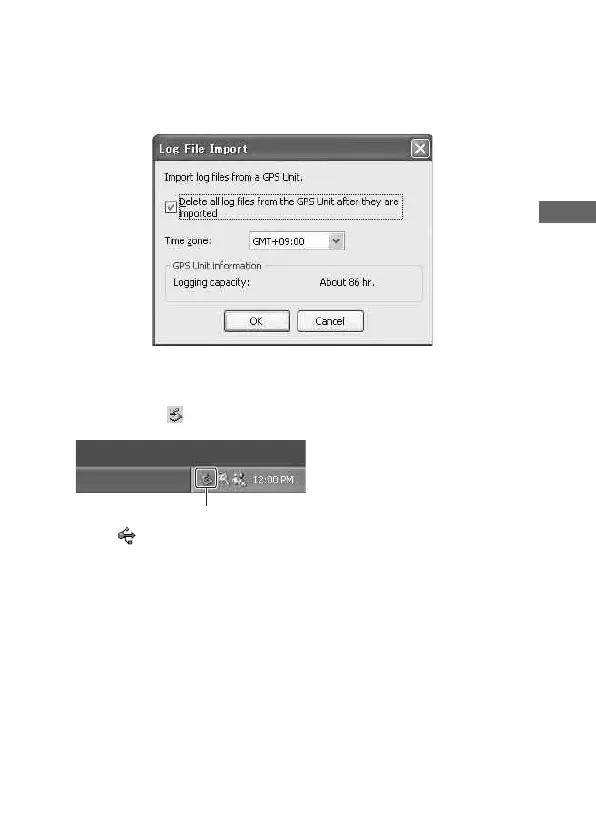
Step 3: Import the GPS log files
Click [OK] on the “Log File Import” window.
Step 4: Delete the USB connection
1 Double-click on the tasktray.
2 Click (USB Mass Storage Device) t [Stop].
3 Confirm the device on the confirmation window, then click [OK].
4 Click [OK].
The unit is disconnected from the computer.
• Step 4 is unnecessary for Windows XP.
Double-click here



 To Next Page