36
To turn off the setup value
Press STATUS CHECK 4 again.
You can check all area surrounding the
picture frame, which you cannot check on a
TV screen.
Press ALLSCAN 1.
All the area surrounding the picture frame
is displayed on the screen.
To return to the previous screen, press
ALLSCAN 1 again.
b Notes
• During the all scan display, a black frame
appears around the screen.
• All scan display does not affect to the original
picture.
• If ALLSCAN is displayed while inputting
signals with HDV/DV jack or VIDEO IN/S
VIDEO IN jack, fluctuation may appear around
the picture frame. This is not malfunction, and
there is no problem with pictures recorded on
the tape.
Displaying all area surrounding
the picture frame (All scan)
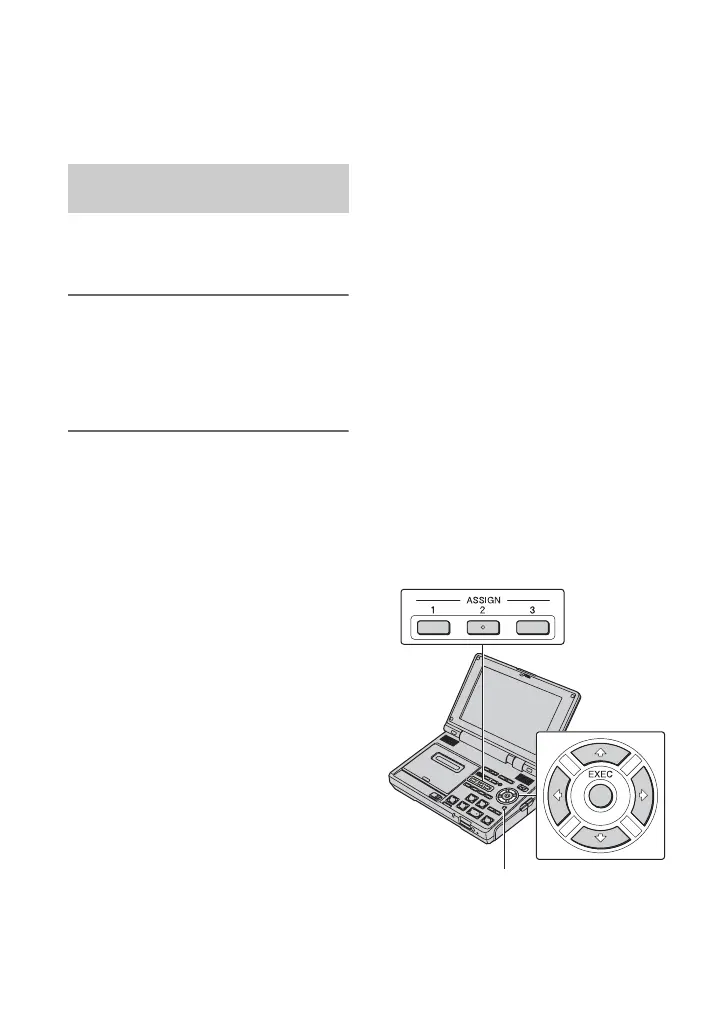
Assigning the
functions to the
ASSIGN buttons
You may need to assign some functions to
the ASSIGN buttons. You can assign a
single function to each the ASSIGN button
1 to 3.
Functions you can assign to the
ASSIGN buttons
• DV WIDE DISP (p. 59)
•PB ZOOM (p.37)
• LCD PROFILE (p. 58)
• INDEX MARK (p. 38)
• ZEROMEMORY (p. 32)
• i.LINK CONV (p. 57)
• COMPONENT (p. 57)
•A/VtDV OUT (p. 43)
• END SEARCH (p. 33)
• DATA CODE (p. 60)
• COLOR BAR (p. 59)
• SEARCH SEL (p. 33, 34)
•SEARCH > (p. 33, 34)
•SEARCH . (p. 33, 34)
MENU
Changing/checking the settings in
your VCR (Continued)







 To Next Page