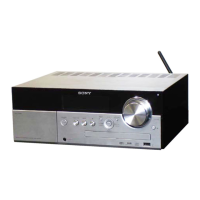
HCD-M40D/M60D/M80D
24
FOCUS BIAS CHECK
Procedure:
1. Connect the oscilloscope to CN302 pin 17 (RF) and CN302
pin 1 (GND) on the MOTHERBOARD board.
2. Press the [
1
] button to turn the power on, and press the
[FUNCTION] button to select DVD/CD function.
3. Set the test disc (CD: YEDS-18), (DVD: HLX-503 (NTSC) or
HLX-504 (PAL) on the tray and press [N] button to playback.
4. Confi rm that oscilloscope waveform is as shown in the fi gure
below (eye pattern).
A good eye pattern means that the diamond shape () in the
center of the waveform can be clearly distinguished.
Checking Location:
-MOTHERBOARD Board (Component Side)-
CN302
pin 1 (GND)
pin 17 (RF)
SECTION 4
ELECTRICAL CHECK
Procedure:
1. Turn the power on.
2. Input the following signal from Signal Generator to FM
antenna input directly.
Carrier frequency : A = 87.5 MHz, B = 98 MHz, C = 108 MHz
Deviation : 75 kHz
Modulation : 1 kHz
ANT input : 35 dBu (EMF)
Note: Please use 75 ohm “coaxial cable” to connect SG and the
set. You cannot use video cable for checking.
Please use SG whose output impedance is 75 ohm.
3. Set to FM tuner function and scan the input FM signal with
automatic scanning.
4. Confi rm that input Frequency of A, B and C detected and
automatic scanning stops.
The stop of automatic scanning means “The station signal is
received in good condition”.
FM AUTO STOP CHECK
signal
generator
set
+
–
75
TUNER SECTION
0 dB = 1 ȝV
+
–
MOTHERBOARD board
oscilloscope
(DC range)
CN302 pin 17 (RF)
CN302 pin 1 (GND)
VOLT/DIV: 200 mV
TIME/DIV: 500 ns
level:
1.1 ± 0.25 Vp-p (DVDSL)
1.0 ± 0.25 Vp-p (CD)

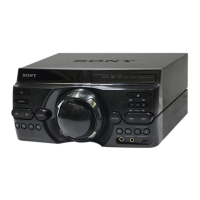

 To Next Page