Chapter 4 Recording and Playback
Chapter 4 Recording and Playback 4-5
4-2 Playback
This section describes playback of video and audio.
4-2-1 Preparations for Playback
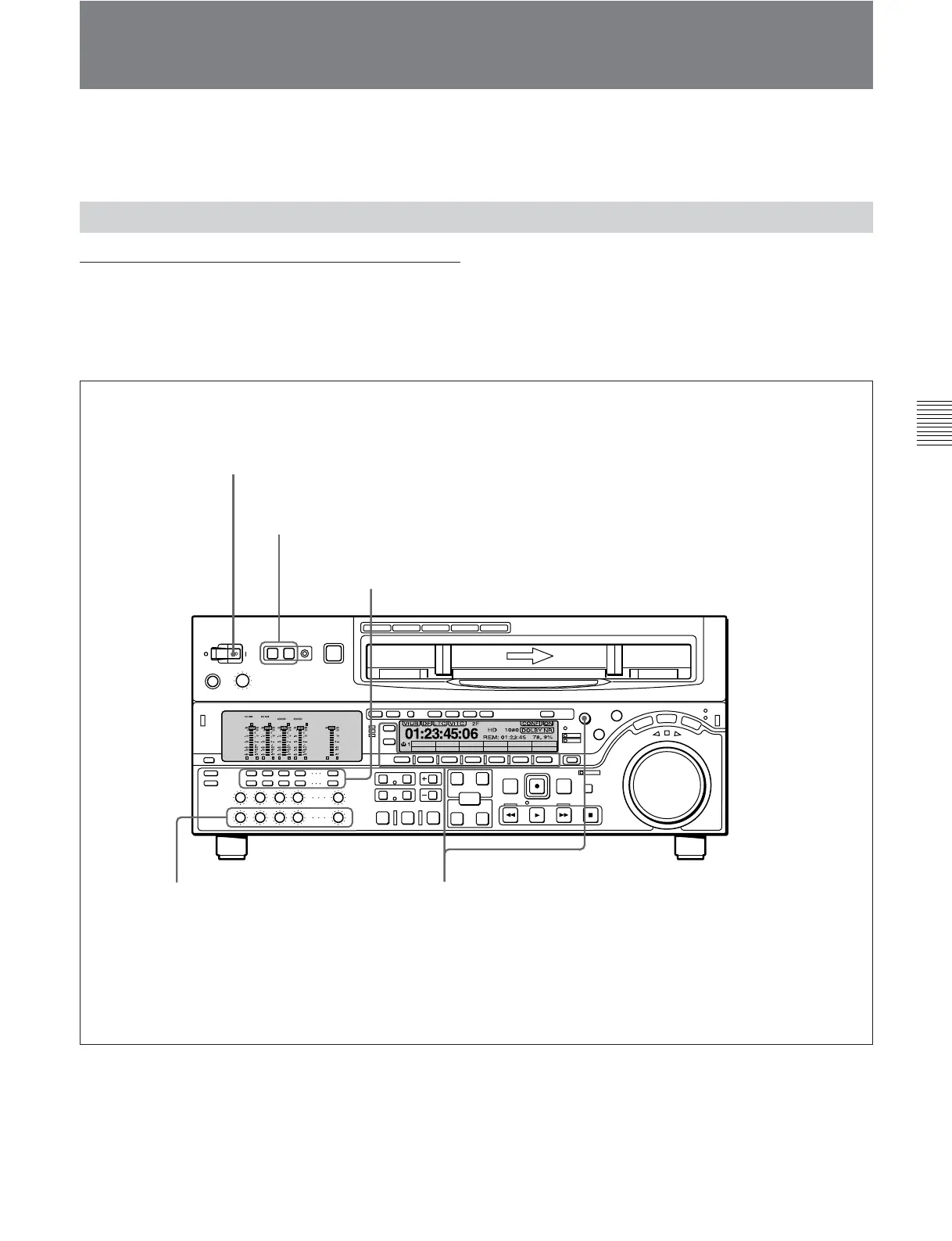
Switch and menu settings
Before beginning playback, make necessary switch
and menu settings.
For details on each setting, see the pages indicated in
parenthesis.
Z
EE
TC
VID. IN PB/EE CONFI
SDI
DISABL
TCGSET
CTL/TCMENU
59.94
Audio monitor signal selection buttons
(see page 2-5)
:
Select the audio channel(s) to be monitored.
POWER switch: ‘I’ side (on)
TCR setting
(see page 9-4)
: Select the time code to be displayed.
REMOTE buttons
(see page 2-2)
: off
PB controls
(see page 2-6)
:
Adjust the audio playback levels.
PB/EE setting
(see page 9-3)
: PB
CTL/TC setting
(see page 9-3)
: Select the time data to be displayed.







 To Next Page